
Does PrintShop Still Exist
PrintShop, the desktop publishing software that helped millions of people create banners, greeting cards, and signs from their home computers, is largely a relic of the past. The software still exists in a limited form, but it no longer serves the role it once did for everyday printing needs.
If you need to print documents, posters, or custom signs today and you don't have a printer at home, the landscape has changed dramatically. Modern alternatives range from free online design tools to full-service local print shops that handle everything from single-page documents to large-format banners.
This guide covers what happened to PrintShop, what replaced it, and how to get professional-quality prints in Dallas, TX, without owning a printer or wrestling with outdated software.
What Was PrintShop and Why Did People Use It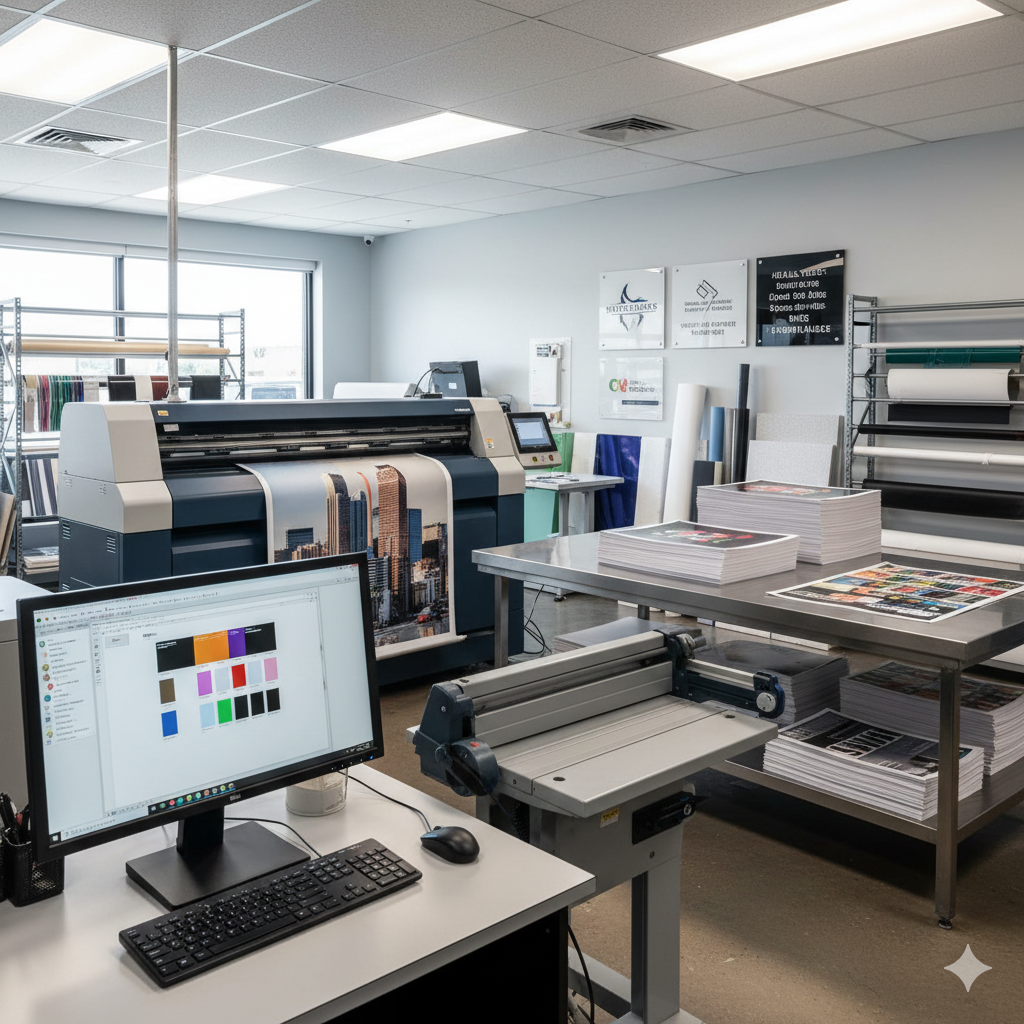
PrintShop was one of the first consumer-friendly desktop publishing programs. It gave ordinary computer users the ability to design and print materials that previously required a professional print shop or graphic designer. For nearly two decades, it was a household name in personal printing.
A Brief History of PrintShop Software
Broderbund Software released the original PrintShop in 1984 for the Apple II. It quickly became one of the best-selling software titles of the 1980s, eventually expanding to IBM PC, Macintosh, and other platforms. The program was simple by today's standards. Users selected from built-in clip art, borders, and fonts to create printed materials on dot-matrix and early inkjet printers.
Over the years, ownership of PrintShop changed hands multiple times. Broderbund was acquired by The Learning Company, which was later absorbed by Mattel and then sold to Riverdeep. Eventually, the brand landed under Houghton Mifflin Harcourt's software division. Each transition diluted the product's focus and development resources.
By the mid-2000s, PrintShop had released several updated versions, including PrintShop Deluxe and PrintShop Professional, but it struggled to keep pace with rapidly evolving design software and the rise of web-based tools.
What PrintShop Allowed Users to Create
PrintShop's appeal was its simplicity. Users with no design experience could produce:
Greeting cards and invitations
Banners and posters
Letterheads and business cards
Calendars and certificates
Signs and flyers
Iron-on transfers
The software bundled thousands of templates, clip art images, and fonts. For home users and small businesses in the 1980s and 1990s, it was often the only affordable option for creating printed materials without hiring a designer.
Does PrintShop Still Exist Today
The short answer is yes, but barely. PrintShop exists as a shadow of its former self, and for most people searching this question, the real need is not the software. It is finding a reliable way to get something printed.
The Current Status of PrintShop Software
As of 2025, a version of PrintShop is still available for purchase. Encore Software currently holds the rights and sells PrintShop 7.0 through select online retailers. The software runs on Windows and offers templates for common print projects like cards, banners, and scrapbook pages.
However, the product receives minimal updates. Its user base has shrunk considerably. Most online reviews note that the interface feels dated compared to modern design platforms, and compatibility issues with newer operating systems and printers are common complaints.
PrintShop is no longer available for Mac. There is no mobile version. There is no cloud-based version. For users who remember the software fondly, it still technically exists. For anyone looking for a practical printing solution in 2025, better options are available.
Why Many Users Moved Away from PrintShop
Several factors drove the decline:
Free online alternatives emerged. Tools like Canva, Adobe Express, and Google Docs offer drag-and-drop design capabilities that match or exceed what PrintShop provided, and they cost nothing to use for basic projects.
Home printing became less necessary. As professional print services became faster, more affordable, and more accessible, many users found it easier to send a file to a local print shop than to manage ink cartridges, paper jams, and color calibration at home.
Design expectations increased. Social media and digital marketing raised the bar for visual quality. PrintShop's clip art and template library, once impressive, began to look outdated next to the polished designs available through modern platforms.
File sharing changed everything. Cloud storage, email attachments, and USB drives made it simple to prepare a file on any device and bring it to a print provider. The all-in-one design-and-print workflow that PrintShop offered became less relevant when design and printing could happen in separate, better-optimized steps.
What Replaced PrintShop for Printing Needs
The printing needs that PrintShop once served did not disappear. They simply moved to better tools and better services. Today, the replacement comes in two forms: digital design platforms and professional print providers.
Online Design and Print Tools
For users who want to design their own materials before printing, several free and low-cost platforms have taken PrintShop's place:
Canva is the most direct successor in spirit. It offers thousands of templates for posters, flyers, business cards, presentations, signs, and social media graphics. Users can design in a browser or mobile app and export print-ready PDF files. Canva's free tier covers most basic needs.
Adobe Express provides similar functionality with tighter integration into Adobe's professional ecosystem. Users who eventually need advanced editing can move files into Photoshop or Illustrator.
Google Docs and Google Slides handle simple document and presentation printing. For straightforward text documents, reports, or basic flyers, these tools are sufficient and universally accessible.
Microsoft Publisher, included in some Microsoft 365 subscriptions, offers more traditional desktop publishing features for users who prefer offline software.
None of these tools print anything by themselves. They create the digital file. The printing still needs to happen somewhere, which is where local print services come in.
Professional Print Shops and Local Print Services
For anyone who does not own a printer or needs higher quality than a home inkjet can deliver, professional print shops are the modern answer to what PrintShop once tried to solve at home.
Local print providers like AlphaGraphics handle everything from single-page black-and-white documents to full-color posters, vinyl banners, custom signs, and large-format graphics. The process is straightforward: bring your file (on a USB drive, via email, or through an online upload portal), specify what you need, and pick up your finished prints.
This approach eliminates the cost of owning and maintaining a printer, buying ink and specialty paper, and troubleshooting print quality issues. For one-time projects, occasional printing needs, or anything larger than standard letter size, a professional print shop is almost always more cost-effective and produces better results.
How to Print Documents Posters and Signs Without a Printer
If you landed on this page because you need something printed and you don't have a printer, here is exactly how to get it done.
Walk-In Printing at a Local Print Shop
Walking into a local print shop is the fastest path from file to finished product. Here is what to expect:
Bring your file. Save your document, design, or image to a USB flash drive, or have it accessible via email or cloud storage (Google Drive, Dropbox, etc.). Most print shops can open files from any of these sources.
Tell the staff what you need. Specify the size, quantity, paper type, and whether you need color or black-and-white printing. If you are unsure, the staff at a professional print shop can recommend the best options based on your project.
Get a time estimate. Simple document printing often takes minutes. Posters and signs may take a few hours. Custom signage or large-format projects may require a day or more depending on materials and finishing options.
Pick up your order. Many print shops offer same-day service for standard jobs. Some provide delivery for larger orders.
Walk-in printing works well for students printing reports, professionals needing presentation materials, event organizers producing signage, and small businesses that need marketing collateral without the overhead of owning commercial printing equipment.
Uploading Files Online for Print and Pickup
Many print providers now accept files through their website or email. This option saves time because your job can be in production before you arrive.
The typical online workflow looks like this:
Visit the print provider's website or send your file via email.
Specify your print requirements (size, quantity, paper stock, finishing).
Receive a confirmation and estimated completion time.
Pick up your order at the shop or arrange delivery.
Online file submission is especially convenient for remote workers, busy professionals, and anyone who wants to avoid waiting at a counter. It also gives the print shop time to review your file for potential issues before printing, which reduces errors and reprints.
Large-Format Printing for Posters Banners and Signs
PrintShop software could print banners on a home printer by tiling multiple pages together. The results were predictable: visible seams, inconsistent color, and flimsy paper that curled at the edges.
Professional large-format printing eliminates all of those problems. Modern wide-format printers produce seamless posters, banners, and signs on materials designed for durability and visual impact.
Common large-format print products include:
Posters (up to 48 inches wide or larger) for events, retail displays, and presentations
Vinyl banners for outdoor events, storefronts, and trade shows
Retractable banner stands for conferences and lobbies
Yard signs for real estate, political campaigns, and directional signage
Wall graphics and murals for offices, restaurants, and retail spaces
Vehicle wraps and window graphics for mobile advertising
These products require specialized equipment and materials that no home printer or consumer software can replicate. A local print and sign shop is the only practical option for this category of work.
What File Formats and Preparation Steps You Need Before Printing
Sending the right file to your print provider saves time, avoids reprints, and ensures your finished product looks exactly the way you intended.
Accepted File Formats for Professional Printing
Most professional print shops accept a wide range of file types. The best format depends on your project:
PDF is the safest choice for most projects. When you export or save your design as a PDF, it locks in your fonts, images, and layout so nothing shifts when the file is opened on a different computer.
How to Prepare Your File for the Best Print Quality
A few simple steps before submitting your file can make a significant difference in the final product:
Set your resolution to 300 DPI. DPI stands for dots per inch. Images pulled from websites are typically 72 DPI, which looks fine on a screen but appears blurry and pixelated when printed. For sharp, professional results, your images need to be at least 300 DPI at the final print size.
Use CMYK color mode for full-color printing. Computer screens display color in RGB (red, green, blue). Printers use CMYK (cyan, magenta, yellow, black). If your file is in RGB, colors may shift during printing. Most design tools allow you to convert to CMYK before exporting.
Add bleed if your design extends to the edge of the page. Bleed is an extra 0.125 inches of design beyond the trim line. It ensures there are no white edges after cutting. If you are unsure how to set bleed, your print provider can guide you.
Outline your fonts. If you are sending a file with custom fonts, convert the text to outlines (also called "curves"). This prevents font substitution if the print shop does not have your specific font installed.
Check your dimensions. Make sure your file matches the final print size. A file designed at 8.5 x 11 inches will not look right if printed at 24 x 36 inches without proper scaling.
If any of this feels overwhelming, don't worry. A good print shop will review your file before printing and let you know if anything needs adjustment. That pre-flight check is one of the key advantages of working with a professional provider instead of printing at home.
How to Choose the Right Print Service in Dallas TX
Dallas has no shortage of places to print. Office supply stores, shipping centers, copy shops, and dedicated print and sign companies all offer some level of printing service. The right choice depends on what you need, how fast you need it, and how important quality is to your project.
What to Look for in a Local Print Provider
Not all print services are equal. Here are the factors that matter most:
Range of services. A provider that handles documents, posters, banners, signs, and large-format graphics under one roof saves you from coordinating between multiple vendors. If your needs grow beyond basic document printing, you want a partner who can scale with you.
File support and guidance. The best print shops do not just press "print." They review your file, flag potential issues, and offer recommendations. This is especially valuable if you are not a professional designer.
Material options. Paper weight, finish (matte, gloss, satin), vinyl, foam board, acrylic, metal, and fabric are just some of the substrates available for different print projects. A well-equipped shop gives you choices that match your project's purpose and budget.
Turnaround time. Same-day service for simple jobs is standard at most professional print shops. Complex or large-quantity orders may take longer. Ask about rush options if you are working against a deadline.
Customer service. Printing can involve technical details that are unfamiliar to most people. A provider with knowledgeable, patient staff who explain options clearly makes the entire process easier.
Turnaround Times and Pricing Considerations
Turnaround and cost vary based on the type of project:
Pricing tip: For small quantities, per-unit costs are higher. If you need more than a handful of copies, ask about volume pricing. Many print shops offer significant discounts at higher quantities.
Rush orders are available at most professional shops for an additional fee. If your deadline is tight, call ahead so the shop can plan production accordingly.
Why Dallas Businesses and Individuals Trust AlphaGraphics for Printing and Signage
AlphaGraphics Dallas has built its reputation on solving exactly the problem this article addresses: helping people who need something printed get professional results without hassle.
Whether you are a student who needs a thesis printed and bound, a small business owner who needs storefront signage, or an event organizer who needs banners for this weekend, AlphaGraphics provides the full range of print and sign services under one roof.
What sets AlphaGraphics apart from office supply store print counters and self-service kiosks is the expert guidance built into every order. The team reviews your files, recommends the right materials and formats, and ensures your finished product meets professional standards. You don't need to know the difference between CMYK and RGB or understand bleed settings. That is what the team is there for.
Fast turnaround is standard. Many jobs are completed same-day. For larger or more complex projects, the team provides clear timelines and keeps you updated throughout production. Walk-in customers are welcome, and online file submission is available for those who prefer to send files ahead of time.
From single-page document printing to custom signs, large-format posters, banners, vehicle wraps, and wall graphics, AlphaGraphics Dallas handles it all with the reliability and quality that keep customers coming back.
Conclusion
PrintShop software still exists in name, but it no longer serves the practical printing needs that most people have today. Free design tools like Canva and Adobe Express have replaced its design functions, and professional print shops have replaced the home printing workflow it was built around.
For anyone in Dallas who needs documents, posters, signs, or large-format graphics printed, the fastest and most reliable path is working with a local print provider that offers expert file review, a full range of materials, and dependable turnaround times.
We make printing simple at AlphaGraphics Dallas. Bring us your file, tell us what you need, and we will handle the rest. Visit our shop, upload your file online, or call us today to get your project started.
Frequently Asked Questions
Is PrintShop software still available to download?
Yes, PrintShop 7.0 is still sold by Encore Software for Windows computers. However, it receives minimal updates and lacks the features of modern free alternatives like Canva or Adobe Express. Most users find better results with current online design tools.
Where can I print documents if I don't have a printer?
You can print documents at a local print shop like AlphaGraphics, office supply stores, or shipping centers. Professional print shops offer the widest range of paper options, finishing services, and expert file review to ensure quality results.
What is the cheapest way to print posters in Dallas?
For a single poster, visiting a local print shop and printing on standard paper stock is typically the most affordable option. Prices vary by size and material, but a standard 24x36 poster on matte paper is budget-friendly at most Dallas print providers.
Can I walk into a print shop without an appointment?
Yes. Most professional print shops, including AlphaGraphics Dallas, welcome walk-in customers. Bring your file on a USB drive or have it accessible via email or cloud storage, and the staff will help you from there.
What file format is best for printing posters and signs?
PDF is the best all-purpose file format for printing. It preserves your fonts, layout, and image quality across different computers and operating systems. For logos and vector graphics, AI or EPS files are ideal because they scale without losing quality.
How fast can a local print shop complete my order?
Simple document and poster printing is often completed same-day, sometimes within minutes. Banners and custom signs typically take one to three business days. Rush services are available at most professional print shops for time-sensitive projects.
Does AlphaGraphics Dallas print custom signs and banners?
Yes. AlphaGraphics Dallas produces custom signs, vinyl banners, retractable banner stands, yard signs, wall graphics, vehicle wraps, and a wide range of large-format printed products. The team handles design support, file preparation, printing, and finishing all in one location.
