
Business Card Printing: The Complete Guide to Creating Professional Business Cards
A well-printed business card remains one of the most cost-effective marketing tools for any professional or small business. It communicates credibility in seconds and creates a physical connection that digital alternatives simply cannot replicate.
Whether you are a freelancer building your brand, a startup founder networking in Dallas, or a small business owner refreshing your look, understanding the printing process saves you time, money, and frustration. The right choices in design, paper, and finish make the difference between a card that gets kept and one that gets tossed.
This guide walks you through every step of business card printing, from design fundamentals and file preparation to paper stocks, specialty finishes, turnaround times, and local printing options in Dallas, TX.
What Is Business Card Printing? 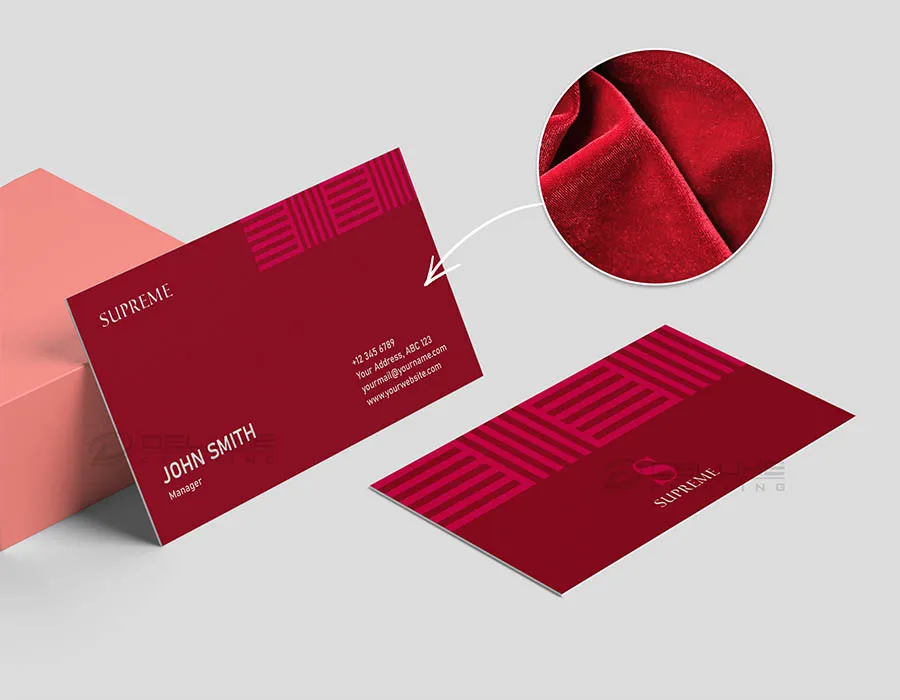
Business card printing is the process of producing small, standardized cards that display a person's or company's name, contact information, and branding. It involves translating a digital design file into a physical printed product using commercial printing equipment.
Unlike home or office printing, professional business card printing uses specialized presses, heavier paper stocks, and finishing techniques that produce a polished, durable result. The process typically includes file submission, prepress proofing, printing, cutting, and optional finishing such as coating or embossing.
Business card printing falls under the broader category of commercial print services, alongside brochure printing, flyer production, and stationery printing. For individuals and businesses without access to a printer or design software, a professional print shop handles every stage, from layout assistance to final production.
Why Business Cards Still Matter in a Digital World
Physical business cards create a tactile, memorable impression that a LinkedIn request or email signature cannot match. Handing someone a card during a face-to-face meeting establishes immediate professionalism and trust.
Cards also function as a portable branding tool. A well-designed card with quality paper and a distinctive finish signals that you take your business seriously. It gives the recipient something tangible to hold, file, or pin to a board, keeping your name visible long after the conversation ends.
For small businesses and professionals in Dallas, networking events, trade shows, and client meetings remain central to building relationships. A business card bridges the gap between an introduction and a follow-up, providing all the information someone needs to reach you without searching online.
Types of Business Card Printing Services
Not all business card printing is the same. The method used affects quality, cost, and available finishing options.
Digital printing is the most common method for short to medium runs. It uses toner or inkjet technology to print directly from a digital file. Digital printing is fast, affordable, and ideal for orders ranging from 50 to 500 cards. It supports full-color designs and variable data, meaning each card in a batch can have different names or titles.
Offset printing uses plates to transfer ink onto paper and is best suited for large orders of 1,000 cards or more. It delivers exceptionally consistent color and sharp detail, making it the preferred choice for brands with strict color standards. Setup costs are higher, but the per-unit price drops significantly at volume.
Letterpress printing is a specialty method that physically presses the design into the paper, creating a debossed texture you can feel. It produces a premium, artisan look and is popular among creative professionals, luxury brands, and boutique businesses.
Large-format and specialty printing shops, like sign companies, often offer business card printing alongside their broader services. This is convenient for businesses that also need signage, banners, or marketing materials produced under one roof.
How to Design a Professional Business Card
Design is where your business card either earns attention or loses it. A professional card balances visual appeal with clear, functional information. You do not need to be a graphic designer to get this right, but you do need to follow a few proven principles.
Essential Information to Include on Your Business Card
Every business card should include these core elements:
Full name and job title or role
Business or company name
Phone number (direct line preferred)
Email address
Website URL
Physical address (especially important for local businesses in Dallas)
Optional but increasingly common additions include social media handles, a QR code linking to your website or portfolio, and a brief tagline that communicates what you do.
The key rule is restraint. Include only the information that helps someone contact you or understand your business. Overcrowding a card with every possible detail makes it harder to read and less professional.
Choosing the Right Layout and Format
The two primary layout options are horizontal (landscape) and vertical (portrait). Horizontal layouts are the traditional standard and work well for most professionals. Vertical layouts stand out in a stack of cards and suit creative industries, modern brands, and minimalist designs.
You also need to decide between single-sided and double-sided printing. Single-sided cards keep things simple and cost less. Double-sided cards give you more space to include a logo, tagline, map, QR code, or service list on the back without cluttering the front.
When choosing a layout, consider how the card will be read. Place the most important information, your name and primary contact method, where the eye naturally lands first. For horizontal cards, that is typically the upper-left or center. For vertical cards, it is the top third.
Typography, Color, and Branding Best Practices
Typography should be clean and legible. Use no more than two typefaces: one for headings or your name, and one for body text like contact details. Avoid decorative fonts for small text. A minimum font size of 8 points ensures readability, though 9 to 10 points is safer for most typefaces.
Color should align with your existing brand identity. If you have established brand colors, use them consistently. If you are starting fresh, choose a palette of two to three colors that convey the right tone. Dark text on a light background is the most readable combination. If you use a dark background, ensure white or light-colored text has enough contrast to read easily.
Branding consistency matters. Your business card should look like it belongs with your website, signage, and other marketing materials. Use the same logo, color palette, and fonts across all touchpoints. This builds recognition and reinforces trust every time someone encounters your brand.
Business Card Sizes, Paper Stocks, and Finishes
The physical specifications of your card, its size, paper weight, and finish, directly affect how it feels in someone's hand and how long it lasts in a wallet or cardholder.
Standard Business Card Dimensions
The standard business card size in the United States is 3.5 inches by 2 inches (89 mm x 51 mm). This dimension fits standard cardholders, wallets, and Rolodex systems, making it the safest and most practical choice for most professionals.
If you do business internationally, consider which standard your contacts are most likely to use. For Dallas-based professionals, the U.S. standard is the clear default.
Custom sizes are available, including square cards, mini cards, and oversized formats. These stand out visually but may not fit standard holders, which can lead to them being discarded.
Paper Weight and Stock Options
Paper stock is measured in points (pt) or pounds (lb), and the weight you choose affects durability, feel, and perceived quality.
16 pt cardstock is the most widely used weight for professional business cards. It feels substantial without being bulky and works well with most finishes and printing methods.
Beyond weight, you can choose between coated and uncoated stocks. Coated stocks have a smooth surface that makes colors appear more vibrant. Uncoated stocks have a natural, textured feel and are easier to write on, which is useful if you or your clients jot notes on cards.
Cotton, linen, and recycled stocks offer distinctive textures and appeal to brands that want a natural or eco-conscious look.
Popular Finishes: Matte, Gloss, Soft Touch, and More
The finish applied to your card after printing changes its look, feel, and durability.
Matte finish provides a smooth, non-reflective surface. It looks modern and sophisticated, resists fingerprints, and is easy to write on. Matte is the most popular finish for professional business cards.
Gloss finish adds a shiny, reflective coating that makes colors pop. It is eye-catching and works well for photography-heavy or vibrant designs. However, it shows fingerprints more easily and can create glare under certain lighting.
Soft-touch (velvet) finish creates a velvety, almost suede-like texture. It is a premium option that feels luxurious and distinctive. Soft-touch lamination also adds durability and scuff resistance.
Uncoated (no finish) leaves the paper in its natural state. This works well with uncoated stocks and letterpress printing, giving the card an organic, handcrafted quality.
Each finish interacts differently with ink, so discuss your design with your print provider before committing. A knowledgeable print shop can show you samples so you can feel the difference before placing your order.
Specialty Business Card Printing Options
Beyond standard printing and finishes, specialty techniques elevate a business card from functional to memorable. These options cost more but create a strong impression for brands that want to stand out.
Foil Stamping and Embossing
Foil stamping applies a thin layer of metallic or colored foil to specific areas of the card, such as a logo, name, or border. Gold, silver, copper, and rose gold are the most popular foil colors. The result is a reflective, high-end accent that catches light and draws attention.
Embossing raises a design element above the surface of the card, creating a three-dimensional texture you can feel. Debossing does the opposite, pressing the design into the card. Both techniques add a tactile quality that makes the card more engaging to hold.
Foil and embossing are often combined for maximum impact. A gold-foil logo with embossed lettering, for example, signals premium quality before the recipient even reads the card.
Die-Cut and Custom-Shaped Cards
Die-cutting uses a custom metal die to cut the card into a non-standard shape. Rounded corners are the most common die-cut option and give a card a softer, modern look. More dramatic shapes, like circles, leaf outlines, or silhouettes, are possible but require careful design to remain functional.
Custom-shaped cards are memorable and effective for creative industries, but they may not fit standard cardholders. Consider your audience and how they will store the card before choosing an unconventional shape.
Spot UV, Letterpress, and Edge Painting
Spot UV applies a glossy, raised coating to specific areas of a matte card. This creates a contrast between shiny and matte surfaces, highlighting logos, patterns, or text. The effect is subtle but sophisticated.
Letterpress printing, as mentioned earlier, physically presses ink into thick, soft paper. The result is a deep impression with rich ink coverage. Letterpress cards are a favorite among designers, architects, and luxury brands.
Edge painting applies color to the edges of a thick card stack. When the cards are fanned out, the colored edges create a striking visual effect. Edge painting works best on ultra-thick stocks (32 pt or higher) and pairs well with minimalist designs.
How to Prepare Your Business Card File for Printing
Proper file preparation is the single most important step between your design and a quality printed card. Errors at this stage cause delays, reprints, and wasted money. Taking a few minutes to set up your file correctly saves significant time and frustration.
File Formats and Resolution Requirements
Professional print shops accept specific file formats that preserve design quality during production.
Resolution must be set to 300 DPI (dots per inch) at the final print size. Files created at 72 DPI, the standard for web images, will print blurry and pixelated. This is the most common mistake people make when preparing business card files.
Color mode should be CMYK, not RGB. CMYK is the color model used by commercial printers. RGB is used for screens. Designs created in RGB may shift in color when converted to CMYK during printing, resulting in unexpected hues, especially in blues and greens.
Bleed, Trim, and Safe Zone Setup
Three critical measurements ensure your card prints correctly:
Bleed is the area that extends beyond the final card edge. It ensures that when the card is trimmed, there are no white borders from slight cutting variations. Standard bleed is 0.125 inches (1/8") on all sides. If your card is 3.5" x 2", your file with bleed should be 3.75" x 2.25".
Trim line is the exact boundary where the card will be cut. This is your final card size: 3.5" x 2".
Safe zone is the inner margin where all critical text and logos must stay. Keep important content at least 0.125 inches inside the trim line. Text or logos placed too close to the edge risk being cut off during trimming.
Any background color, image, or pattern that touches the edge of the card must extend all the way to the bleed line.
Common File Preparation Mistakes to Avoid
These errors cause the majority of business card printing problems:
Low resolution images: Using logos or photos below 300 DPI results in blurry prints.
RGB color mode: Forgetting to convert to CMYK causes unexpected color shifts.
Missing bleed: Backgrounds that stop at the trim line leave white edges after cutting.
Text too close to the edge: Important information gets trimmed off.
Unoutlined fonts: If the print shop does not have your font installed, text reflows or substitutes. Convert all text to outlines or embed fonts in your PDF.
Incorrect dimensions: Designing at the wrong size requires resizing, which can distort your layout.
Low-quality logos: Using a logo pulled from a website instead of the original vector file produces poor results.
If you are unsure about any of these requirements, a professional print shop can review your file before production and flag issues. Most shops, including full-service providers in Dallas, offer prepress file checks as part of their workflow.
Business Card Printing Turnaround Times and Pricing
Understanding how long printing takes and what drives cost helps you plan ahead and budget accurately.
Standard vs. Rush Turnaround Options
Turnaround time varies by print method, order size, and finishing options.
Standard turnaround is the most cost-effective option and allows time for proofing and quality checks. Rush and same-day services are available at most professional print shops but typically carry a premium.
Specialty finishes like foil stamping, embossing, or letterpress add time to production. If your card requires specialty work, plan for 5 to 7 business days or more.
Walk-in print shops in Dallas can often accommodate same-day or next-day orders for standard digital printing on common paper stocks. Call ahead or check online to confirm availability.
What Affects Business Card Printing Costs
Several factors determine the final price of a business card order:
Quantity: Higher quantities lower the per-card cost. Ordering 500 cards is significantly cheaper per unit than ordering 100.
Paper stock: Heavier and specialty stocks cost more than standard 14 pt or 16 pt cardstock.
Printing method: Digital printing is the most affordable. Offset printing has higher setup costs but lower per-unit costs at volume. Letterpress is the most expensive.
Finishes: Matte and gloss coatings add modest cost. Foil stamping, embossing, spot UV, and edge painting increase the price substantially.
Sides printed: Double-sided printing costs more than single-sided.
Turnaround time: Rush and same-day orders carry surcharges.
Design services: If you need a designer to create or modify your layout, that is an additional cost, though many print shops include basic design assistance.
For a standard order of 250 full-color, double-sided cards on 16 pt matte cardstock with standard turnaround, expect pricing to be affordable and competitive at most Dallas print shops. Request a quote with your exact specifications for an accurate estimate.
Where to Print Business Cards in Dallas, TX
Dallas offers a range of options for business card printing, from national online services to local print shops. The right choice depends on your timeline, quality expectations, and how much guidance you need.
Walk-In Printing vs. Online Ordering
Online ordering is convenient for straightforward repeat orders. You upload your file, select options, and wait for delivery. It works well when you already have a print-ready file and do not need to see or feel samples before committing.
Walk-in printing at a local shop gives you advantages that online services cannot match. You can see and touch paper samples, discuss finishing options with a print specialist, get your file reviewed on the spot, and pick up your cards without waiting for shipping.
For first-time orders, complex designs, or anyone unsure about paper and finish choices, visiting a local print shop is the faster path to a result you are happy with.
Why Local Printing Gives You Better Results
A local print provider in Dallas offers several practical benefits:
Expert guidance. Staff at a professional print shop can recommend the right paper, finish, and layout based on your industry, brand, and budget. This is especially valuable if you are printing business cards for the first time.
File review and correction. Local shops catch file errors before they become expensive mistakes. A quick prepress check can save you from blurry images, color shifts, or trimming problems.
Faster turnaround. Without shipping delays, you can often pick up your cards the same day or next day. For last-minute networking events or conferences in Dallas, this is a significant advantage.
Consistency across materials. If you also need signage, banners, posters, or marketing materials, a full-service print and sign shop produces everything with consistent color and branding. This eliminates the guesswork of matching output from multiple vendors.
Accountability. If something is not right, you can walk back in and resolve it face to face. Online services require shipping returns and waiting for reprints.
How to Order Business Cards from a Professional Print Shop
If you have never ordered business cards from a print shop before, the process is straightforward. Knowing what to expect removes uncertainty and helps you get your cards faster.
Step-by-Step Ordering Process
Gather your information. Decide what text, logo, and contact details will appear on the card. Have your logo file ready in a high-resolution vector format if possible.
Prepare or request a design. If you have a print-ready file, ensure it meets the format, resolution, bleed, and color mode requirements outlined earlier. If you need design help, ask the print shop about layout assistance or design services.
Choose your specifications. Select your paper stock, weight, finish, printing method, single or double-sided, and quantity. If you are unsure, ask to see samples.
Submit your file. Upload your file online or bring it to the shop on a USB drive or via email. The shop will run a prepress check to verify the file is ready for production.
Review the proof. The print shop will provide a digital or physical proof showing exactly how your card will look. Check all text, spelling, alignment, colors, and layout carefully. Approve the proof before printing begins.
Confirm turnaround and pickup or delivery. Agree on the production timeline and whether you will pick up in store or need delivery.
What to Expect: Proofing, Approval, and Delivery
Proofing is your last chance to catch errors before production. A digital proof is a screen-based preview. A hard proof is a physical printed sample. For standard orders, a digital proof is usually sufficient. For color-critical or specialty orders, request a hard proof.
Review the proof carefully. Check for:
Spelling and grammar errors
Correct phone numbers, email, and website
Logo placement and size
Color accuracy (especially if matching existing brand materials)
Text alignment and spacing
Once you approve the proof, the shop begins production. Changes after approval may incur additional charges and delay your order.
Delivery depends on your arrangement. Walk-in customers in Dallas can typically pick up standard orders within a few business days. Rush orders may be ready the same day or next day. Shipping is available for customers who prefer delivery.
Conclusion
Professional business card printing involves deliberate choices in design, paper, finish, and file preparation. Each decision shapes how your card looks, feels, and represents your brand. Understanding the full process, from layout to production, helps you avoid costly mistakes and get a result that makes a strong impression.
For professionals and businesses in Dallas, working with a local print provider simplifies every step. Expert guidance, hands-on samples, fast turnaround, and face-to-face accountability make the experience efficient and reliable.
We invite you to visit AlphaGraphics Dallas for your next business card order. Our team is ready to help you choose the right options, review your files, and deliver cards that represent your brand with confidence.
Frequently Asked Questions
What is the standard size for a business card?
The standard business card size in the United States is 3.5 inches by 2 inches. This fits most wallets, cardholders, and filing systems, making it the most practical and widely accepted dimension.
How long does it take to print business cards?
Standard business card printing typically takes 3 to 5 business days. Rush orders can be completed in 1 to 2 days, and some local print shops in Dallas offer same-day service for standard digital printing.
What file format should I use for business card printing?
A press-ready PDF is the preferred file format for business card printing. It preserves your fonts, layout, and color settings. Adobe Illustrator (AI) and EPS files are also accepted for vector-based designs.
How much does it cost to print business cards?
Cost depends on quantity, paper stock, finish, printing method, and turnaround time. A standard order of 250 full-color cards on 16 pt cardstock is affordable at most professional print shops. Request a quote with your exact specifications for accurate pricing.
Can I print business cards same day in Dallas?
Yes. Several professional print shops in Dallas, including full-service providers like AlphaGraphics Dallas, offer same-day printing for standard digital orders. Call ahead to confirm availability and file requirements.
What paper stock is best for professional business cards?
16 pt cardstock is the most popular choice for professional business cards. It feels sturdy and substantial without being overly thick. For a premium feel, 18 pt or 32 pt stocks with a matte or soft-touch finish are excellent options.
Do I need a professional designer to create a business card?
Not necessarily. Many print shops offer design assistance or templates to help you create a professional layout. However, hiring a designer is recommended if you need custom branding, complex graphics, or a highly polished result.
What is the difference between digital and offset business card printing?
Digital printing works best for short runs of 50 to 500 cards and offers fast turnaround with full-color capability. Offset printing is ideal for large orders of 1,000 or more, delivering superior color consistency and lower per-unit costs at volume.
Can I print double-sided business cards?
Yes. Double-sided printing lets you place contact information on the front and additional details like a logo, tagline, services list, or QR code on the back. It costs slightly more than single-sided but maximizes the usable space on your card.
Where can I print business cards near me in Dallas, TX?
AlphaGraphics Dallas offers professional business card printing with expert guidance, multiple paper and finish options, file review, and fast turnaround. Walk-in and online ordering are both available for your convenience.
