
Can I Use My Phone as a Printer
Yes, your phone can send documents to a compatible printer using built-in features like AirPrint or third-party apps. But your phone itself is not a printer, and mobile printing has real limits when it comes to quality, format, and size.
If you need a polished document, a large-format poster, or a custom sign and you do not have a printer at home or in the office, you are not stuck. Professional print services in Dallas give you a fast, reliable way to go from a file on your phone to a finished product in your hands.
This guide walks you through exactly how mobile printing works, where it falls short, how to prepare your files, and where to get professional results in Dallas, TX, without owning a printer.
What It Means to Use Your Phone as a Printer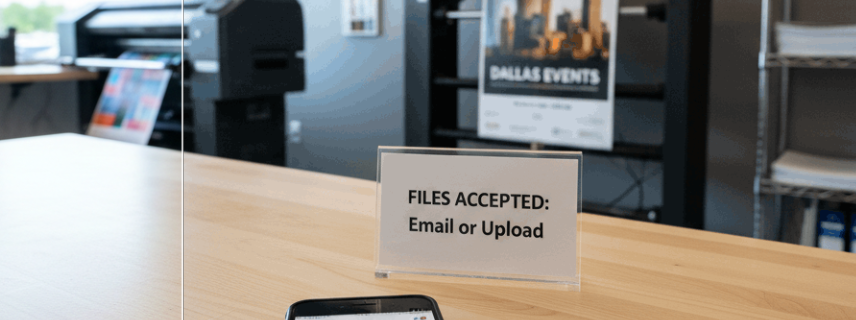
When people ask "can I use my phone as a printer," they usually mean one of two things. Either they want to send a file from their phone to a nearby printer, or they are wondering if there is some way to produce a physical print without any printer at all. The answer depends on what you have access to and what kind of print you need.
Your phone is a powerful tool for creating, editing, and storing documents. It can absolutely act as the starting point for a print job. But it cannot replace the hardware that puts ink or toner on paper.
How Mobile Printing Works
Mobile printing connects your smartphone to a printer over a wireless network, Bluetooth, or cloud-based service. You select a document, photo, or file on your phone, choose a connected printer, and send the job. The printer does the rest.
Most modern printers support wireless printing out of the box. If your printer and phone are on the same Wi-Fi network, your phone can usually detect the printer automatically. Cloud printing services take this a step further by letting you send a print job to a printer that is not even in the same building, as long as both devices are connected to the internet.
The process is straightforward for basic documents. You open the file, tap the share or print icon, select your printer, adjust settings like paper size and number of copies, and hit print.
What Your Phone Can and Cannot Do
Your phone can handle several printing tasks well:
Sending PDFs, Word documents, and spreadsheets to a wireless printer
Printing photos directly from your camera roll or a cloud storage app
Adjusting basic settings like page orientation, color vs. black-and-white, and number of copies
What your phone cannot do is produce a print on its own. It also struggles with tasks that require precise color matching, large-format output, specialty materials, or high-volume runs. The phone is the remote control. You still need the machine.
Ways to Print Directly from Your Phone
If you do have access to a compatible printer, here are the main methods for sending a print job from your device.
AirPrint for iPhone Users
Apple's AirPrint is built into every iPhone and iPad running a current version of iOS. It works with thousands of printers from brands like HP, Canon, Brother, and Epson. No app download is required.
To use AirPrint, open the file you want to print, tap the share icon, select "Print," choose your AirPrint-enabled printer from the list, and tap "Print" again. Your phone and printer must be on the same Wi-Fi network.
AirPrint handles standard documents and photos reliably. It supports basic options like page range, number of copies, and double-sided printing if your printer allows it.
Google Cloud Print Alternatives and Android Options
Google Cloud Print was discontinued in December 2020. Android users now rely on the built-in Android printing framework and manufacturer-specific plugins.
Most Android phones running Android 8.0 or later include a default print service. You can access it through Settings, then Connected Devices or Printing. From there, you add your printer and send jobs from almost any app using the share or print menu.
For printers that are not automatically detected, you can install a print service plugin from the Google Play Store. HP, Canon, Epson, Samsung, and Brother all offer free plugins that extend compatibility.
Manufacturer Apps (HP Smart, Canon PRINT, Epson iPrint)
Printer manufacturers offer dedicated mobile apps that give you more control than the default print options on your phone. These apps typically let you:
Scan documents using your phone camera
Adjust print quality and paper type settings
Monitor ink or toner levels
Print from cloud storage services like Google Drive, Dropbox, and iCloud
HP Smart is one of the most widely used. Canon PRINT Inkjet/SELPHY and Epson iPrint offer similar features for their respective hardware. These apps are free and available on both iOS and Android.
Bluetooth and Wi-Fi Direct Printing
Some portable and receipt printers connect via Bluetooth, which is useful when you do not have a Wi-Fi network available. Bluetooth printing is common for label printers and small thermal printers used in retail or field work.
Wi-Fi Direct creates a direct wireless connection between your phone and printer without needing a router. This is helpful in locations where network access is restricted or unavailable. Many mid-range and higher-end printers support Wi-Fi Direct. You connect by selecting the printer's Wi-Fi Direct network in your phone's settings, then printing as usual.
Both options work well for basic output but are limited in speed and print quality compared to network-connected printing.
When Printing from Your Phone Is Not Enough
Mobile printing covers everyday needs like printing a boarding pass, a school assignment, or a quick reference document. But there are situations where it simply cannot deliver what you need.
Quality and Format Limitations of Mobile Printing
Consumer-grade printers paired with a phone produce acceptable results for standard letter-size documents at 300 to 600 DPI. That is fine for text-heavy pages and casual photo prints.
It is not fine for marketing materials, presentation handouts with precise color requirements, or any project where print quality reflects on your professionalism. Home and office printers use limited color gamuts and lower-grade paper handling. The result is often noticeable banding, color inconsistency, or paper jams on heavier stock.
If your file requires exact Pantone color matching, bleeds, or trim marks, a consumer printer connected to your phone will not get you there.
Large-Format Printing and Signage Needs
Your phone can store the design file for a 24x36 poster or a 4-foot vinyl banner. But no home printer can output at those sizes. Large-format printing requires wide-format inkjet printers or roll-fed machines that handle media widths of 24 inches and above.
Event banners, trade show graphics, architectural plans, retail signage, and wall murals all fall into this category. These jobs need professional equipment, proper media selection, and finishing processes like lamination or mounting that are not available in a home or office setup.
Professional Documents That Require Expert Handling
Certain print jobs carry higher stakes. Business proposals bound with a professional cover. Menus printed on water-resistant synthetic stock. Window graphics printed on adhesive vinyl. Vehicle wraps that require precise contour cutting.
These projects demand specific substrates, inks, and finishing techniques. Trying to handle them with a phone-to-home-printer setup leads to wasted time, wasted materials, and results that do not meet the standard.
Where to Print When You Do Not Have a Printer
Not having a printer does not mean you cannot get a high-quality print today. Several options are available depending on your timeline, budget, and quality requirements.
Local Print Shops and Professional Print Services
A professional print shop is the most versatile option. Unlike retail self-service kiosks, a dedicated print provider offers a full range of services: document printing, color copies, large-format output, binding, lamination, custom signage, and expert file review.
Print shops employ staff who understand file preparation, color management, and material selection. They can catch problems before they become expensive mistakes. If your file resolution is too low, your margins are off, or your color mode is set to RGB instead of CMYK, a print professional will flag it and help you fix it.
Walk-In Printing Options in Dallas TX
Dallas has a strong network of professional print providers that accept walk-in customers. You do not need an appointment to get a document printed, a poster produced, or a sign made.
Walk-in service is especially valuable when you are working against a deadline. You can bring your file on your phone, a USB drive, or send it via email, and have a finished product in your hands the same day in many cases.
AlphaGraphics Dallas serves walk-in customers with a full range of print and signage services. Whether you need one copy of a presentation or a hundred event flyers, the team is set up to handle it on the spot.
Uploading Files Online for Pickup or Delivery
If you prefer not to visit in person, many print providers accept files through online portals or email. You upload your document, select your specifications (paper size, quantity, color, finishing), and choose pickup or delivery.
This is a practical option for remote workers, busy professionals, or anyone who wants to prepare a print job from their phone during a commute or lunch break and pick it up later. Online submission also gives you time to review your order details before committing.
How to Prepare Files on Your Phone for Professional Printing
Getting a great print starts with a properly prepared file. The good news is that you can handle most file preparation steps directly on your phone.
Accepted File Formats and Resolution Requirements
Professional print shops work best with these file formats:
PDF (preferred for most documents and designs)
JPEG/JPG (acceptable for photos, but watch compression)
PNG (good for graphics with transparency)
TIFF (high quality, large file size, best for photography)
AI or EPS (for vector-based designs created in Adobe Illustrator)
For standard document printing, a high-quality PDF is your safest choice. It preserves fonts, layout, and image placement across devices.
Resolution matters. For sharp printed output, your images should be at least 300 DPI (dots per inch) at the final print size. A photo that looks crisp on your phone screen at 72 DPI will appear blurry and pixelated when printed at poster size. Check your image dimensions before submitting.
How to Convert and Save Files Correctly on Mobile
Most phones can create PDFs natively. On iPhone, open any document, tap the share icon, and select "Print." Then use a pinch-to-zoom gesture on the print preview to generate a PDF. On Android, use the "Print" option and select "Save as PDF" as the printer.
For design files, apps like Canva, Adobe Express, and Google Docs let you export directly to PDF from your phone. When exporting, choose the highest quality setting available.
If you are working with photos, avoid screenshots. Screenshots reduce resolution dramatically. Instead, export or share the original image file from your camera roll or cloud storage.
Common File Preparation Mistakes to Avoid
These are the issues print professionals see most often from mobile-submitted files:
Low resolution images. Photos pulled from social media or messaging apps are heavily compressed. Always use the original file.
Wrong color mode. Screens display RGB color. Printers use CMYK. Colors can shift noticeably. A print shop can convert your file, but it helps to be aware of the difference.
No bleed area. If your design extends to the edge of the paper, you need a bleed, typically 0.125 inches beyond the trim line. Without it, you get uneven white edges.
Text too close to the edge. Keep important text and graphics at least 0.25 inches from the trim line to avoid accidental cropping.
Using the wrong page size. Confirm your document dimensions match the intended print size before submitting. A file set to A4 will not print correctly on US Letter without adjustment.
Comparing Your Printing Options Side by Side
For everyday text documents, home mobile printing works if you already own a printer. For anything that needs to look polished, last outdoors, or exceed standard letter size, a professional print shop is the clear choice.
What to Expect When You Visit a Print Shop in Dallas
If you have never used a professional print service, the process is simpler than you might expect.
Services Available for Walk-In Customers
A full-service print shop like AlphaGraphics Dallas handles a wide range of projects for walk-in customers:
Black-and-white and color document printing
Poster and large-format printing
Business cards, flyers, and brochures
Presentation binding and finishing
Custom signs, banners, and displays
Vinyl lettering and window graphics
Mounting, lamination, and protective coatings
You do not need to know exactly what you need before you walk in. The staff can help you figure out the right format, material, and quantity based on your project goals and budget.
Turnaround Times and Pricing Basics
Turnaround depends on the complexity and volume of your order. Here are general expectations:
Standard document printing (1-50 pages): Same day, often within the hour
Posters and large-format prints: Same day to next business day
Business cards and marketing materials: 1-3 business days
Custom signs and banners: 2-5 business days depending on materials and finishing
Rush orders: Available at most shops for an additional fee
Pricing varies by project. Simple black-and-white copies cost the least. Large-format prints, specialty materials, and complex finishing add to the total. Most print shops provide quotes before starting work, so there are no surprises.
Getting Help Choosing the Right Print Format
One of the biggest advantages of visiting a print shop in person is access to expert advice. If you are not sure whether your event needs a foam board sign or a retractable banner, or whether your flyer should be printed on 80 lb. gloss or 100 lb. matte, the team can walk you through the options.
This guidance saves money and prevents the frustration of ordering the wrong thing. It is especially valuable for first-time customers, small business owners launching new marketing materials, and event organizers working under tight deadlines.
Printing Beyond Paper Documents
Your phone might have started this search with a simple document in mind. But once you know what a professional print shop can do, the possibilities expand well beyond standard paper.
Posters Banners and Large-Format Graphics
Large-format printing covers anything wider than a standard desktop printer can handle. Common products include:
Posters (up to 44 inches wide and virtually any length)
Vinyl banners (indoor and outdoor, with grommets or pole pockets)
Trade show displays (retractable banners, backdrop walls, tabletop graphics)
Architectural and engineering prints (blueprints, site plans, CAD drawings)
Wall murals and window graphics
These products are printed on commercial wide-format printers using UV-resistant or solvent-based inks that hold up in sunlight, rain, and heavy foot traffic. The quality difference between a large-format professional print and an enlarged home print is immediately visible.
Custom Signs for Events and Businesses
Custom signage is one of the most common needs for Dallas businesses, event planners, and organizations. Options include:
Yard signs for real estate, political campaigns, and events
A-frame sidewalk signs for restaurants and retail
Acrylic and metal signs for offices and lobbies
Directional and wayfinding signage for campuses and facilities
Vehicle magnets and decals
A professional sign shop handles the full process: design consultation, material selection, production, and finishing. You provide the concept or file, and the shop delivers a finished sign ready to install.
Specialty Printing Materials and Finishes
Beyond standard paper and vinyl, professional print shops offer materials that are not available through consumer printers:
Synthetic paper (waterproof, tear-resistant, ideal for menus and outdoor use)
Adhesive vinyl (for window graphics, wall decals, and floor graphics)
Canvas (for fine art reproductions and decorative prints)
Rigid substrates (foam board, Gatorboard, Sintra PVC, aluminum composite)
Fabric (for soft signage, table throws, and flag banners)
Finishing options include lamination (gloss, matte, or satin), mounting to rigid boards, contour cutting, grommeting, and hemming. These details determine how long your print lasts and how professional it looks in its final environment.
Why Dallas Businesses and Individuals Trust AlphaGraphics
Choosing a print provider is about more than price per page. It is about getting the right result, on time, without unnecessary hassle.
Expert Guidance for Every Print Project
AlphaGraphics Dallas employs print professionals who understand materials, color science, and finishing techniques. Whether you are a student printing a thesis, a small business owner ordering storefront signage, or an event coordinator producing 200 name badges, the team provides clear recommendations tailored to your project.
This expertise matters most when you are unsure what you need. Instead of guessing at paper weight, lamination type, or sign material, you get a direct answer from someone who handles these decisions every day.
Fast Turnaround and Reliable Quality
Deadlines drive most print decisions. AlphaGraphics Dallas is built for speed without sacrificing quality. Same-day service is available for many standard print jobs, and rush options exist for larger or more complex orders.
Every job goes through quality checks before it leaves the shop. Color accuracy, trim precision, and finishing details are verified so that what you receive matches what you approved. This consistency is why repeat customers, from solo entrepreneurs to established Dallas businesses, keep coming back.
Conclusion
Your phone is a capable starting point for printing. It can store files, connect to wireless printers, and send jobs to professional print services. But it is not a replacement for a printer, and mobile printing has clear limits when quality, size, or materials matter.
For anything beyond a basic home printout, a professional print shop gives you access to better equipment, expert advice, and a wider range of materials and formats. Dallas residents and businesses have convenient options for walk-in service, online file submission, and same-day turnaround.
We are here to help you get exactly what you need. Visit AlphaGraphics Dallas for reliable, high-quality printing and signage, whether you are walking in with a file on your phone or planning a large-scale project. Let our team handle the printing so you can focus on what matters.
Frequently Asked Questions
Can I print a document directly from my phone at a print shop?
Yes. Most professional print shops accept files sent from your phone via email, online upload portals, or USB transfer. You can also bring your phone in and the staff will help you transfer the file. PDF is the preferred format for the cleanest results.
What is the best file format to use when printing from my phone?
PDF is the most reliable format for printing from a mobile device. It preserves your layout, fonts, and image quality across different systems. If you are printing photos, use the original JPEG or TIFF file rather than a screenshot or social media download.
How much does it cost to print documents at a print shop in Dallas?
Pricing depends on the type of print, paper, color, and quantity. Basic black-and-white copies typically cost between $0.08 and $0.15 per page. Color prints, large-format posters, and specialty materials cost more. Most shops provide a quote before starting your order.
Can I get same-day printing if I walk into a print shop?
Yes. Many print shops, including AlphaGraphics Dallas, offer same-day service for standard document printing, color copies, and some poster sizes. Larger or more complex orders like custom signs or bound presentations may require one to three business days.
What if my file is low resolution or not set up correctly?
A professional print shop will review your file before printing and let you know if there are issues with resolution, color mode, or layout. They can often help you fix minor problems on the spot. Submitting a 300 DPI file in PDF format gives you the best chance of a smooth process.
Do I need to own a printer to get something printed?
No. You do not need to own a printer at all. Print shops exist specifically to serve people and businesses who need printed materials without investing in their own equipment. You provide the file, choose your specifications, and the shop handles production.
What types of signs and large prints can I order from a phone file?
You can order posters, vinyl banners, retractable displays, yard signs, window graphics, wall murals, foam board signs, and more, all starting from a file on your phone. The key is making sure your file meets the resolution and size requirements for the final product. A print shop team can advise you on what will work best.
