
Can I Just Walk Into Staples and Print Documents
Yes, you can walk into most Staples locations and print documents without an appointment. Staples offers self-service kiosks and full-service print centers that handle everything from basic black-and-white copies to color posters and marketing materials. Bring your files on a USB drive, email them, or upload online for in-store pickup.
For individuals without a home printer, students with last-minute assignments, or small businesses needing quick materials, walk-in printing provides a convenient solution. Understanding your options before you arrive saves time and prevents frustration at the counter.
This guide covers Staples printing services, pricing, file preparation requirements, and when a professional print shop might better serve your needs.
What Printing Services Does Staples Offer for Walk-In Customers 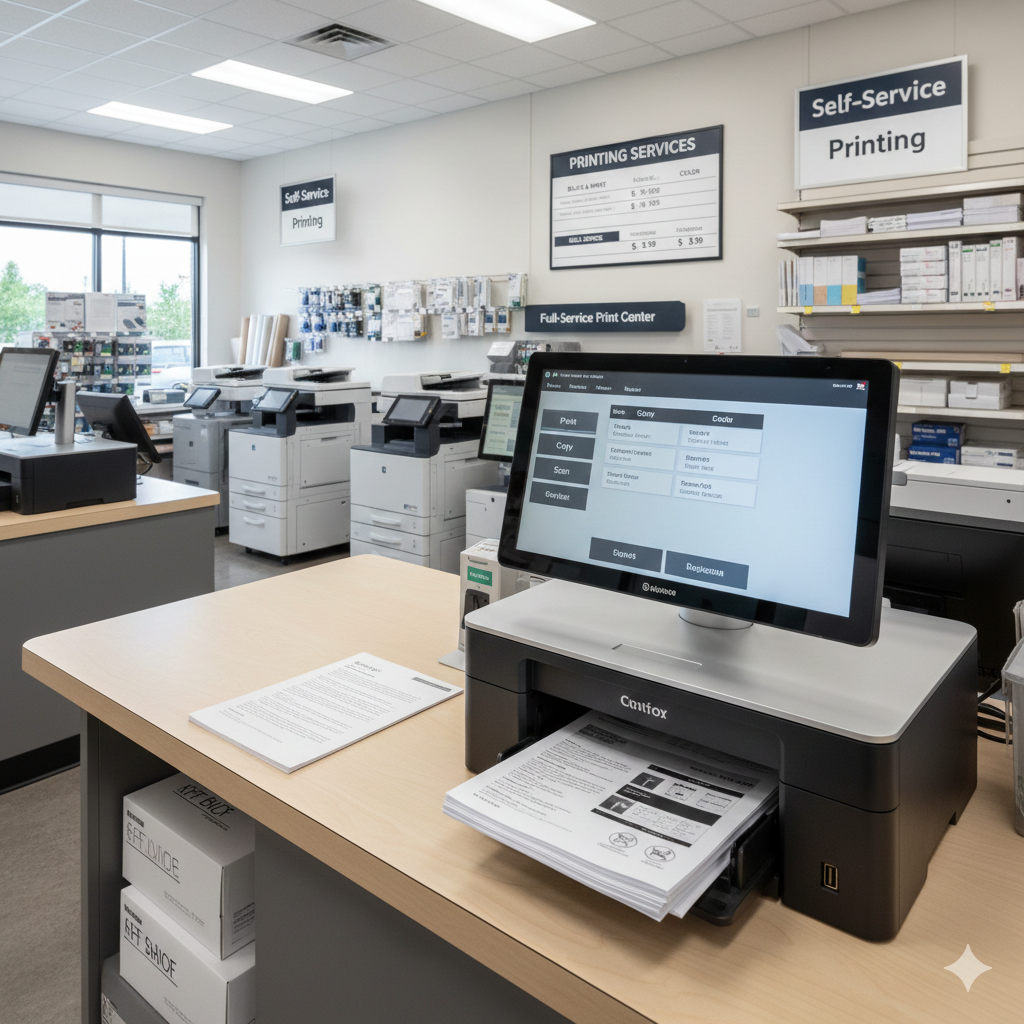
Staples print centers handle a wide range of printing needs beyond simple document copies. Walk-in customers can access both self-service options and staff-assisted services depending on project complexity and time constraints.
Document Printing and Copying Services
Standard document printing includes black-and-white and color options on various paper sizes. Letter-size (8.5" x 11") and legal-size (8.5" x 14") documents are available at self-service stations. Staff can assist with double-sided printing, collating, and stapling for multi-page documents.
Copy services work for existing physical documents you bring in. The machines accept originals up to legal size for standard copying. Larger documents require staff assistance at the print counter.
Poster and Large-Format Printing Options
Staples produces posters up to 24" x 36" at most locations. Engineering prints and architectural drawings are available in even larger formats. These require staff assistance and typically need advance file submission for same-day completion.
Presentation boards, foam core mounting, and banner printing fall under large-format services. Turnaround times vary from same-day to several business days depending on complexity and store workload.
Business Cards, Flyers, and Marketing Materials
Walk-in customers can order business cards, though these usually require production time rather than immediate printing. Standard turnaround runs 3-5 business days for business cards. Rush options cost extra.
Flyers, brochures, and postcards are available through the print center. Staff help with paper stock selection, finishing options, and quantity pricing. Marketing materials benefit from consultation to ensure professional results.
How to Print Documents at Staples Without an Appointment
No appointment is necessary for walk-in printing at Staples. The process differs depending on whether you use self-service kiosks or need staff assistance at the print counter.
Using Self-Service Printing Kiosks
Self-service kiosks are located near the front of most Staples stores. These machines accept USB drives, allow email-to-print functionality, and connect to cloud storage services. Touch-screen interfaces guide you through paper size, color options, and quantity selection.
Payment happens directly at the kiosk via credit card or debit card. Cash payment requires assistance from store staff. Print jobs process immediately, with documents dispensing within seconds for standard pages.
The kiosks work best for straightforward jobs: single-sided documents, standard paper sizes, and files that don't require editing. Complex formatting or specialty paper requires the full-service counter.
Working with the Print Center Staff
The print center counter handles jobs beyond self-service capabilities. Staff assist with large-format printing, binding, laminating, specialty papers, and complex multi-page documents. Wait times vary based on store traffic and job complexity.
Bring your files on a USB drive or have them accessible via email. Staff can pull files from cloud storage if you provide login access. Describing your project clearly helps staff recommend appropriate options and provide accurate time estimates.
For time-sensitive projects, call ahead to confirm the store can accommodate your deadline. Some locations have limited large-format equipment or staff availability during certain hours.
File Formats and USB Drive Requirements
Staples kiosks and print centers accept common file formats: PDF, JPEG, PNG, Microsoft Word, PowerPoint, and Excel files. PDF format produces the most reliable results because it preserves formatting across different systems.
USB drives should be formatted as FAT32 or exFAT for compatibility with store equipment. Older NTFS-formatted drives may not read properly on all machines. If your drive isn't recognized, staff can often troubleshoot or transfer files via email.
File size limits apply to email submissions and cloud uploads. Large files with high-resolution images may require USB transfer or file compression before printing.
Staples Print Pricing and Turnaround Times
Understanding Staples pricing structure helps you budget accurately and avoid surprises at checkout. Costs vary significantly based on color, paper type, and service level.
Cost Per Page for Black-and-White vs Color Printing
Black-and-white self-service printing typically costs between $0.10 and $0.15 per page for standard letter-size paper. Color printing runs significantly higher, often $0.50 to $1.00 per page depending on coverage and paper quality.
Full-service printing costs more than self-service due to staff labor. Expect to pay a premium for staff-assisted jobs, especially for complex formatting or specialty requests. Volume discounts apply to larger quantities.
Large-format prints price by square foot or by standard poster sizes. A 24" x 36" poster typically costs $15-30 depending on paper stock and finish options. Engineering prints and blueprints have separate pricing structures.
Same-Day Printing vs Standard Production Times
Self-service printing completes immediately while you wait. Full-service document printing often finishes same-day if submitted early enough. Staff provide time estimates based on current workload.
Marketing materials, business cards, and specialty items require longer production times. Standard turnaround runs 3-5 business days for most custom products. Rush services cost extra and aren't available for all products.
Large-format printing turnaround depends on equipment availability and job complexity. Simple posters may finish same-day. Complex jobs with mounting, laminating, or special finishing may require 24-48 hours.
Hidden Fees and How to Avoid Them
File setup fees apply when staff must modify or troubleshoot your documents. Submitting print-ready files in correct formats avoids these charges. Ask about setup fees before authorizing any job.
Finishing services add to base printing costs. Binding, laminating, cutting, and mounting each carry separate charges. Request itemized quotes for jobs requiring multiple finishing steps.
Minimum order quantities affect per-unit pricing on some products. Ordering slightly more than your minimum need sometimes reduces per-piece cost. Ask staff about price breaks before finalizing quantities.
Preparing Your Files Before You Visit Staples
Proper file preparation prevents delays, reprints, and unexpected charges. Taking a few minutes to verify your files before leaving home saves significant time at the store.
Accepted File Types and Size Limits
PDF remains the most reliable format for printing. Convert Word documents, PowerPoint presentations, and other files to PDF before printing to preserve fonts, images, and layout. This prevents formatting shifts that occur when files open on different computers.
Image files (JPEG, PNG, TIFF) work for photo printing and simple graphics. Resolution matters for quality results. Images should be at least 300 DPI (dots per inch) at the intended print size. Low-resolution images appear pixelated when enlarged.
File size limits for email submission typically cap around 25MB. Larger files require USB transfer or cloud storage links. Compress images or split large documents if you encounter size restrictions.
How to Upload Files Online for In-Store Pickup
Staples offers online ordering with in-store pickup through their website and app. Upload files, select options, and pay online. The store prepares your order for pickup, reducing wait time.
Online orders require lead time for preparation. Same-day pickup is available for orders placed early enough, but check estimated completion times before selecting pickup. Complex jobs may require additional production time.
Account creation provides order tracking and reorder capabilities. Saved projects make repeat orders faster. Business accounts offer additional features and potential volume discounts.
Common File Preparation Mistakes to Avoid
Embedded fonts cause the most common printing problems. When fonts aren't embedded in PDF files, the printer substitutes different fonts, changing your document's appearance. Use "Print to PDF" or "Export as PDF" functions that embed fonts automatically.
Bleed and margin errors affect edge-to-edge printing. If your design extends to the paper edge, add bleed (extra image area beyond the trim line) and keep important content away from edges. Standard documents should maintain at least 0.25" margins.
Color mode mismatches produce unexpected results. Files created in RGB color mode may print differently than expected because printers use CMYK. For critical color accuracy, convert files to CMYK before printing or discuss color expectations with print staff.
Alternatives to Staples for Walk-In Printing in Dallas
Staples provides convenient retail printing, but it's not the only option. Dallas offers numerous printing alternatives ranging from other retail chains to professional print shops with specialized capabilities.
Professional Print Shops vs Retail Stores
Professional print shops focus exclusively on printing and signage. Staff possess deeper technical expertise than retail employees who handle multiple departments. This expertise matters for complex projects, color-critical work, and custom specifications.
Equipment differs significantly between retail and professional environments. Print shops invest in commercial-grade presses, wide-format printers, and finishing equipment that exceed retail store capabilities. The quality difference becomes apparent on larger runs and specialty materials.
Customer service models also differ. Retail stores prioritize transaction speed. Professional print shops emphasize consultation, ensuring your project meets its intended purpose. This guidance prevents costly mistakes on important projects.
When to Choose a Local Sign Company Over Big-Box Retailers
Sign companies specialize in visual communication beyond basic document printing. If your project involves signage, banners, vehicle graphics, or large-format displays, a sign company offers appropriate expertise and equipment.
Custom projects benefit from professional consultation. Sign company staff understand materials, installation requirements, and durability considerations that retail employees may not address. This knowledge prevents choosing inappropriate materials for specific applications.
Relationship-based service provides ongoing value for businesses with recurring needs. A local sign company learns your brand standards, maintains file archives, and streamlines repeat orders. This efficiency saves time and ensures consistency across projects.
Comparing Quality, Speed, and Customer Service
Quality comparison depends on project type. For basic document copies, retail and professional options produce similar results. For marketing materials, signage, and color-critical work, professional shops typically deliver superior output.
Speed varies by project complexity. Retail stores handle simple jobs quickly. Professional shops may require longer lead times but accommodate rush requests for established customers. Building a relationship with a local provider creates flexibility for urgent needs.
Customer service differences emerge during problem-solving. When issues arise, professional print shops take ownership and find solutions. Retail environments may lack authority or expertise to resolve complex problems, leaving customers to troubleshoot independently.
When Walk-In Printing Makes Sense (And When It Doesn't)
Walk-in printing serves specific needs well but falls short for others. Understanding these boundaries helps you choose the right approach for each project.
Best Use Cases for Same-Day Walk-In Printing
Emergency document needs represent ideal walk-in scenarios. Forgotten presentation handouts, last-minute forms, or unexpected document requests benefit from immediate availability. Walk-in printing solves urgent problems without advance planning.
Simple, standard projects work well at retail locations. Black-and-white documents, basic color copies, and standard-size prints process quickly and affordably. These jobs don't require specialized expertise or equipment.
Small quantities make walk-in printing cost-effective. Printing 10 flyers for a weekend event costs less at a retail store than setting up a professional print run. The convenience premium remains reasonable for limited quantities.
Projects That Require Professional Print Services
Brand-critical materials deserve professional attention. Business cards, brochures, and marketing collateral represent your company. Professional print shops ensure color accuracy, paper quality, and finishing that reflect your brand standards.
Large quantities benefit from commercial printing economics. Per-unit costs drop dramatically on professional presses for runs exceeding a few hundred pieces. The setup investment pays off through lower per-piece pricing.
Specialty materials and applications require professional capabilities. Metal signs, vehicle wraps, fabric banners, and dimensional letters exceed retail store equipment. These projects need specialized knowledge and commercial-grade production.
How to Decide Based on Your Deadline and Budget
Urgent deadlines with flexible budgets favor walk-in printing. Paying premium retail prices makes sense when time matters more than cost. Same-day availability solves immediate problems.
Planned projects with cost sensitivity benefit from professional quotes. Lead time allows price comparison and production scheduling. Professional shops often match or beat retail pricing on larger quantities while delivering better quality.
Recurring needs justify establishing professional relationships. Regular printing requirements—monthly newsletters, quarterly reports, ongoing marketing materials—warrant finding a reliable print partner. Consistent quality and streamlined ordering save time and money long-term.
Conclusion
Walk-in printing at Staples works well for basic documents and emergency needs. Understanding services, pricing, and file preparation helps you get results efficiently. For simple jobs with immediate deadlines, retail printing provides convenient solutions.
Complex projects, brand-critical materials, and ongoing printing needs benefit from professional print shop relationships. The expertise, equipment, and service quality differences become significant as project importance increases. Dallas businesses and individuals have options beyond retail stores.
We invite you to visit AlphaGraphics Dallas for expert guidance on your printing and signage projects. Our team provides the consultation, quality, and reliability that important projects deserve. Contact us to discuss your next print job.
Frequently Asked Questions
Can I print from my phone at Staples?
Yes, Staples self-service kiosks connect to mobile devices via their app and email-to-print services. You can also access cloud storage accounts like Google Drive and Dropbox directly from the kiosk touchscreen.
Does Staples print documents from email?
Staples accepts emailed documents for printing. Self-service kiosks allow you to access your email directly. For full-service printing, you can email files to the store or provide your email login for staff to retrieve documents.
How much does it cost to print at Staples?
Black-and-white copies run approximately $0.10-0.15 per page at self-service kiosks. Color printing costs $0.50-1.00 per page depending on coverage and paper type. Large-format posters range from $15-30 depending on size and finish.
Can I get same-day printing at Staples?
Self-service printing completes immediately. Full-service document printing often finishes same-day if submitted early. Marketing materials, business cards, and specialty items typically require 3-5 business days with rush options available for additional cost.
What size paper can Staples print on?
Self-service kiosks handle letter (8.5" x 11") and legal (8.5" x 14") sizes. The print center produces large-format prints up to 24" x 36" for posters and even larger for engineering prints. Staff assist with specialty sizes.
Does Staples offer laminating with printing?
Yes, Staples print centers provide laminating services for documents and posters. Laminating costs extra beyond base printing prices. Options include various thicknesses and finishes. Staff can recommend appropriate laminating for your specific use.
Are there better alternatives to Staples for large print jobs?
Professional print shops often provide better value for large quantities, complex projects, and quality-critical work. Local sign companies offer specialized expertise for signage, banners, and large-format graphics. Comparing quotes helps identify the best option for specific projects.
