
Can UPS Print a Shipping Label If I Don't Have a Printer
Yes, UPS Store locations can print shipping labels for you when you don't have access to a printer at home or work. You can create your label online through UPS.com, save it as a PDF, and bring it to any UPS Store where staff will print it for a small fee, typically around $1 to $3 per page.
Not having a printer shouldn't stop you from shipping packages on time. Whether you're a remote worker sending returns, a small business fulfilling orders, or simply need to mail something quickly, multiple convenient solutions exist right here in Dallas.
This guide covers every option for printing shipping labels without a printer, from UPS services to local print shops, library resources, and professional printing centers that offer faster turnaround and better quality for your shipping needs.
How UPS Handles Shipping Label Printing for Customers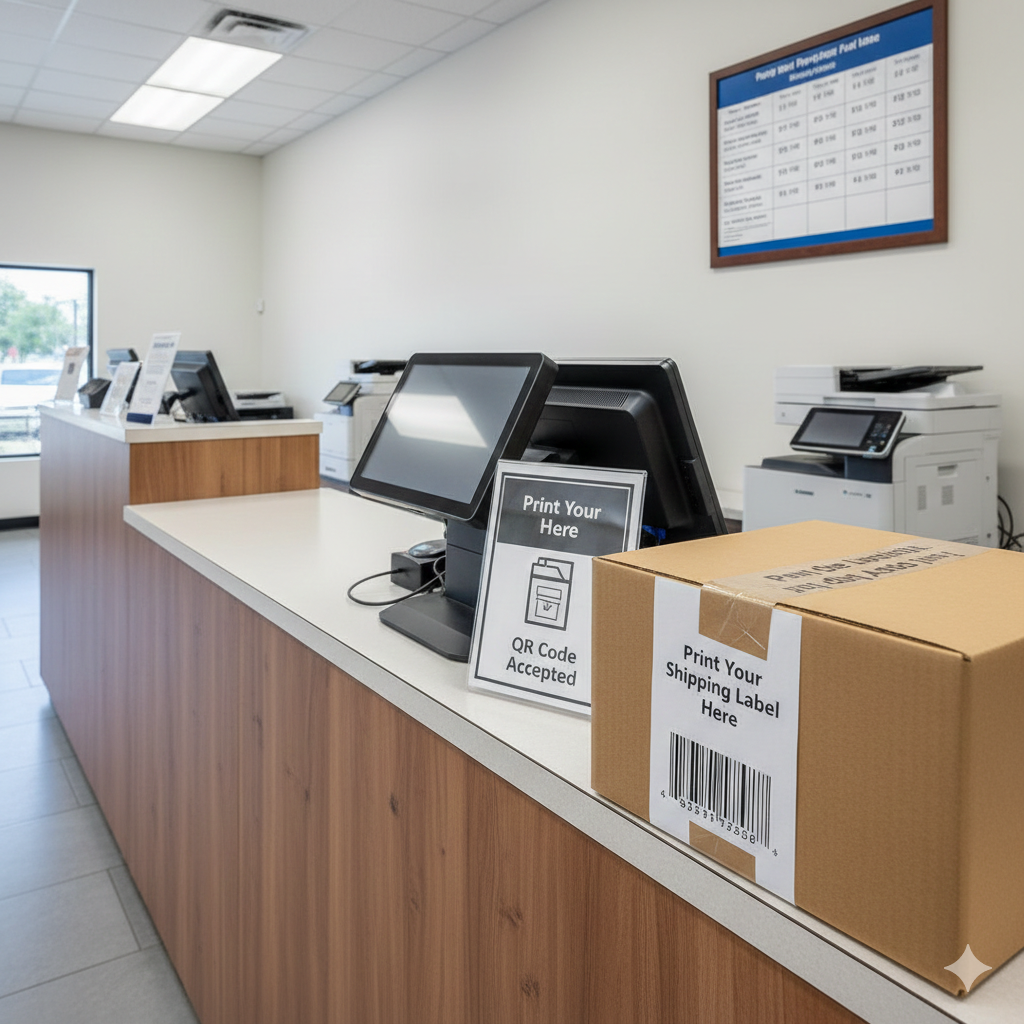
UPS offers several pathways for customers who need shipping labels printed without owning a printer. Understanding these options helps you choose the fastest, most cost-effective solution for your specific situation.
UPS Store Print Services
Every UPS Store location provides printing services, including shipping label printing. The process works simply: create your shipping label through UPS.com or the UPS mobile app, save the label as a PDF file, then bring that file to the store on a USB drive or email it to yourself for easy access.
UPS Store associates can print your label on standard paper or adhesive label stock. Prices vary by location, but most Dallas-area UPS Stores charge between $0.15 and $0.50 per black-and-white page for self-service printing, with full-service printing costing slightly more.
Creating Labels Online Before Your Visit
Before heading to a UPS Store, complete these steps to save time:
Visit UPS.com and sign in or create a free account
Enter package dimensions, weight, and destination address
Select your shipping speed and any additional services
Pay for the shipment online
Download the label as a PDF file
Save the file to your phone, email, or USB drive
Having your label ready before arriving eliminates wait time and ensures you can print and ship in one quick visit.
QR Code Shipping Without Printing
UPS now offers a printer-free shipping option through QR codes. When you create a shipment online, you can choose to receive a QR code instead of a printable label. Take your package and QR code to any UPS Store or participating UPS Access Point location, where staff will scan your code and print the label for you at no additional charge beyond your shipping cost.
This QR code option works particularly well for returns. Many retailers like Amazon, Zappos, and Nordstrom provide QR codes for returns that UPS locations scan and process without requiring you to print anything beforehand.
Alternative Places to Print Shipping Labels in Dallas
While UPS Stores offer convenient label printing, several other options throughout Dallas provide similar or better services, often at lower prices or with additional benefits.
Local Print Shops and Copy Centers
Professional print shops like AlphaGraphics offer reliable shipping label printing alongside comprehensive document services. These locations typically provide:
Higher print quality on professional-grade paper and adhesive stocks. Faster service during peak shipping seasons when UPS Stores experience long lines. Bulk printing options for businesses shipping multiple packages. Expert assistance with file formatting and label sizing issues.
Print shops also accommodate various label formats beyond standard shipping labels, including packing slips, customs forms for international shipments, and branded packaging inserts.
Office Supply Stores
Staples, Office Depot, and Office Max locations throughout Dallas offer self-service and full-service printing. Self-service kiosks let you print labels quickly at around $0.12 to $0.15 per black-and-white page. Full-service counters handle more complex requests and can print on adhesive label sheets.
These stores stock shipping supplies alongside printing services, making them convenient one-stop shops for boxes, tape, bubble wrap, and labels.
Public Libraries
Dallas Public Library branches provide free or low-cost printing for community members. Most branches charge $0.10 to $0.15 per black-and-white page, making libraries the most affordable option for occasional shipping label needs.
Library printing requires a library card and typically involves uploading your file to the library's print system or using a USB drive. Some branches limit daily print quantities, so call ahead if you need multiple labels.
FedEx Office Locations
FedEx Office stores print shipping labels for any carrier, not just FedEx shipments. Their self-service machines accept USB drives, email attachments, and cloud storage files. Prices compare similarly to UPS Store rates, typically $0.15 to $0.49 per page depending on paper type and service level.
File Preparation Tips for Shipping Label Printing
Proper file preparation ensures your shipping labels print correctly the first time, saving you money and frustration.
Recommended File Formats
Save your shipping labels as PDF files whenever possible. PDFs maintain consistent formatting across different printers and computers, preventing sizing issues that can make barcodes unscannable.
If PDF isn't available, JPEG and PNG image files work as secondary options. Avoid Word documents or other editable formats that may reformat when opened on different systems.
Label Sizing Requirements
Standard shipping labels measure 4 inches by 6 inches. When printing on regular 8.5 by 11 inch paper, your label should print at actual size without scaling. Check your print settings to ensure "Fit to Page" or "Scale to Fit" options are disabled, as these can shrink barcodes and make them unreadable by scanning equipment.
For adhesive label printing, confirm the print shop has compatible label stock. Most professional print centers carry Avery-compatible label sheets in various sizes, including the standard 4x6 shipping label format.
Barcode Quality Considerations
Shipping label barcodes require high print quality to scan reliably. When using self-service printers, select the highest quality or "best" print setting available. Low-quality or draft printing modes can produce barcodes with insufficient contrast or resolution, causing scanning failures that delay your shipment.
Black-and-white printing works perfectly for shipping labels. Color printing offers no advantage and costs more at most locations.
Cost Comparison for Shipping Label Printing Options
Understanding pricing helps you choose the most economical option for your shipping label needs.
Per-Page Printing Costs
Volume Discounts for Regular Shippers
Businesses and frequent shippers benefit significantly from establishing relationships with local print shops. Many professional printing centers offer volume pricing that reduces per-label costs substantially when printing 50 or more labels monthly.
Account-based pricing, prepaid print credits, and business memberships provide additional savings for regular customers. Some print shops offer same-day turnaround guarantees for account holders, ensuring your labels are ready when you need them.
Hidden Costs to Consider
Beyond per-page printing fees, factor in these potential costs:
Travel time and fuel to reach printing locations. Parking fees at some Dallas locations. File transfer fees at certain self-service kiosks. Reprinting costs if labels print incorrectly due to file issues.
Choosing a conveniently located print provider with knowledgeable staff minimizes these hidden costs and ensures successful printing on the first attempt.
When to Choose Professional Printing Services
Certain situations make professional print shops the better choice over self-service options at shipping stores.
High-Volume Shipping Needs
Small businesses, eBay sellers, Etsy shop owners, and anyone shipping more than a few packages weekly benefit from professional printing relationships. Print shops handle bulk orders efficiently, often completing large label batches while you wait or within hours for pickup.
Professional services also maintain consistent quality across hundreds of labels, while self-service machines may produce variable results as toner levels fluctuate.
Custom Packaging and Branding Requirements
Beyond basic shipping labels, professional print centers create branded packing slips, custom thank-you cards, promotional inserts, and branded tape. These additions enhance customer experience and build brand recognition without requiring you to own printing equipment.
Print shops also produce larger format materials like posters, banners, and signage that complement your shipping operations for trade shows, retail displays, and marketing campaigns.
Time-Sensitive Shipments
When shipping deadlines are tight, professional print shops offer reliability that self-service options cannot match. Experienced staff troubleshoot file issues quickly, maintain equipment properly, and prioritize urgent requests.
Many professional centers offer guaranteed turnaround times, ensuring your labels are ready exactly when promised. This reliability proves invaluable during holiday shipping seasons, product launches, and time-critical business shipments.
Step-by-Step Guide to Printing Shipping Labels Without a Printer
Follow this process to print your shipping labels efficiently at any location.
Step 1: Create Your Shipping Label Online
Visit your carrier's website (UPS.com, FedEx.com, USPS.com) or use a shipping platform like Pirate Ship, ShipStation, or Shopify Shipping. Enter all required information including recipient address, package weight, dimensions, and shipping speed.
Step 2: Save the Label File
Download your completed label as a PDF. Most shipping platforms offer this option immediately after payment. Save the file with a clear name like "ShippingLabel_OrderNumber_Date" for easy identification.
Step 3: Transfer the File
Move your label file to an accessible location:
Email it to yourself for access on any device. Save to cloud storage like Google Drive or Dropbox. Copy to a USB flash drive. Save directly to your smartphone.
Step 4: Visit Your Chosen Print Location
Bring your file to your selected printing location. For self-service printing, follow the on-screen instructions to upload and print your file. For full-service, provide your file to staff and specify your requirements.
Step 5: Verify Print Quality
Before leaving, check that your label printed correctly:
Barcodes appear sharp and fully visible. Text is readable and not cut off. Label size matches standard 4x6 dimensions. No smudges, streaks, or faded areas.
Step 6: Attach and Ship
Affix your label to your package securely. If printed on regular paper, use clear packing tape to attach and protect the label. Adhesive labels can be applied directly. Drop off your package at the appropriate carrier location or schedule a pickup.
Common Mistakes to Avoid When Printing Shipping Labels
Learning from common errors saves time and prevents shipping delays.
Scaling Labels Incorrectly
The most frequent mistake involves accidentally scaling labels to fit the page. This shrinks barcodes below scannable size, causing packages to be rejected or delayed. Always print at 100% actual size with no scaling applied.
Using Low-Quality Print Settings
Draft or economy print modes produce faint barcodes that scanners cannot read. Select standard or high-quality print settings for all shipping labels, even though they use slightly more ink or toner.
Printing on Incompatible Paper
Glossy photo paper, textured cardstock, and some recycled papers cause barcode scanning problems. Standard white printer paper or designated shipping label stock works best. Avoid colored paper that reduces barcode contrast.
Forgetting to Check Expiration
Shipping labels include expiration dates, typically 5 to 14 days after creation depending on the carrier. Printing an expired label wastes money and time. Verify your label's validity before printing, especially if you created it days earlier.
Not Keeping Digital Copies
Always retain digital copies of your shipping labels until packages are delivered. If a label becomes damaged or lost, you can reprint from your saved file rather than repurchasing shipping.
Conclusion
Printing shipping labels without a personal printer is straightforward with multiple convenient options available throughout Dallas. From UPS Store services and QR code shipping to local print shops, libraries, and office supply stores, you can find a solution that matches your budget, timeline, and shipping volume.
Understanding your options empowers you to make confident decisions about where and how to print your shipping labels. Professional print centers offer particular advantages for businesses and frequent shippers, providing consistent quality, volume pricing, and expert support that self-service options cannot match.
At AlphaGraphics Dallas, we provide fast, reliable shipping label printing alongside comprehensive printing and signage solutions for individuals and businesses. Visit our location for expert assistance with all your printing needs, from single shipping labels to large-format graphics and custom signage. Contact us today to learn how we can simplify your printing workflow.
Frequently Asked Questions
Can I print a UPS shipping label at a UPS Store without a printer at home?
Yes, UPS Stores print shipping labels for customers. Create your label online at UPS.com, save it as a PDF, and bring the file to any UPS Store location. Staff will print it for you, typically charging between $0.15 and $0.50 per page depending on the service type.
Does UPS offer QR code shipping so I don't need to print anything?
UPS provides QR code shipping options for many shipments. When creating a label online, select the QR code option instead of a printable label. Show the QR code on your phone at any UPS Store or Access Point, and staff will print the label for you at no extra printing charge.
How much does it cost to print a shipping label at UPS?
UPS Store printing costs range from $0.15 to $0.50 per black-and-white page for standard paper. Adhesive label printing costs slightly more, typically $0.50 to $1.00 per label. Prices vary by location and whether you use self-service or full-service options.
Where else can I print shipping labels besides UPS in Dallas?
Dallas offers many alternatives including FedEx Office, Staples, Office Depot, public libraries, and professional print shops like AlphaGraphics. Libraries offer the lowest prices at around $0.10 per page, while professional print shops provide the best quality and service for frequent shippers.
What file format should I use for printing shipping labels?
PDF format works best for shipping labels because it maintains consistent sizing and formatting across different printers. Avoid scaling options when printing, and always select actual size or 100% to ensure barcodes remain scannable.
Can I print shipping labels for carriers other than UPS at a UPS Store?
Yes, UPS Stores print documents regardless of content, including shipping labels for FedEx, USPS, DHL, and other carriers. The store charges standard printing fees and does not restrict what shipping labels you can print.
How do I print a shipping label from my phone without a printer?
Save your shipping label PDF to your phone, then email it to yourself or upload it to cloud storage. At a print location, access your file through email or cloud storage on their computer or kiosk, or use their mobile printing app if available.
What should I do if my printed shipping label barcode won't scan?
Reprint the label using higher quality print settings and ensure no scaling is applied. Check that you're using plain white paper rather than glossy or textured stock. If problems persist, contact the shipping carrier to void the label and create a new one.
Can I print adhesive shipping labels at print shops?
Most professional print shops and office supply stores offer adhesive label printing. Bring your file and specify that you need adhesive label stock. Prices run slightly higher than regular paper, typically $0.25 to $1.00 per label depending on the location.
How long are shipping labels valid after I create them?
Shipping label validity varies by carrier. UPS labels typically expire 5 days after creation. FedEx labels remain valid for 14 days. USPS labels expire based on the service type, usually within 28 days. Always check the expiration date before printing to avoid wasting money on invalid labels.
