
Can You Use Your Phone to Print Documents at a Store?
Yes, you can use your phone to print documents at many stores in Dallas. Retail locations like CVS, Walgreens, Office Depot, Staples, UPS Store, and FedEx Office all support mobile printing. You upload files through apps, websites, or email without needing a home printer. This solves the problem when your printer breaks or you need documents while traveling.
Busy Dallas residents often face urgent printing needs without access to equipment. Expert Print Services understands this challenge after serving homes and businesses for over 20 years. Modern stores now offer simple phone-to-print solutions that save time and money.
This guide shows exactly how to print from your phone at Dallas stores. You will learn costs, steps, file types, and troubleshooting tips for smooth printing.
Stores That Allow Printing Directly From Your Phone
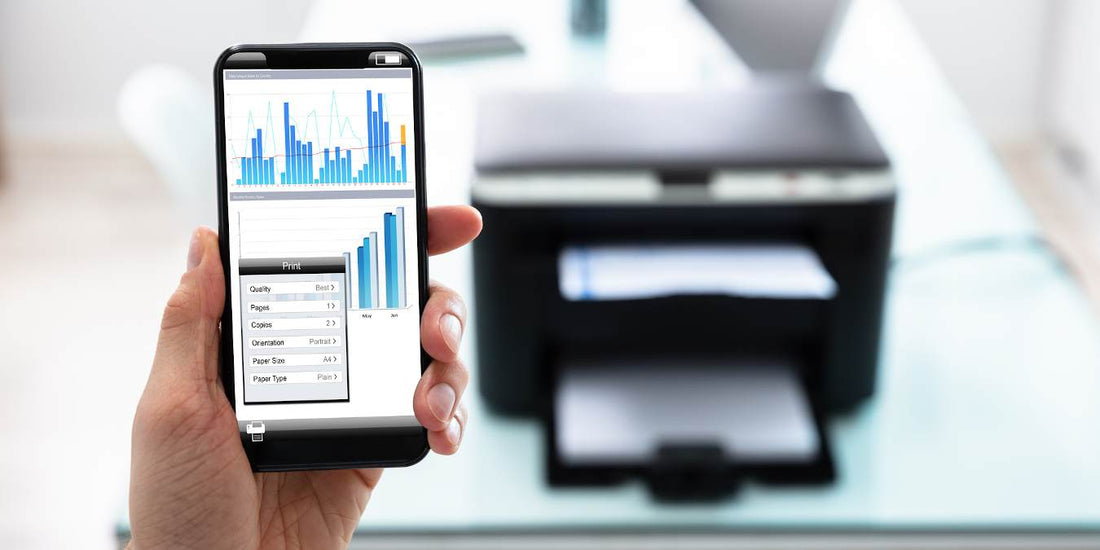
Many Dallas retail locations accept mobile print jobs through dedicated apps and websites. These stores provide convenient options when you need documents quickly.
Office Depot, Staples
Office Depot app print and Staples mobile printing let customers upload files directly from smartphones. You download the store app, select your document, and choose print settings. The system generates a secure release code for pickup. Both chains operate multiple Dallas locations with self-service kiosk stations. Prices start around 10 to 15 cents per page for black & white economy prints.
UPS Store, FedEx Office
UPS Store wireless print and FedEx Office Print & Go offer professional printing services from mobile devices. You email files to the store or use their mobile apps. FedEx Office Print & Go provides same-day service at most Dallas locations. UPS Store wireless print accepts PDF, Word, and image files. Staff assist with formatting if needed.
CVS, Walgreens
CVS and Walgreens focus on photo print from gallery options but also handle documents. You upload files through their apps or use in-store photo kiosks. Both chains accept USB drive upload and wireless transfers. Prices typically start around 20 cents per page for basic documents.
How Much It Costs to Print From Your Phone in Dallas
Per-page mobile charge rates vary by store and print type in Dallas. Black & white economy prints cost 10 to 25 cents per page at most locations. Color document print ranges from 50 cents to one dollar per page. Office supply stores usually offer lower rates than pharmacies. Public library printer services provide the most affordable option, sometimes free for residents.
What You Need Before Printing From Your Phone
You need a compatible file format, store app or email access, and payment method. Most stores accept PDF from smartphone files as the standard format. You also need internet connection to upload documents. Some locations require account creation before first use. Keep your secure release code ready when picking up prints.
How to Print From Your Phone at Each Store (Step-by-Step)
Each store uses slightly different processes for mobile printing. These steps guide you through popular Dallas locations.
Office Depot / Staples
Download the store app from your phone's app store. Open the app and create an account with your email. Select the document from your phone storage or cloud printing (Google Drive). Choose print settings like paper size and color options. Submit the order and receive your secure release code. Visit the store and enter your code at the self-service kiosk.
UPS Store
Visit the UPS website or download their mobile app. Upload your document through the email to print service option. Select your nearest Dallas location from the store finder. Choose print specifications and quantity needed. Pay online and note your order number. Pick up prints at the counter with your confirmation.
FedEx Office
FedEx Office Print & Go works through their website or app. Upload files directly from your smartphone or cloud printing (Google Drive) account. Select print options including document preview phone feature. Complete payment and receive pickup instructions. Retrieve prints at the designated Dallas store location.
CVS / Walgreens
Open the pharmacy app and navigate to photo services. Select document printing from the menu options. Upload files from your phone gallery or storage. Choose print quantity and paper type preferences. Pay through the app and get your order number. Pick up at the photo counter within hours.
Ways to Send Documents From Your Phone to Store Printers
Multiple methods connect your phone to store printing systems. Each option works differently depending on location and equipment.
Built-in phone print features
Mopria Print Service and PrinterOn network enable direct wireless printing from Android and iPhone devices. These services detect compatible printers nearby. You select the printer, adjust settings, and send jobs wirelessly.
Store self-service kiosks
Self-service kiosk stations accept direct phone connections through Bluetooth printer connection or QR code printing. You scan a code or pair your device. The kiosk displays your files for selection and printing.
Printer apps
Store-specific apps like Office Depot app print streamline the upload process. You manage all print jobs through one interface. Apps save payment information for faster checkout.
Bluetooth
Bluetooth printer connection works at select kiosks and stations. You enable Bluetooth on your phone and pair with the printer. This method works best for quick photo prints.
What Types of Files You Can Print From a Smartphone
Stores accept various file formats from mobile devices. Compatibility depends on the printing system used.
Documents
Word files, Excel spreadsheets, and PowerPoint slides print at most locations. You may need to convert complex formats first. Text documents print most reliably across all systems.
Images
Photo print from gallery options accept JPG, PNG, and HEIC formats. Image quality depends on original file resolution. Most stores print standard photo sizes from phone cameras.
Why PDF works best
PDF from smartphone files maintain formatting across all devices and printers. This format prevents layout shifts and font changes. PDF ensures your document looks identical to the original.
Printing Photos From Your Phone at Dallas Stores
Dallas pharmacies and retail stores specialize in mobile photo printing. CVS and Walgreens offer same-day photo print from gallery services. You upload images through their apps within minutes. Prices start around 25 cents for standard 4x6 prints. Many locations provide glossy and matte paper options.
Common Issues When Printing From a Phone and Fixes
Mobile printing sometimes encounters technical problems. These solutions address the most frequent issues.
Upload fails
Slow internet causes upload failures at store systems. You should connect to store Wi-Fi for faster transfers. Reduce file size if uploads repeatedly fail.
Formatting issues
Documents may shift layout when printing from phones. Document preview phone features help catch problems early. Convert files to PDF before uploading for consistent results.
App or email problems
Email to print service sometimes rejects large attachments. You can split documents into smaller files. Update store apps regularly to fix bugs.
Payment / release code issues
Secure release code errors occur when systems lag. You should wait a few minutes and retry. Contact store staff if codes don't work after multiple attempts.
Tips for Smooth Printing at Any Store
Check file format before leaving home to avoid compatibility issues. Use PDF from smartphone conversion for best results. Connect to store Wi-Fi for reliable uploads. Review document preview phone screens carefully before confirming. Keep your secure release code accessible in your phone notes. Visit during off-peak hours for faster service.
AlphaGraphics Dallas understands the challenges of mobile printing in today's fast-paced world. We have served Dallas homes and businesses for over 20 years with trusted printing solutions. Our team knows exactly how to handle urgent document needs with professional quality.
Modern mobile printing offers convenience but sometimes lacks the quality and support you need. AlphaGraphics Dallas provides expert assistance for all your printing projects. We deliver reliable results every time with personalized service.
Contact AlphaGraphics Dallas today for professional printing services that exceed store kiosk quality. We handle everything from simple documents to complex business materials with care.
