
How Much Does It Cost to Print a Three Hundred Page Book
Printing a 300-page book typically costs between $15 and $80 for a single copy, depending on whether you choose black-and-white or color printing, single-sided or double-sided pages, and what binding method you select. For most standard documents and manuscripts, black-and-white double-sided printing lands closer to the lower end of that range. Color printing, premium paper, or professional binding pushes the price higher. Understanding these variables before you submit your file helps you avoid surprises and choose the right format for your budget.
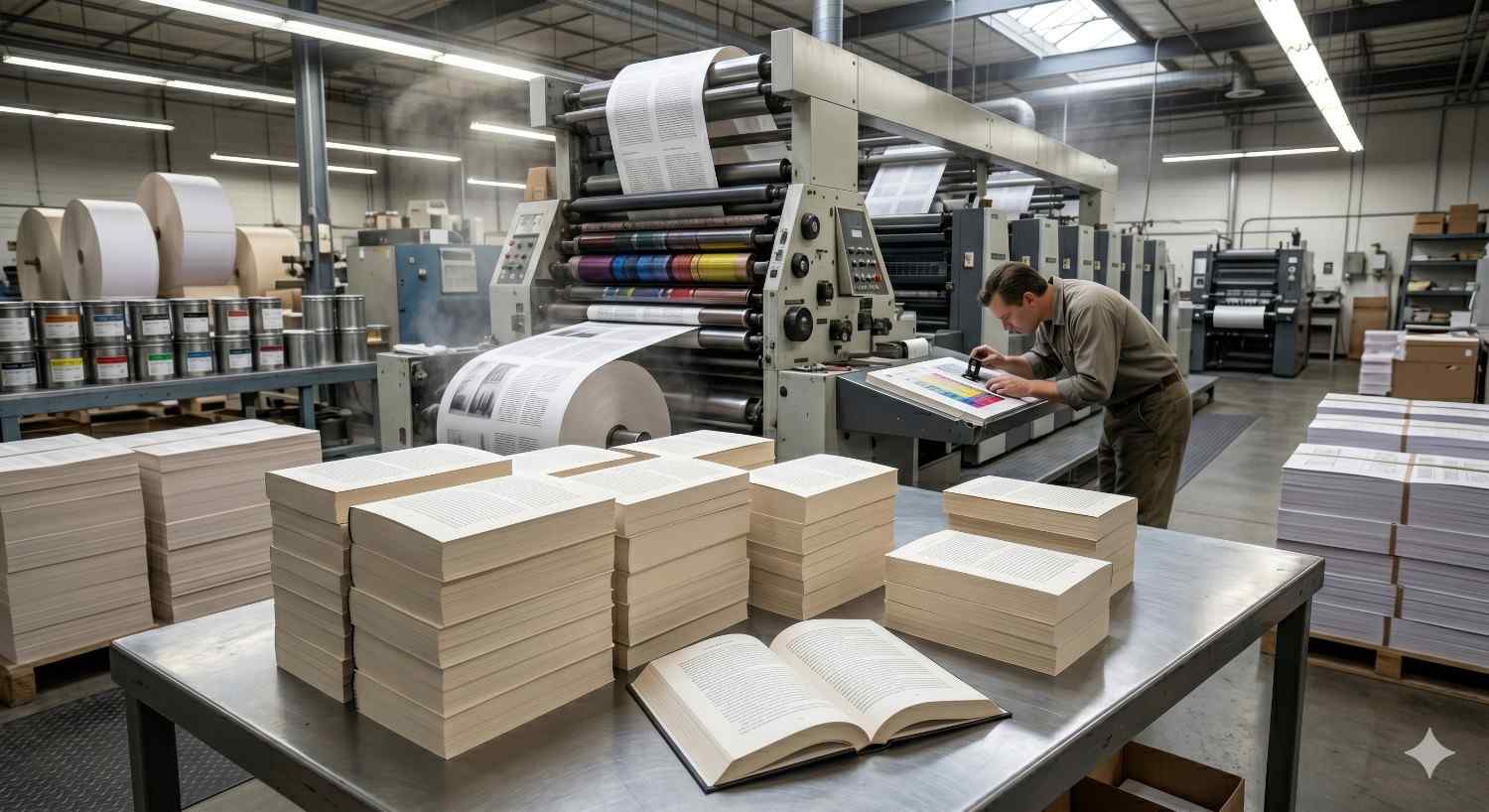
What Does It Typically Cost to Print a 300-Page Book?
A single black-and-white, double-sided copy of a 300-page book printed on standard 20 lb bond paper costs roughly $15 to $30 at most professional print shops. Single-sided black-and-white printing runs $25 to $45 for the same page count. Full-color printing increases the cost significantly, ranging from $40 to $80 or more per copy depending on ink coverage and paper stock. These figures reflect digital printing, which is the standard method for short-run book printing.
Black-and-White vs. Color Printing Costs
Black-and-white printing is the most cost-effective option for text-heavy documents like manuscripts, reports, training manuals, and academic papers. Per-page rates for black-and-white typically fall between $0.05 and $0.10 per side. Color printing costs $0.25 to $0.75 per side, depending on ink coverage and paper type. A 300-page book printed entirely in color on both sides can cost three to five times more than the same document in black-and-white. If your content includes charts, photos, or branded visuals, color is worth the investment. For text-only documents, black-and-white delivers the same readability at a fraction of the price.
Single-Sided vs. Double-Sided Page Count Impact
A 300-page book printed single-sided produces a physical document with 300 sheets of paper. Printed double-sided, the same content fits on 150 sheets, cutting paper costs roughly in half and producing a noticeably thinner, lighter result. Most professional print shops default to double-sided printing for book-length documents because it reduces both cost and bulk. If your document requires single-sided output for annotation, legal, or formatting reasons, expect to pay more and plan for a larger finished product.
What Factors Drive the Final Price?
The base per-page rate is only part of the total cost. Several production decisions affect the final price in ways that are easy to overlook when estimating a print job.
Paper Weight, Binding Type, and Finish Options
Standard 20 lb bond paper is the most affordable option and works well for internal documents and drafts. Upgrading to 24 lb or 28 lb paper improves durability and print quality, adding a modest cost per sheet. Binding is where costs vary most significantly. Staple binding and three-hole punching are the least expensive options. Coil binding adds $3 to $8 per book. Perfect binding, which gives a book a flat spine like a paperback, typically adds $8 to $20 depending on thickness. Saddle-stitch binding works for thinner documents but is not practical for a 300-page count. A laminated or UV-coated cover adds a professional finish and increases cost by $2 to $10.
Print Quantity and Per-Unit Cost Reduction
Printing a single copy of a 300-page book costs more per unit than printing ten or twenty copies. Digital printing allows short runs without setup fees, but the per-unit price drops as quantity increases. Printing five copies instead of one can reduce the per-copy cost by 20 to 35 percent at many print shops. If you need multiple copies for a team, event, or distribution, ordering in a single batch is almost always more cost-effective than returning for additional copies later.
Your total cost is shaped by these production variables, and binding and finishing choices carry more weight than most customers expect when budgeting a print job.
Where Can You Print a 300-Page Book in Dallas?
Dallas has several options for printing a 300-page book, ranging from large retail chains to local professional print shops. For straightforward black-and-white documents, retail options can work. For projects that require specific binding, paper stock, custom covers, or reliable turnaround times, a dedicated print and signage provider gives you more control over the finished product. Professional document printing in Dallas is available both as a walk-in service and through online file submission, depending on your timeline and preferences.
Walk-In vs. Online File Submission Options
Walk-in printing is the fastest option when you need same-day or next-day turnaround. You bring your file on a USB drive or email it ahead of arrival, and a print specialist reviews it with you before production begins. Online submission allows you to upload your file remotely, select your specifications, and schedule pickup or delivery without visiting the shop. Both methods work well for a 300-page book, but walk-in service gives you the advantage of catching file issues before they delay your order.
How to Prepare Your File to Avoid Extra Costs
File errors are one of the most common causes of unexpected costs and delays in book printing. Submitting a file that requires reformatting, font embedding, or resolution correction adds time and may add fees. Export your document as a PDF before submitting, and confirm that all fonts are embedded and images are set to at least 300 DPI for clean print output. Set your margins to at least 0.5 inches on all sides to prevent text from being cut during trimming. Confirm your page size matches your intended print size before uploading. Reviewing print-ready file requirements before you submit can prevent the most common and costly errors.
Conclusion
Printing a 300-page book costs $15 to $80 for a single copy, with black-and-white double-sided printing offering the best value for text-heavy documents. Color printing, binding upgrades, and paper choices each add to the final price in predictable ways.
For individuals, students, and businesses in Dallas, knowing these variables upfront means fewer surprises and faster turnaround when your project is time-sensitive.
At AlphaGraphics Dallas, we help you choose the right format, prepare your file correctly, and get your book printed with the quality and speed your project deserves. Contact us or stop by today.
Frequently Asked Questions
How long does it take to print a 300-page book?
Most professional print shops complete a standard 300-page book within one to two business days. Walk-in same-day service is often available for black-and-white copies without specialty binding.
Is it cheaper to print double-sided?
Yes. Double-sided printing cuts your paper usage in half, which directly reduces cost. For a 300-page book, double-sided printing is almost always the more economical choice.
What binding options are available for a 300-page book?
Common options include coil binding, perfect binding, and three-hole punch. Perfect binding gives a professional paperback appearance. Coil binding is durable and allows the book to lay flat when open.
Can I print a 300-page book as a walk-in customer?
Yes. Most professional print shops accept walk-in customers with files on a USB drive or sent by email. Calling ahead to confirm turnaround time is recommended for same-day needs.
What file format should I use when submitting a book for printing?
PDF is the preferred format for book printing. It preserves fonts, layout, and image resolution. Confirm that your PDF is exported at 300 DPI with all fonts embedded before submitting.
