
Custom Invitations & Stationery Printing: The Complete Guide
Custom invitations and stationery printing transforms any event, from a backyard birthday party to a formal corporate gala, into something that feels intentional and polished from the very first touchpoint. Whether you are planning a wedding, organizing a business launch, or simply need personalized thank-you cards, understanding your printing options saves time, money, and frustration.
This guide walks through every step of the custom stationery printing process. You will learn about paper stocks, printing methods, file preparation, sizing, turnaround times, and how to place an order in Dallas, TX, even if you have never worked with a professional printer before.
What Is Custom Invitation and Stationery Printing?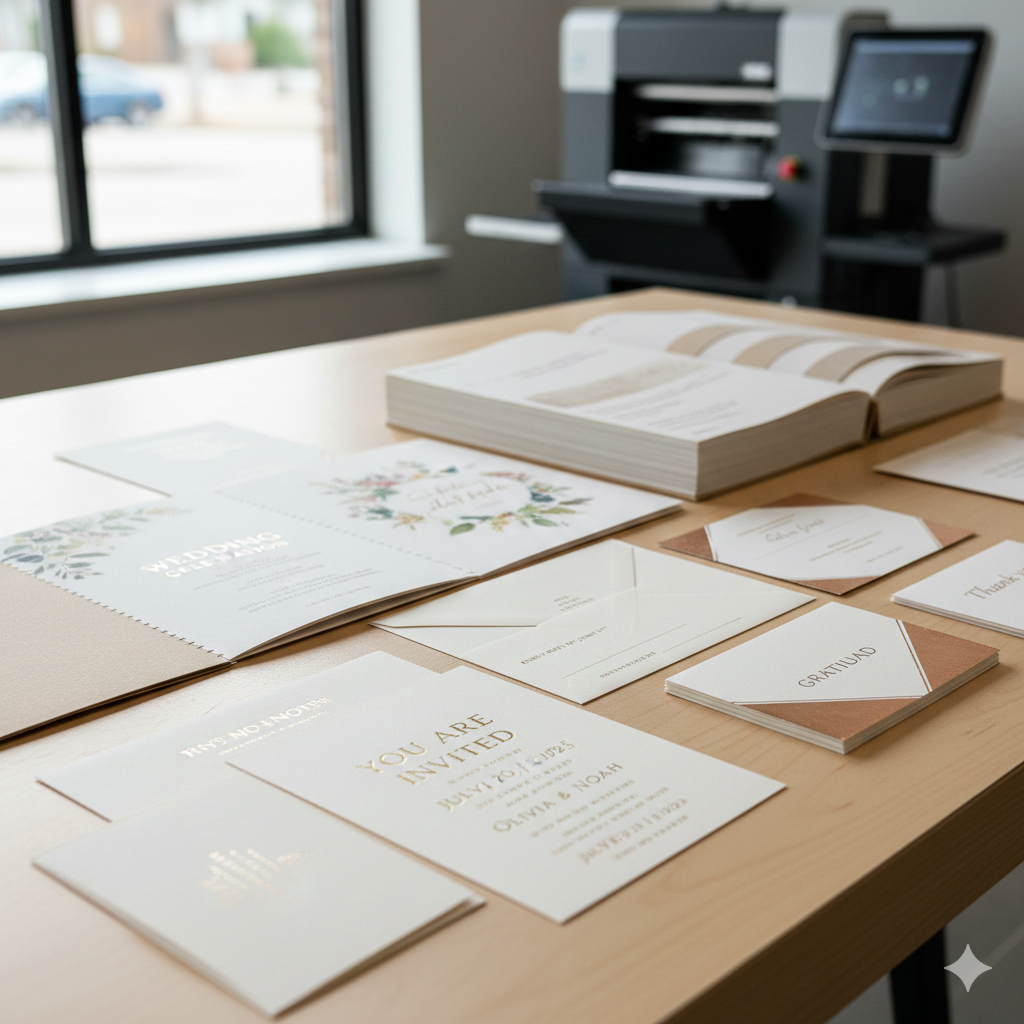
Custom invitation and stationery printing is a professional print service that produces personalized paper products designed to your exact specifications. Unlike mass-produced cards pulled from a retail shelf, custom-printed invitations and stationery are built around your chosen design, text, paper stock, size, and finish. The result is a product that matches your event, brand, or personal style precisely.
This category of printing covers a wide range of products. Invitations for weddings, birthdays, graduations, and corporate events are the most common. But custom stationery also includes thank-you cards, response cards, programs, menus, letterheads, envelopes, and save-the-date cards. A professional print shop handles the entire production workflow, from file review and proofing to printing, cutting, and finishing.
How Custom Printing Differs from Store-Bought Options
Store-bought invitations come in fixed designs with limited personalization. You might be able to print names on a template at home, but the paper quality, ink coverage, and finishing options are restricted by what a consumer-grade inkjet or laser printer can handle.
Custom printing removes those limitations. You choose the exact cardstock weight, the finish, the ink colors, and the layout. Professional presses produce sharper text, more vibrant color, and more consistent results across every single piece in your order. Specialty techniques like foil stamping, letterpress, and embossing are only available through professional printing. For anyone who needs their printed materials to make a strong impression, the difference is immediately visible and tangible.
Who Uses Custom Invitation and Stationery Printing Services
The audience for custom stationery printing is broader than most people expect.
Individuals and couples planning weddings, engagement parties, baby showers, and milestone birthdays.
Students ordering graduation announcements or party invitations.
Small business owners producing branded event invitations, grand opening announcements, or client appreciation cards.
Event organizers and planners who need coordinated suites of printed materials, from save-the-dates through programs and menus.
Remote workers and professionals without access to a printer who need polished, high-quality printed pieces for personal or professional occasions.
Nonprofits and community organizations creating fundraiser invitations, gala programs, and donor acknowledgment cards.
If you need printed materials that look professional and reflect a specific vision, custom printing is the service that gets you there.
Types of Custom Invitations You Can Print
Custom invitation printing is not a one-size-fits-all service. The type of event determines the design approach, paper choice, quantity, and timeline. Here are the most common categories.
Wedding and Engagement Invitations
Wedding invitations are the highest-demand category in custom printing. Couples typically need a coordinated suite that includes the main invitation, an RSVP card, a details or accommodations card, and matching envelopes. Paper choice matters here. Most wedding invitations use heavyweight cardstock, often 100 lb. cover or higher, in matte, textured, or cotton finishes.
Popular options include letterpress printing for a tactile, debossed effect, foil stamping for metallic accents, and full-color digital printing for photo-based or heavily illustrated designs. Quantities usually range from 75 to 300 sets, and production timelines should account for at least three to four weeks before the mailing date.
Birthday and Milestone Celebration Invitations
Birthday invitations range from playful children's party cards to elegant milestone celebration pieces for 50th or 75th birthdays. Digital printing is the most common method here because it handles full-color designs efficiently and affordably at smaller quantities.
Standard sizes like 5" x 7" and A7 are popular. For children's parties, heavier cardstock with a glossy or satin finish holds up well. For adult milestone events, a matte or textured stock gives a more refined feel.
Corporate Event and Business Invitations
Business invitations serve a different purpose than personal ones. They represent your brand. Corporate event invitations for product launches, galas, client appreciation dinners, and conferences need to align with brand guidelines, including specific colors, logos, and fonts.
Flat printing on premium cardstock is standard for corporate invitations. Some businesses opt for foil-stamped logos or embossed details to elevate the piece. Quantities can range from 50 for an intimate client dinner to several thousand for a large conference. Matching envelopes with return address printing are a common add-on.
Holiday and Seasonal Cards
Custom holiday cards are popular with both individuals and businesses. Families send personalized photo cards. Companies send branded holiday greetings to clients and partners.
Digital printing dominates this category because of the photo-heavy designs and the need for fast turnaround during the busy holiday season. Flat cards and folded cards are both common. Standard sizes include 5" x 7" and 4.25" x 5.5" (A2). Envelope printing with recipient addresses is a frequently requested service that saves significant time.
Graduation and Academic Announcements
Graduation announcements follow a more formal tradition. They typically feature the graduate's name, school, degree, and ceremony details. Many families also include a photo.
These are usually printed on heavyweight cardstock with a classic, clean layout. Quantities tend to be moderate, between 25 and 150 pieces. Matching envelopes and return address printing round out the order. Timing is critical here. Orders should be placed at least three weeks before the intended mailing date.
Custom Stationery Printing Options Beyond Invitations
Invitations are the starting point, but custom stationery printing extends to a full range of coordinated paper products that support your event or brand.
Thank-You Cards and Response Cards
Thank-you cards are one of the most frequently ordered stationery items after an event. Wedding thank-you cards, baby shower acknowledgments, and business appreciation notes all benefit from custom printing. Matching the design to your original invitation suite creates a cohesive, polished impression.
Response cards (RSVP cards) are typically ordered alongside invitations. They include a reply line, meal selection options if applicable, and a return-by date. These are usually printed on lighter cardstock than the main invitation, often 80 lb. cover, and sized to fit a small reply envelope.
Personalized Letterheads and Envelopes
Custom letterheads and envelopes are essential for businesses and professionals who want branded correspondence. A printed letterhead with your logo, address, and contact information elevates every piece of mail you send.
Envelope printing is also a practical time-saver for large mailings. Return addresses, logos, and even recipient addresses can be printed directly on the envelope, eliminating the need for labels or handwriting.
Programs, Menus, and Event Collateral
Events often require more than just an invitation. Wedding programs, gala dinner menus, ceremony booklets, and event schedules are all part of the custom stationery family.
Programs are typically printed on lighter stock, around 80 lb. text weight, and folded into bi-fold or tri-fold formats. Menus can be printed on cardstock for a more substantial feel. Coordinating the design across all event collateral creates a unified visual experience for guests.
Save-the-Dates and Announcement Cards
Save-the-date cards are mailed well in advance of an event, usually six to eight months before a wedding or major celebration. They are simpler in design than the formal invitation and often feature a photo, the couple's names, and the event date.
Announcement cards serve a similar purpose for graduations, business openings, and relocations. Both products are typically printed as flat cards on medium-weight cardstock and mailed in matching envelopes.
Paper Stocks and Materials for Custom Stationery
The paper you choose affects how your invitation looks, feels, and is perceived. Understanding paper weight, finish, and material options helps you make the right choice for your project.
Cardstock Weight and Thickness Explained
Paper weight is measured in pounds (lb.) and refers to the weight of a ream of paper at its base size. For custom invitations and stationery, the most common weights are:
For most custom invitations, 100 lb. cover is the standard starting point. It feels substantial in the hand without being difficult to fold or fit into a standard envelope.
Matte, Glossy, and Textured Finishes
The finish of your paper changes both the appearance and the tactile experience.
Matte finishes have a smooth, non-reflective surface. They are the most popular choice for formal invitations because they feel elegant and are easy to write on. Matte stock also reduces glare, which makes text easier to read.
Glossy finishes have a shiny, reflective coating that makes colors appear more vibrant. They work well for photo cards and designs with bold, saturated imagery. However, glossy surfaces show fingerprints and are harder to write on with pen.
Textured finishes, such as linen, felt, or laid, add a tactile dimension. Linen has a subtle crosshatch pattern. Felt has a soft, slightly fuzzy surface. These finishes are popular for wedding invitations and formal correspondence because they communicate quality through touch.
Specialty Papers and Eco-Friendly Options
Beyond standard cardstock, specialty papers open up additional creative possibilities. Cotton paper, made from cotton fibers rather than wood pulp, has a soft, luxurious feel and is a favorite for letterpress printing. Recycled paper and papers made from post-consumer waste are available for customers who prioritize sustainability.
Kraft paper, with its natural brown tone, is popular for rustic or eco-conscious event themes. Translucent vellum is used as an overlay or envelope liner for a layered, elegant effect. When choosing specialty papers, confirm with your print provider that the paper is compatible with your chosen printing method.
Printing Methods for Custom Invitations
The printing method you select determines the look, feel, cost, and turnaround time of your finished product. Each method has distinct strengths.
Digital Printing for Fast Turnaround
Digital printing is the most accessible and versatile method for custom invitations. It uses high-resolution inkjet or toner-based presses to transfer your design directly onto paper. There is no need for printing plates, which means setup costs are low and turnaround times are fast.
Digital printing handles full-color designs, photographs, gradients, and detailed graphics with excellent quality. It is cost-effective for small to medium quantities, typically under 500 pieces. Most standard invitation orders at a professional print shop use digital printing.
Offset Printing for Large Quantities
Offset printing uses metal plates to transfer ink onto paper through a series of rollers. It produces extremely consistent color and sharp detail across large print runs. For orders above 500 pieces, offset printing often becomes more cost-effective per unit than digital printing.
The tradeoff is a longer setup time. Plates must be created for each design, which adds to the initial cost and production timeline. Offset is the preferred method for large corporate mailings, high-volume event invitations, and any project where color consistency across thousands of pieces is critical.
Letterpress, Foil Stamping, and Specialty Techniques
Specialty printing techniques add a premium, tactile quality that standard flat printing cannot replicate.
Letterpress uses a relief printing process where inked plates press into thick, soft paper, creating a debossed (indented) impression. The result is a distinctive texture you can feel with your fingertips. Letterpress is a top choice for formal wedding invitations and luxury stationery.
Foil stamping applies a thin layer of metallic or colored foil to the paper using heat and pressure. Gold, silver, rose gold, and copper foils are the most popular. Foil stamping is often used for names, monograms, borders, and accent details.
Embossing raises a design element above the paper surface without ink, creating a three-dimensional effect. Debossing presses the design into the paper. Both techniques are used for logos, monograms, and decorative borders.
These specialty methods cost more than digital or offset printing and require longer production timelines, but they deliver a level of craftsmanship that elevates any invitation.
Which Printing Method Is Right for Your Project
Choosing the right method depends on four factors: quantity, budget, design complexity, and desired finish.
Under 250 pieces with full-color design: Digital printing.
Over 500 pieces with consistent color needs: Offset printing.
Formal invitations with tactile, textured impressions: Letterpress.
Metallic accents or luxury details: Foil stamping.
Combination projects: Many invitations use digital printing for the main card and foil stamping for a monogram or border detail.
A professional print shop can review your design and recommend the best method, or a combination of methods, for your specific project.
How to Prepare Your Files for Custom Invitation Printing
Proper file preparation is the single most important step in getting a high-quality printed result. Errors in file setup are the leading cause of reprints, delays, and unexpected costs.
Recommended File Formats and Resolution
Submit your design files in one of these formats for the best results:
PDF (preferred): The industry standard for print files. PDFs preserve fonts, images, and layout exactly as designed. Use the "Press Quality" or "High Quality Print" export setting.
AI (Adobe Illustrator): Ideal for vector-based designs. Convert all text to outlines before submitting.
PSD (Adobe Photoshop): Acceptable for photo-heavy or raster-based designs. Flatten layers or keep them organized.
TIFF: A high-quality raster format suitable for image-heavy designs.
Avoid submitting files in JPEG, PNG, Word, or PowerPoint formats. These formats compress images, do not support CMYK color, and often produce blurry or color-shifted results when printed.
Resolution: All images in your design must be at least 300 DPI (dots per inch) at the final print size. Images pulled from websites are typically 72 DPI and will appear pixelated when printed.
Setting Up Bleed, Margins, and Safe Zones
Bleed is the extra area of your design that extends beyond the final trim line. It ensures that no white edges appear after the paper is cut. Standard bleed is 0.125 inches (1/8") on all sides.
Safe zone is the area inside the trim line where all critical text and design elements should remain. Keep important content at least 0.125 inches inside the trim line to prevent it from being cut off.
For a 5" x 7" invitation, your file dimensions with bleed should be 5.25" x 7.25". Your safe zone for text and logos is 4.75" x 6.75".
Color Mode: RGB vs. CMYK
Screens display color using RGB (Red, Green, Blue). Printers produce color using CMYK (Cyan, Magenta, Yellow, Black). If you design in RGB and send the file to a printer, the colors will shift, sometimes dramatically.
Always convert your design files to CMYK color mode before submitting them for printing. Colors that look bright and vivid on screen, especially neon greens, electric blues, and saturated purples, will appear duller in CMYK because the printable color gamut is smaller than the screen gamut.
If exact color matching is critical, request a printed proof or specify Pantone (PMS) spot colors, which provide precise, standardized color reproduction.
Common File Preparation Mistakes to Avoid
These are the errors that most frequently cause delays or quality issues:
Low-resolution images: Anything below 300 DPI will print blurry.
Missing bleed: Designs without bleed result in white edges or require the printer to shrink your design.
Text too close to the edge: Keep all text at least 0.125" inside the trim line.
RGB color mode: Always convert to CMYK before submitting.
Fonts not embedded or outlined: If fonts are not embedded in your PDF or converted to outlines in Illustrator, they may substitute incorrectly.
Wrong file dimensions: Double-check that your file matches the ordered print size, including bleed.
Using web images: Screenshots, social media graphics, and images downloaded from websites are almost always too low-resolution for print.
If you are unsure about any of these requirements, a professional print shop will review your files and flag issues before production begins.
Designing Your Custom Invitations
Design is where your vision takes shape. Whether you work with a professional designer or build your own layout, a few key decisions determine the final look and feel of your printed piece.
Working with a Professional Designer vs. DIY Templates
Hiring a professional graphic designer gives you a fully custom result. A designer creates original layouts, selects typography, and ensures the file is print-ready with correct dimensions, bleed, resolution, and color mode. This is the best option for formal events, branded corporate materials, or any project where a unique, polished look is essential.
DIY templates are a practical alternative for simpler projects or tighter budgets. Platforms like Canva, Adobe Express, and Minted offer customizable invitation templates. The key limitation is that templates restrict your layout options, and the exported files may not always meet professional print specifications. If you use a template, export as a high-resolution PDF and confirm the file meets your printer's requirements before submitting.
Many print shops, including AlphaGraphics Dallas, offer design assistance. If you have a concept but need help executing it, or if your file needs adjustments to be print-ready, the in-house team can help bridge the gap.
Choosing Fonts, Colors, and Layout
Fonts: Limit your design to two or three fonts. Use one decorative or script font for headings and names, and one clean, readable font for body text and details. Avoid overly ornate fonts for small text, as they become difficult to read at smaller sizes.
Colors: Choose a color palette that matches your event theme or brand. Keep in mind that colors will look slightly different in print than on screen due to the RGB-to-CMYK conversion. If you are matching specific brand colors, provide Pantone numbers to your printer.
Layout: Prioritize readability. The most important information, who, what, when, where, should be immediately visible. Use hierarchy (larger text for names and dates, smaller text for details) to guide the reader's eye. Leave enough white space so the design does not feel crowded.
Adding Personal Touches: Monograms, Photos, and Custom Graphics
Personal details make custom invitations feel truly one-of-a-kind.
Monograms are popular for wedding invitations and formal stationery. A monogram can be printed, foil-stamped, or embossed.
Photos work well for save-the-dates, holiday cards, graduation announcements, and birthday invitations. Use high-resolution images (300 DPI minimum) and ensure faces and key details fall within the safe zone.
Custom illustrations and graphics, such as venue sketches, floral motifs, or hand-drawn maps, add a unique artistic element. These should be provided as high-resolution files or vector artwork.
Envelope liners printed with a coordinating pattern or color add a surprise detail when the recipient opens the envelope.
Sizing, Folding, and Finishing Options
The physical format of your invitation affects both the design and the mailing logistics. Choosing the right size, fold, and finish ensures your piece looks great and fits standard envelopes and postage requirements.
Standard Invitation Sizes and Custom Dimensions
The A7 (5" x 7") is the most widely used invitation size. It provides enough space for event details, fits standard envelopes, and qualifies for standard first-class postage. Square and oversized invitations require additional postage, so factor that into your budget.
Folding Styles: Flat, Bi-Fold, Tri-Fold, and Gate-Fold
Flat cards are single-panel, unfolded pieces. They are the simplest and most affordable format. Most save-the-dates, RSVP cards, and casual invitations are flat.
Bi-fold (half-fold) cards fold once in the center, creating a front cover and an inside spread. This is the classic greeting card format and works well for invitations with more text or a layered design.
Tri-fold cards fold into three panels. They are useful for invitations that include a map, schedule, or additional event details. Tri-folds fit into standard envelopes when folded.
Gate-fold cards have two panels that fold inward and meet in the center, opening like a pair of doors. Gate-folds create a dramatic reveal and are popular for formal wedding invitations and luxury event pieces.
Finishing Touches: Rounded Corners, Embossing, and Envelope Printing
Small finishing details elevate the overall quality and feel of your stationery.
Rounded corners soften the look of a card and give it a modern, polished feel. This is a simple die-cut option available at most print shops.
Embossing and debossing add a three-dimensional texture to logos, monograms, or borders.
Edge painting applies a thin line of color to the edges of thick cardstock, creating a striking visual detail visible from the side.
Envelope printing includes return addresses, recipient addresses, and decorative elements printed directly on the envelope. This saves time and creates a more professional presentation than adhesive labels.
Belly bands and envelope liners are add-on elements that wrap around the invitation suite or line the inside of the envelope for a coordinated, layered look.
Turnaround Times and What to Expect
Understanding production timelines helps you plan ahead and avoid last-minute stress. Turnaround times vary based on the printing method, quantity, complexity, and whether proofing revisions are needed.
Standard vs. Rush Production Timelines
These timelines begin after the final proof is approved, not when the order is placed. The proofing process itself can add one to three days depending on how quickly you review and approve the proof.
Specialty techniques like letterpress, foil stamping, and embossing typically require additional production time, often seven to ten business days, because they involve specialized equipment and setup.
Planning Your Print Timeline for Events
Work backward from your event date to determine when to place your order.
Wedding invitations: Order 10 to 12 weeks before the wedding. Mail 6 to 8 weeks before the date.
Save-the-dates: Order 8 to 10 months before the wedding. Mail 6 to 8 months before.
Birthday and party invitations: Order 4 to 6 weeks before the event. Mail or distribute 3 to 4 weeks before.
Corporate event invitations: Order 6 to 8 weeks before the event. Mail 4 to 6 weeks before.
Graduation announcements: Order 4 to 6 weeks before the ceremony. Mail 1 to 2 weeks after.
Holiday cards: Order by early November for December delivery.
Building in extra time for design revisions, proofing, and potential shipping delays is always a smart move. Rushing an order increases the risk of errors and limits your options for specialty finishes.
How to Order Custom Invitations and Stationery in Dallas
Ordering custom-printed invitations in Dallas is straightforward, whether you prefer to work in person or submit everything online.
Walk-In Printing vs. Online File Upload
Walk-in service is ideal if you want to see paper samples in person, discuss your project face-to-face, or get hands-on guidance with file preparation. At a local print shop like AlphaGraphics Dallas, you can bring your design on a USB drive or email it ahead of your visit. The team can review your file on the spot, show you paper and finish options, and provide a quote while you wait.
Online file upload is the most convenient option if your design is already finalized and print-ready. Most professional print shops accept files through their website, email, or a file-sharing platform. You submit your file, specify your paper, quantity, and finishing options, and receive a digital proof for approval before production begins.
Both methods lead to the same high-quality result. The choice depends on your preference and how much guidance you need.
Proofing and Approval Process
Before your invitations go to press, you will receive a proof. This is a digital preview (and sometimes a physical sample) of exactly how your finished piece will look.
Review the proof carefully. Check for:
Spelling and grammar on all names, dates, and addresses.
Correct layout, alignment, and spacing.
Color accuracy (keep in mind that screen colors are approximate).
Proper placement of text within the safe zone.
Correct paper stock and finish selection.
Approve the proof only when you are completely satisfied. Once approved, the order moves to production. Changes after approval may result in additional charges or delays.
Pricing Factors for Custom Stationery Printing
The cost of custom invitation printing depends on several variables:
Quantity: Higher quantities reduce the per-unit cost.
Paper stock: Premium and specialty papers cost more than standard cardstock.
Printing method: Digital is the most affordable. Letterpress, foil stamping, and offset printing cost more due to setup and materials.
Size and format: Larger sizes and folded formats use more paper and may require additional finishing.
Finishing options: Rounded corners, embossing, edge painting, and envelope printing add to the total.
Design services: If you need design assistance, this is typically an additional fee.
Turnaround time: Rush orders may carry a surcharge.
Request a detailed quote before placing your order. A reputable print shop will provide a clear, itemized estimate with no hidden fees. At AlphaGraphics Dallas, the team walks you through every cost factor so you know exactly what to expect before production begins.
Conclusion
Custom invitation and stationery printing gives you full control over every detail, from paper weight and finish to printing method and design. Whether you are sending wedding invitations, corporate event cards, or personalized thank-you notes, understanding your options helps you make confident decisions and avoid costly mistakes.
The right print partner makes the process simple. Expert file review, clear proofing, quality materials, and reliable turnaround times turn what could be a stressful project into a smooth, predictable experience.
We help individuals and businesses across Dallas bring their printed projects to life every day. Contact AlphaGraphics Dallas to start your custom invitation or stationery order, get a quote, or schedule a consultation with our print team.
Frequently Asked Questions
What file format should I use for custom invitation printing?
Submit your design as a high-resolution PDF using the "Press Quality" export setting. PDF preserves your fonts, images, and layout exactly as designed. Adobe Illustrator (AI) and Photoshop (PSD) files are also accepted. Avoid JPEG, PNG, and Word documents, as these formats compress images and do not support CMYK color.
How far in advance should I order custom invitations for an event?
For weddings, order invitations 10 to 12 weeks before the event date. For birthday parties and corporate events, four to six weeks of lead time is usually sufficient. Building in extra time for design revisions and proofing is always recommended.
Can I print custom invitations if I don't have a design ready?
Yes. Many professional print shops offer design assistance or can help you refine a concept into a print-ready file. You can also start with a template from platforms like Canva or Adobe Express and have the print team adjust it to meet production specifications.
What is the minimum order quantity for custom stationery?
Minimum quantities vary by printing method. Digital printing typically allows orders as small as 25 pieces. Offset printing and specialty techniques like letterpress may require higher minimums, often 100 or more, due to setup costs.
How much does custom invitation printing cost in Dallas?
Pricing depends on quantity, paper stock, printing method, size, and finishing options. A simple digitally printed flat card on standard cardstock starts at a lower price point, while letterpress invitations on cotton paper with foil accents cost more. Request an itemized quote from your print provider for an accurate estimate.
What paper stock is best for wedding invitations?
Most wedding invitations use 100 lb. cover or heavier cardstock. Matte and textured finishes like linen or felt are the most popular for formal weddings. Cotton paper is a premium option that pairs beautifully with letterpress printing. Your choice depends on the formality of the event and your design style.
Can I see a proof before my invitations are printed?
Yes. A reputable print shop will always provide a digital proof for your review and approval before production begins. Some shops also offer physical proofs or press checks for large or high-value orders. Never approve a proof without carefully checking spelling, dates, layout, and color.
