
Printed Marketing Materials: The Complete Guide to Brochures, Flyers, Postcards & More
Printed marketing materials remain one of the most reliable ways to reach customers, promote events, and build brand recognition in Dallas. From tri-fold brochures to oversized postcards, the right print piece can turn a casual interaction into a lasting impression.
Whether you are a small business owner planning a direct mail campaign or a student printing event flyers for the first time, choosing the correct format, paper, and file setup saves time and money. This guide covers every major type of printed marketing material, walks through file preparation and paper selection, and helps you pick the best product for your specific goal.
What Are Printed Marketing Materials? 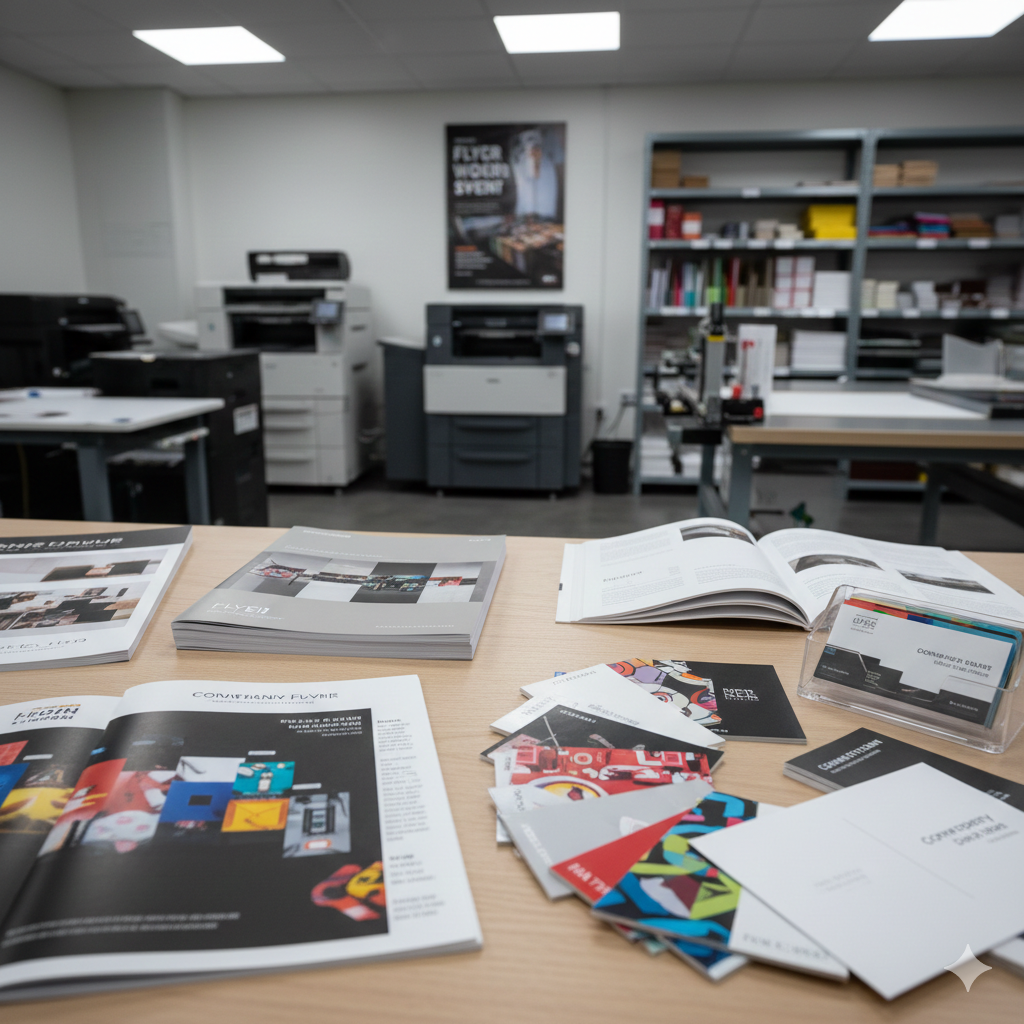
Printed marketing materials are physical items produced through commercial or digital printing processes and used to promote a business, product, service, or event. They include brochures, flyers, postcards, business cards, booklets, posters, banners, rack cards, door hangers, catalogs, and sell sheets.
Unlike digital ads that disappear after a scroll, printed materials occupy real space. A brochure sits on a counter. A postcard lands in a mailbox. A banner hangs above a trade show booth for three days straight. That physical presence creates repeated exposure without requiring a screen, an internet connection, or a click.
For businesses and individuals in Dallas who need professional-quality print products but lack access to a printer capable of handling marketing-grade output, understanding the full range of available formats is the first step toward making a confident decision.
Why Print Still Works in a Digital World
Print marketing has not lost its effectiveness. It has become more targeted. Businesses that combine digital campaigns with printed materials often see stronger response rates because physical pieces engage different cognitive processes than screen-based content.
A printed postcard does not compete with 47 browser tabs. It arrives alone. Recipients hold it, flip it over, and read it at their own pace. That tactile interaction creates a stronger memory trace than a banner ad.
For local businesses in Dallas, printed materials also serve a practical function that digital cannot replicate. A door hanger on a residential street, a rack card at a hotel front desk, or a brochure at a community event reaches people in specific physical locations at specific moments. That geographic precision matters when your customers live and work within a defined radius.
Common Types of Printed Marketing Materials at a Glance
Here is a quick reference of the most widely used printed marketing formats:
Material
Typical Use
Common Sizes
Brochure
Service overviews, menus, guides
8.5" x 11" (folded), 8.5" x 14"
Flyer
Event promotion, announcements
8.5" x 11", 5.5" x 8.5"
Postcard
Direct mail, appointment reminders
4" x 6", 5" x 7", 6" x 9"
Business Card
Networking, contact exchange
3.5" x 2"
Booklet
Catalogs, programs, training guides
5.5" x 8.5", 8.5" x 11"
Poster
In-store displays, event signage
11" x 17", 18" x 24", 24" x 36"
Banner
Trade shows, storefronts, outdoor
2' x 6', 3' x 8', custom sizes
Rack Card
Tourism, hospitality, retail
4" x 9"
Door Hanger
Neighborhood marketing
3.5" x 8.5", 4.25" x 11"
Each format serves a distinct purpose. Choosing the right one depends on your audience, distribution method, budget, and marketing objective.
Brochures: Formats, Folds, and Best Uses
Brochures are among the most versatile printed marketing materials available. They provide enough space to explain services, list features, include images, and guide readers through a structured message. Unlike a single-page flyer, a brochure uses folds to create multiple panels, giving you a built-in content hierarchy.
Most brochures start as a single flat sheet, typically 8.5" x 11" or 8.5" x 14", and are folded into panels. The fold style determines how many panels you have, how readers interact with the piece, and what kind of content works best.
Popular Brochure Fold Types (Tri-Fold, Z-Fold, Gate Fold)
Tri-fold (letter fold): The most common brochure format. A single sheet folds into three equal panels, creating six printable surfaces. Ideal for service menus, company overviews, and informational handouts. The front panel acts as a cover, and the inside panels reveal content in a natural left-to-right reading sequence.
Z-fold (accordion fold): The sheet folds into three panels in a zigzag pattern. Each panel is fully visible when unfolded, making this format effective for step-by-step processes, timelines, or maps. Z-fold brochures work well when you want readers to see all content at once.
Gate fold: Two outer panels fold inward to meet at the center, creating a "gate" that opens to reveal a larger interior panel. This format creates a dramatic reveal effect and works well for product launches, real estate listings, or event invitations where visual impact matters.
Bi-fold (half fold): A single fold down the center creates four panels. This format offers larger panel sizes and works well for presentations, menus, and materials that need more space per section.
When to Use a Brochure for Your Business or Event
Brochures work best when you need to communicate more information than a flyer allows but less than a full booklet requires. Common use cases include:
Service-based businesses listing multiple offerings with descriptions and pricing
Real estate agents showcasing property details with photos and floor plans
Healthcare providers explaining procedures, insurance information, or patient guides
Event organizers distributing schedules, maps, and sponsor information
Restaurants presenting menus for takeout or catering services
If your message requires structure, multiple sections, and a professional presentation, a brochure is almost always the right choice.
Brochure Paper Stock and Finish Options
The paper you choose affects how your brochure looks, feels, and holds up over time. Most commercial brochures use coated paper stock in the 80 lb. to 100 lb. text weight range. Heavier stocks like 80 lb. or 100 lb. cover weight create a more substantial, premium feel.
Gloss coating makes colors pop and photographs look sharp. Matte coating reduces glare and gives a sophisticated, modern appearance. Uncoated stock works well for brochures that need to be written on, such as forms or response cards.
For brochures that will be mailed, handled frequently, or displayed in racks, a heavier stock with aqueous or UV coating adds durability without significantly increasing cost.
Flyers and Sell Sheets: Fast, Affordable, and Effective
Flyers are the workhorse of printed marketing. They are quick to design, inexpensive to print, and easy to distribute. A single sheet of paper, printed on one or both sides, can promote an event, announce a sale, introduce a service, or deliver a targeted message to a specific audience.
Sell sheets serve a similar function but are typically designed for business-to-business communication. A sell sheet presents a single product or service with specifications, benefits, pricing, and contact information in a clean, professional layout.
Flyer Sizes and Layout Options
The standard flyer size is 8.5" x 11", which fits neatly into standard paper trays, bulletin boards, and mailing envelopes. Half-page flyers (5.5" x 8.5") work well for handouts at events or inserts in bags and packages.
Layout orientation matters. Portrait (vertical) orientation is the default for most flyers and works well for text-heavy content. Landscape (horizontal) orientation can be effective for image-driven designs or when you want to stand out on a bulletin board full of vertical flyers.
Single-Sided vs. Double-Sided Flyers
Single-sided flyers cost less to print and work well when the message is simple. They are ideal for posting on walls, bulletin boards, or windows where only one side is visible.
Double-sided flyers provide twice the content space at a modest cost increase. Use the front for your headline, key visual, and call to action. Use the back for supporting details like maps, schedules, pricing, or contact information.
For event promotion in Dallas, double-sided flyers are particularly effective. The front grabs attention, and the back provides everything someone needs to attend or respond.
Best Uses for Flyers and Sell Sheets
Flyers excel in high-volume, low-cost distribution scenarios:
Grand openings and store events
Community bulletin boards and coffee shop counters
Door-to-door neighborhood campaigns
Trade show and conference handouts
Bag stuffers for retail purchases
Sell sheets are better suited for:
Sales meetings and client presentations
Product specification sheets
Wholesale and distributor communications
Leave-behind materials after business meetings
Postcards: Direct Mail and Handout Marketing
Postcards combine visual impact with direct delivery. They arrive in mailboxes without an envelope, which means your message is visible the moment someone picks up their mail. That immediate visibility gives postcards a significant advantage over letter-format direct mail, which requires opening before the recipient sees any content.
Postcards also work as handouts at events, countertop displays, and in-store promotions. Their compact size makes them easy to carry, stack, and distribute.
Standard Postcard Sizes and USPS Mailing Requirements
If you plan to mail postcards, size matters for both cost and compliance. The United States Postal Service classifies postcards into specific size categories that affect postage rates:
Size
Dimensions
USPS Classification
Typical Postage
Standard
4" x 6"
First-Class postcard rate
Lowest cost
Jumbo
5" x 7"
First-Class letter rate
Moderate cost
Oversized
6" x 9"
First-Class letter rate
Moderate cost
Large
6" x 11"
First-Class letter rate
Higher cost
Standard 4" x 6" postcards qualify for the lowest USPS postcard rate, making them the most cost-effective option for large mailings. Larger sizes cost more to mail but provide more design space and tend to stand out in a stack of standard mail.
All mailed postcards must meet USPS thickness requirements (minimum 0.007" thick) and must leave space for the address block, postage, and barcode on the mail side.
Postcard Design Tips for Maximum Impact
Effective postcard design follows a simple principle: one clear message, one strong visual, one obvious call to action.
The front of the postcard should feature a compelling image or headline that stops the recipient from immediately discarding it. Avoid cluttering the front with too much text. Let the visual do the work.
The back carries your message, offer, and call to action. Include your business name, phone number, website, and physical address. If you are running a promotion, make the offer specific and time-sensitive. "20% off all services through March 31" performs better than "Great deals available."
Use high-contrast colors and readable fonts. Body text should be no smaller than 9 pt., and headlines should be large enough to read at arm's length.
Using Postcards for Local Marketing in Dallas
Postcards are especially effective for local marketing because they can be targeted by ZIP code, neighborhood, or carrier route. A Dallas restaurant can mail postcards to every household within a two-mile radius. A home services company can target specific neighborhoods with seasonal offers.
Every Door Direct Mail (EDDM) through USPS allows businesses to send postcards to every address on a mail carrier's route without needing a mailing list. This is a cost-effective option for new businesses trying to build awareness in specific Dallas neighborhoods.
Postcards also work well as appointment reminders for dental offices, salons, and medical practices. A physical reminder card is harder to ignore than an email notification.
Booklets, Catalogs, and Multi-Page Printed Pieces
When your content exceeds what a brochure can hold, booklets and catalogs provide the space you need. These multi-page printed pieces are ideal for product catalogs, event programs, training manuals, annual reports, and detailed service guides.
Booklets typically range from 8 to 48 pages (including covers), while catalogs can extend to 100 pages or more depending on the product line and binding method.
Saddle-Stitch vs. Perfect Binding
Saddle-stitch binding uses staples along the spine fold to hold pages together. It is the most affordable binding method and works well for booklets up to approximately 48 pages. Saddle-stitched booklets lay relatively flat when opened, making them easy to read and display.
Perfect binding uses a glue adhesive to attach pages to a flat spine, similar to a paperback book. This method accommodates higher page counts and creates a more polished, professional appearance. Perfect binding is the standard choice for catalogs, annual reports, and any piece that needs to look substantial on a shelf or table.
The binding method you choose affects both cost and design. Saddle-stitched booklets require page counts in multiples of four. Perfect-bound pieces need a minimum page count (usually 28 or more) to create a spine wide enough for the adhesive.
When to Choose a Booklet Over a Brochure
Choose a booklet when:
Your content requires more than six panels of information
You need to include detailed product listings with images
The piece will serve as a reference guide that readers keep
You want to present a professional, comprehensive document
Your content includes multiple sections that benefit from a table of contents
Choose a brochure when:
Your message fits within six panels
You need a quick, affordable handout
The piece will be distributed in high volume
Readers need a summary, not a deep dive
Business Cards, Rack Cards, and Door Hangers
These three formats share a common trait: they are designed for specific distribution contexts. Business cards pass between people during conversations. Rack cards sit in display holders at hotels, visitor centers, and retail locations. Door hangers go directly onto residential door handles.
Business Card Sizes, Paper, and Finishing Options
The standard business card size in the United States is 3.5" x 2". This size fits standard cardholders, wallets, and Rolodex systems. While some businesses experiment with square, oversized, or die-cut cards, the standard size remains the most practical choice for everyday networking.
Paper stock for business cards typically ranges from 14 pt. to 16 pt. card stock. Thicker stocks (16 pt. and above) feel more substantial and convey quality. Common finishes include:
Matte: Smooth, non-reflective surface with a modern feel
Gloss: Shiny, vibrant finish that makes colors pop
Soft-touch lamination: Velvety texture that feels premium
Spot UV: Selective gloss coating applied to specific design elements for contrast
Foil stamping: Metallic accents in gold, silver, or custom colors
Rack Cards for Retail and Hospitality
Rack cards measure 4" x 9" and are designed to fit standard display racks found in hotel lobbies, visitor information centers, real estate offices, and retail counters. Their tall, narrow format makes them visible even when stacked alongside other cards.
Effective rack card design places the most important information in the top third of the card, since that is the only portion visible when the card sits in a rack. Use this space for your business name, a compelling headline, and a strong visual.
Rack cards are particularly useful for tourism-related businesses, restaurants, entertainment venues, and service providers in the Dallas area who want to reach visitors and locals browsing for options.
Door Hangers for Neighborhood Campaigns
Door hangers are printed pieces with a die-cut hole that fits over a door handle. They are one of the few marketing formats that guarantee placement directly at a prospect's front door without going through the mail system.
Standard door hanger sizes include 3.5" x 8.5" and 4.25" x 11". They are typically printed on heavy card stock (14 pt. or thicker) to withstand outdoor conditions.
Door hangers work well for:
Home service companies (lawn care, pest control, HVAC, cleaning)
Political campaigns and community organizations
Restaurant delivery and takeout promotions
Real estate agents marketing new listings in a neighborhood
Because door hangers bypass the mailbox entirely, they are not subject to USPS regulations. This makes them a flexible option for hyper-local campaigns in specific Dallas neighborhoods.
Posters, Banners, and Large-Format Printed Materials
When you need visibility from a distance, large-format printing delivers. Posters, banners, and oversized graphics are designed to attract attention in retail environments, trade shows, outdoor events, and public spaces.
Large-format printing uses wide-format inkjet or UV printers capable of producing output on materials ranging from paper and vinyl to fabric and rigid substrates like foam board and acrylic.
Standard Poster Sizes and Display Options
Common poster sizes include:
Size
Best For
11" x 17" (tabloid)
Countertop displays, bulletin boards
18" x 24"
Window displays, small wall spaces
24" x 36"
Retail signage, event promotion
36" x 48"
Large wall displays, trade show graphics
protection against moisture, UV exposure, and handling.
For temporary promotions, standard paper posters are cost-effective. For displays that need to last weeks or months, mounting and lamination are worth the investment.
Indoor vs. Outdoor Large-Format Printing
Indoor large-format prints include wall graphics, trade show displays, retractable banners, foam board signs, and canvas prints. These materials do not need to withstand weather, so standard inks and substrates work well.
Outdoor large-format prints require weather-resistant materials and UV-stable inks. Vinyl banners with grommets are the most common outdoor format. They resist rain, wind, and sun exposure for extended periods. Mesh banners allow wind to pass through, making them suitable for fence-mounted or building-wrap applications.
When ordering outdoor prints for Dallas, consider the local climate. High summer temperatures and intense sun exposure can fade non-UV-resistant inks quickly. Specify UV-resistant inks and outdoor-rated vinyl for any print that will be exposed to direct sunlight.
How to Prepare Your Files for Professional Printing
File preparation is where many print jobs go wrong. A design that looks perfect on screen can produce disappointing results on paper if the file is not set up correctly for commercial printing. Understanding file formats, resolution, bleed, and color modes before you submit your files prevents costly reprints and delays.
Recommended File Formats (PDF, AI, EPS, TIFF)
PDF (Portable Document Format): The preferred file format for most commercial print jobs. A press-ready PDF preserves fonts, images, and layout exactly as designed. When saving a PDF for print, use the PDF/X-1a or PDF/X-4 preset, which embeds fonts and converts colors to CMYK.
AI (Adobe Illustrator): Native Illustrator files are ideal for vector-based designs like logos, illustrations, and text-heavy layouts. Vector files scale to any size without losing quality.
EPS (Encapsulated PostScript): An older vector format still accepted by many print shops. EPS files work well for logos and graphics but are gradually being replaced by AI and PDF formats.
TIFF (Tagged Image File Format): The best format for high-resolution photographs and raster images. TIFF files support CMYK color mode and do not compress image data, preserving full quality.
Avoid submitting files in JPEG, PNG, GIF, or Word document formats for professional printing. These formats either compress image data, use RGB color mode, or lack the precision required for commercial output.
Resolution, Bleed, and Color Mode Requirements
Resolution: Print files should be set to 300 DPI (dots per inch) at the final output size. A file that looks sharp on screen at 72 DPI will appear pixelated and blurry when printed. Always check resolution before submitting.
Bleed: Bleed is the area of your design that extends beyond the trim line. It ensures that no white edges appear after the piece is cut to final size. Standard bleed is 0.125" (1/8 inch) on all sides. If your design has color, images, or graphics that extend to the edge of the page, bleed is required.
Color mode: Commercial printing uses CMYK (Cyan, Magenta, Yellow, Black) color mode. Designs created in RGB (Red, Green, Blue) mode will shift in color when converted to CMYK. Always design in CMYK from the start, or convert and proof your colors before submitting.
Safe zone: Keep all critical text and design elements at least 0.125" inside the trim line. This prevents important content from being cut off during the trimming process.
Common File Preparation Mistakes to Avoid
Low-resolution images: Using web images (72 DPI) in print files. Always use 300 DPI images.
Missing bleed: Designs that stop at the trim line instead of extending 0.125" beyond it.
RGB color mode: Submitting files in RGB instead of CMYK, causing unexpected color shifts.
Fonts not embedded or outlined: If fonts are not embedded in the PDF or converted to outlines, the print shop's system may substitute a different font.
Incorrect dimensions: Designing at the wrong size. Always confirm the final trim size before starting your layout.
Over-designed files: Using too many fonts, colors, or visual elements that compete for attention and reduce readability.
If you are unsure about file preparation, most professional print shops, including walk-in locations in Dallas, offer file review services. Bringing your file in for a quick check before printing can save time and money.
Choosing the Right Paper Stock, Finish, and Coating
Paper selection directly affects how your printed piece looks, feels, and performs. The same design printed on glossy card stock and uncoated text-weight paper will create two completely different impressions. Understanding paper weight, coating, and finish options helps you make the right choice for your project.
Matte vs. Gloss vs. Uncoated Paper
Gloss paper has a shiny, reflective surface that enhances color saturation and makes photographs look vivid. It is the most popular choice for brochures, postcards, and marketing materials that rely on strong visuals.
Matte paper has a smooth, non-reflective surface that reduces glare and gives printed pieces a modern, understated appearance. Matte finishes are easier to read under direct lighting and work well for text-heavy materials.
Uncoated paper has no surface coating, giving it a natural, textured feel. It absorbs ink more than coated stocks, which can make colors appear slightly muted. Uncoated paper is the best choice for materials that need to be written on with a pen, such as response cards, forms, or notepads.
Paper Weight and Thickness Explained
Paper weight in the United States is measured in pounds (lb.) and refers to the weight of a ream (500 sheets) of paper at its base size. The two most common categories are:
Text weight: Lighter, more flexible paper used for flyers, brochure interiors, and letterhead. Common weights include 60 lb., 70 lb., 80 lb., and 100 lb. text.
Cover weight: Thicker, more rigid paper used for business cards, postcards, book covers, and any piece that needs to feel substantial. Common weights include 80 lb., 100 lb., and 130 lb. cover.
A simple comparison: 80 lb. text weight feels similar to standard copy paper with a slight upgrade. 80 lb. cover weight feels like a thin card stock. 100 lb. cover weight feels like a premium business card.
When in doubt, request paper samples from your print provider. Feeling the paper in your hands is the most reliable way to choose.
Specialty Finishes (UV Coating, Soft Touch, Foil)
Specialty finishes add visual and tactile distinction to printed materials:
Aqueous coating: A water-based clear coating applied to the entire printed surface. It adds a light sheen and protects against fingerprints and scuffing. This is the most affordable finishing option.
UV coating: A high-gloss coating cured with ultraviolet light. It creates an extremely shiny, durable surface. UV coating is available as flood (full coverage) or spot (applied to specific areas for contrast).
Soft-touch lamination: A matte laminate with a velvety texture. It creates a premium tactile experience and is popular for business cards, folders, and high-end brochures.
Foil stamping: Metallic foil pressed onto the paper surface using a heated die. Available in gold, silver, copper, and custom colors. Foil stamping adds a luxury element to business cards, invitations, and packaging.
Embossing and debossing: Raised (embossed) or recessed (debossed) impressions pressed into the paper. These techniques add dimension and texture without ink.
Specialty finishes increase cost but can significantly elevate the perceived value of your printed materials. For pieces that represent your brand at high-stakes moments, such as client presentations or networking events, the investment often pays for itself.
Turnaround Times, Quantities, and Pricing Factors
Understanding what affects turnaround time and pricing helps you plan projects effectively and avoid last-minute rush charges. Print pricing is not arbitrary. It follows a predictable structure based on a few key variables.
What Affects Print Turnaround Time?
Standard turnaround for most printed marketing materials ranges from two to five business days after proof approval. Factors that extend or shorten turnaround include:
File readiness: Print-ready files move to production immediately. Files that need corrections or design work add time.
Quantity: Larger runs may require more press time and drying time between passes.
Paper and materials: Standard stocks are typically in inventory. Specialty papers or substrates may need to be ordered.
Finishing: Cutting, folding, binding, lamination, and specialty finishes each add processing time.
Proofing: Digital proofs are fast. Hard proofs (physical samples) add one to two days.
Rush and same-day printing options are available at many Dallas print shops for standard products like flyers, business cards, and posters. Rush orders typically carry a surcharge.
Ordering Small Quantities vs. Bulk Runs
Digital printing technology has made small-quantity orders practical and affordable. You can order 25 business cards, 50 flyers, or 100 postcards without the high setup costs that offset printing once required.
However, per-unit cost decreases significantly with larger quantities. Printing 500 postcards might cost $0.15 each, while printing 5,000 of the same postcard might drop to $0.05 each. If you know you will need the materials over time, ordering a larger quantity upfront is almost always more cost-effective.
For businesses testing a new design or running a limited campaign, small digital print runs allow you to evaluate performance before committing to a large order.
How to Get an Accurate Print Quote
To get a precise quote from a print provider, have these details ready:
Product type (brochure, flyer, postcard, banner, etc.)
Finished size (dimensions after trimming and folding)
Quantity (exact number of pieces needed)
Paper stock (weight, coating, color)
Color specifications (full color both sides, black and white, spot color)
Finishing requirements (folding, binding, lamination, die-cutting)
File status (print-ready or needs design assistance)
Delivery date (standard or rush)
Providing complete specifications upfront prevents surprises and ensures the quote reflects your actual project.
How to Choose the Right Printed Marketing Material for Your Goal
With so many formats available, selecting the right one starts with your objective. What are you trying to accomplish, who is your audience, and how will the piece be distributed?
Matching Print Products to Marketing Objectives
Objective
Recommended Format
Why It Works
Brand awareness
Postcards, door hangers
High-volume, low-cost distribution
Service overview
Tri-fold brochure
Structured panels for organized information
Event promotion
Flyers, posters
Quick production, easy distribution
Product catalog
Booklet, catalog
Multi-page format for detailed listings
Networking
Business cards
Compact, portable, professional
In-store promotion
Posters, rack cards
Visible displays at point of decision
Direct mail campaign
Postcards (4"x6" or 6"x9")
USPS-compliant, immediate visibility
Trade show presence
Banners, sell sheets
Large-format visibility plus leave-behind materials
Neighborhood targeting
Door hangers
Direct placement, no postage required
Print Material Selection Guide (Comparison Table)
Factor
Brochure
Flyer
Postcard
Booklet
Poster
Business Card
Content capacity
Medium
Low
Low
High
Low
Minimal
Cost per unit
Medium
Low
Low
High
Medium
Low
Production speed
2-4 days
1-2 days
1-3 days
3-7 days
1-2 days
1-3 days
Best distribution
Handout, rack
Post, handout
Mail, handout
Handout, display
Display, mount
In-person
Visual impact
Medium
Medium
High
Medium
High
Medium
Durability
Medium
Low
High
High
Low-Medium
High
Use this table as a starting point. Your specific project may benefit from combining multiple formats. A direct mail campaign, for example, might pair a postcard mailer with a follow-up brochure delivered in person.
Why Work with a Local Print Shop in Dallas
Online print services offer convenience, but working with a local print shop provides advantages that matter when quality, timing, and accuracy are priorities.
Benefits of In-Person Print Consultations
Walking into a print shop and speaking directly with a print specialist eliminates the guesswork that comes with online ordering. You can:
See and feel paper samples before committing to a stock
Review color proofs on the actual paper your job will be printed on
Discuss design options and get expert recommendations
Resolve file issues on the spot instead of through email exchanges
Adjust quantities, sizes, or finishes based on real-time feedback
For customers who are not experienced with print specifications, an in-person consultation can prevent expensive mistakes. A five-minute conversation about bleed, resolution, and paper weight can save hours of back-and-forth and avoid a reprint.
Walk-In Printing and Same-Day Options
Not every print job requires a week of lead time. Walk-in printing services in Dallas handle urgent needs like same-day business cards, last-minute event flyers, presentation posters, and replacement banners.
If you do not have access to a printer and need professional-quality output quickly, a local print shop with walk-in service is the fastest path from file to finished product. Bring your file on a USB drive, email it ahead, or upload it through the shop's online portal. Many standard products can be printed, cut, and ready for pickup within hours.
For businesses and individuals in Dallas who value reliability, expert guidance, and the ability to see their project through from start to finish with a real person, a local print partner offers something that no online upload form can match: confidence that the final product will be exactly right.
Conclusion
Printed marketing materials give businesses and individuals a proven way to communicate, promote, and connect. From brochures and flyers to postcards, banners, and business cards, each format serves a specific purpose and delivers results when matched to the right goal.
Choosing the correct format, paper, and finishing starts with understanding your objective and audience. Proper file preparation, realistic turnaround expectations, and the right print partner make the difference between a piece that works and one that falls flat.
We help customers across Dallas navigate every step of the printing process. Visit AlphaGraphics Dallas for expert guidance, fast turnaround, and printed marketing materials that deliver exactly what your project demands.
Frequently Asked Questions
What is the most cost-effective printed marketing material for small businesses?
Flyers and postcards offer the lowest per-unit cost and are ideal for small businesses with limited budgets. Both formats are quick to produce, easy to distribute, and effective for local promotions and event announcements.
What file format should I use when submitting artwork for professional printing?
Submit a press-ready PDF saved in CMYK color mode at 300 DPI resolution. PDF/X-1a or PDF/X-4 presets embed fonts and preserve color accuracy, making them the preferred format for commercial print production.
How long does it take to print brochures and flyers?
Standard turnaround for brochures and flyers is typically two to five business days after proof approval. Same-day and next-day rush options are available at many local print shops for standard formats and quantities.
What is the difference between text weight and cover weight paper?
Text weight paper is thinner and more flexible, used for flyers, brochure interiors, and letterhead. Cover weight paper is thicker and more rigid, used for business cards, postcards, and book covers. Cover stock feels noticeably sturdier in hand.
