
UPS Printing Services
UPS Store locations offer convenient printing services for documents, posters, and basic signage, with most stores providing same-day turnaround for standard print jobs. Whether you need a quick black-and-white report or color flyers for an upcoming event, UPS printing services can handle common requests when you don't have access to your own printer.
Understanding your printing options matters because choosing the wrong provider can mean missed deadlines, unexpected costs, or print quality that doesn't match your needs. For Dallas residents and businesses, knowing what UPS offers compared to dedicated print shops helps you make smarter decisions.
This guide covers everything about UPS printing services, including available formats, pricing expectations, file preparation tips, and when a professional print partner like AlphaGraphics Dallas might better serve your project requirements.
What Are UPS Printing Services?
UPS printing services refer to the document and print solutions available at The UPS Store locations nationwide. These retail centers combine shipping services with basic printing capabilities, making them a one-stop option for customers who need to print and mail materials.
The UPS Store operates as a franchise network with over 5,000 locations across the United States. Each store offers core printing services including black-and-white copies, color prints, and document finishing options like binding and lamination. This widespread availability makes UPS a familiar choice for individuals and small businesses seeking accessible printing.
Most UPS Store locations provide self-service printing kiosks alongside full-service counters. Self-service options work well for straightforward jobs like printing a few pages from a USB drive. Full-service printing handles more complex requests where staff assistance improves the outcome.
Core Services Available at UPS Stores
Standard document printing forms the foundation of UPS printing services. You can print single-sided or double-sided documents in letter, legal, and tabloid sizes. Black-and-white prints typically cost less than color, making them practical for text-heavy documents like contracts, reports, and manuscripts.
Color printing at UPS handles presentations, marketing materials, and documents where visual impact matters. Quality varies by location since individual franchises may use different equipment. Asking to see a sample print before committing to a large order protects you from unexpected results.
Business cards, flyers, and brochures round out the marketing material options. UPS offers templates for customers who don't have design files ready, though custom designs require you to bring properly formatted files. Turnaround times for these items typically range from same-day for rush orders to several business days for standard production.
Document Finishing and Binding Options
Beyond basic printing, UPS stores provide finishing services that transform loose pages into professional documents. Binding options include comb binding, coil binding, and tape binding. Each method suits different purposes, with coil binding working well for documents that need to lay flat and comb binding offering easy page additions.
Lamination protects important documents from wear, moisture, and handling damage. UPS offers pouch lamination for standard document sizes. This service works well for reference cards, signs, and materials that see frequent use.
Folding and collating services help with multi-page documents and mailers. If you're producing a newsletter or informational packet, these finishing touches save significant time compared to manual assembly.
Types of Printing Available at UPS Locations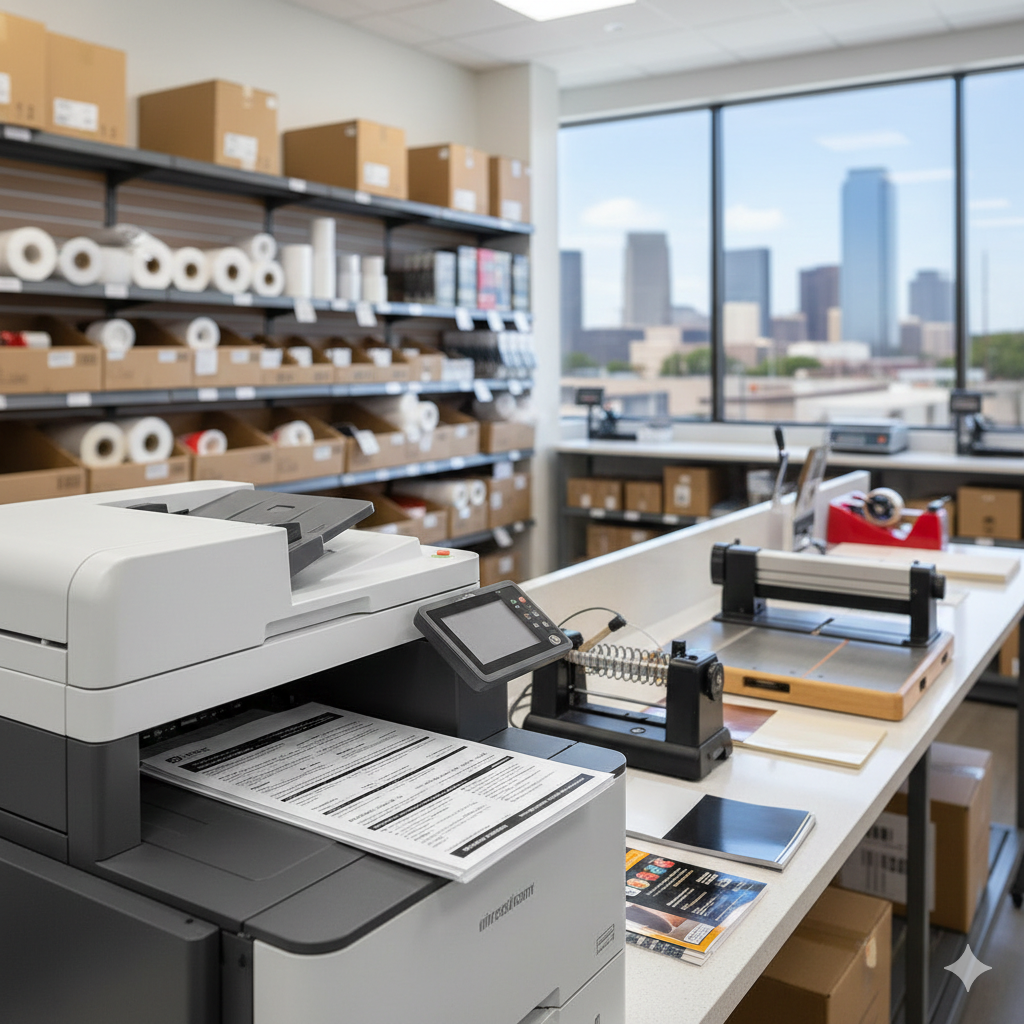
Understanding the specific print products available helps you determine whether UPS can handle your project. Services vary somewhat between franchise locations, so calling ahead confirms availability for specialized requests.
Document and Copy Services
Everyday document printing covers the most common customer needs. Students print term papers and study materials. Professionals produce reports, proposals, and meeting handouts. Job seekers print resumes and cover letters on quality paper stock.
Copy services duplicate existing documents quickly. Whether you need ten copies of a contract or a hundred copies of a meeting agenda, UPS handles volume copying efficiently. Reduction and enlargement options let you adjust document sizes, useful for creating readable versions of detailed drawings or fitting content onto specific paper sizes.
Scanning services convert physical documents to digital files. This proves valuable when you need to email a signed contract or archive paper records. UPS stores typically scan to USB drives, email, or cloud storage services.
Poster and Large Format Printing
Poster printing at UPS accommodates sizes up to approximately 24 by 36 inches at most locations. Engineering prints and architectural drawings fall within this category. Students use these services for academic presentations, while professionals produce visual aids for meetings and conferences.
Banner printing availability varies more significantly between locations. Some UPS stores partner with production facilities to offer vinyl banners and larger format items, while others focus exclusively on paper-based products. Confirming capabilities before visiting saves time and prevents disappointment.
Photo printing services produce enlargements from digital files. Quality depends heavily on your source file resolution. Images that look sharp on screen may print poorly at larger sizes if the original file lacks sufficient pixel density.
Business and Marketing Materials
Professional business cards remain a staple UPS offering. Standard sizes and paper stocks accommodate most needs, though premium options like thick cardstock or specialty finishes may require ordering through UPS's online print services rather than in-store production.
Brochures and sell sheets help businesses communicate their offerings. Tri-fold brochures fit standard envelope sizes for mailing, while flat sell sheets work for handouts and leave-behinds. Design templates simplify creation for customers without graphic design experience.
Postcards and mailers support direct marketing campaigns. UPS can print these materials and handle mailing through their shipping services, creating a streamlined workflow for promotional campaigns.
UPS Printing Costs and Pricing Structure
Pricing for UPS printing services follows a straightforward structure, though exact costs vary by location and current promotions. Understanding the pricing model helps you budget accurately and compare options.
Standard Document Pricing
Black-and-white prints typically range from $0.10 to $0.15 per page for standard letter-size documents. Volume discounts apply to larger orders, reducing per-page costs when printing hundreds of copies. Self-service printing often costs slightly less than full-service options.
Color printing costs significantly more, generally ranging from $0.49 to $1.00 or more per page depending on coverage and paper quality. Documents with heavy color coverage or photo-quality requirements fall toward the higher end of this range.
Premium paper stocks add to base printing costs. Cardstock, glossy paper, and specialty materials carry upcharges that can substantially increase project totals. Requesting a quote before printing prevents budget surprises.
Large Format and Specialty Pricing
Poster prints typically start around $3 to $5 for smaller sizes and increase with dimensions. A standard 24x36 poster may cost $15 to $30 depending on paper type and color requirements. Engineering prints on bond paper cost less than presentation-quality posters on glossy stock.
Business cards, brochures, and marketing materials follow quantity-based pricing. Ordering 250 business cards costs less per card than ordering 50, making larger orders more economical when you'll use the materials over time.
Finishing services add incremental costs to base printing prices. Binding typically runs $3 to $10 depending on method and document thickness. Lamination costs vary by document size, with letter-size lamination usually priced between $2 and $5 per piece.
Factors Affecting Total Cost
Rush orders and same-day service often carry premium pricing. Planning ahead and allowing standard turnaround times keeps costs lower. If your timeline allows flexibility, asking about production schedules may reveal cost-saving opportunities.
File preparation issues can increase costs unexpectedly. Documents requiring staff time to reformat, resize, or troubleshoot may incur additional charges. Arriving with properly prepared files streamlines the process and controls expenses.
Minimum order requirements apply to some products. Business cards and marketing materials often have minimum quantities that affect per-piece economics. Understanding these thresholds helps you order efficiently.
How to Prepare Files for UPS Printing
Proper file preparation ensures your prints match your expectations. Taking time to format files correctly before visiting a UPS Store prevents delays, reprints, and additional costs.
Accepted File Formats
PDF files offer the most reliable results for document printing. PDFs preserve formatting, fonts, and layout regardless of what software the print shop uses. Converting your documents to PDF before printing eliminates most compatibility issues.
Microsoft Office formats including Word, Excel, and PowerPoint work at most locations, though formatting may shift between different software versions. If precise layout matters, converting to PDF provides more consistent results.
Image files in JPEG, PNG, and TIFF formats work for photo printing and graphics. JPEG files suit most purposes, while TIFF files preserve maximum quality for professional applications. PNG files work well for graphics with transparent backgrounds.
Resolution and Quality Requirements
Print resolution should reach 300 DPI (dots per inch) for sharp results at the intended print size. Images that look crisp on screen at 72 DPI will appear pixelated and blurry when printed at larger sizes. Checking resolution before printing prevents disappointing results.
Document fonts should be embedded in PDF files to ensure text appears correctly. Missing fonts cause text to substitute with default alternatives, potentially ruining carefully designed layouts. Most PDF creation tools include font embedding options.
Color mode matters for accurate reproduction. Documents intended for print should use CMYK color mode rather than RGB. While UPS equipment handles RGB files, colors may shift during conversion. Professional results require attention to color specifications.
Bleed and Margin Considerations
Documents printed to the edge of the paper require bleed, meaning the design extends beyond the trim line. Standard bleed is 0.125 inches on each side. Without proper bleed, white edges may appear on finished pieces.
Safe margins keep important content away from trim edges. Text and critical graphics should stay at least 0.25 inches from document edges. This buffer prevents accidental trimming of important information.
Template files from UPS or your design software ensure correct setup. Using templates eliminates guesswork about dimensions and margins, particularly for business cards, postcards, and other standard formats.
Turnaround Times and Delivery Options
Understanding production timelines helps you plan projects effectively. UPS printing turnaround varies based on product type, order complexity, and individual store workload.
Same-Day and Rush Services
Simple document printing often completes while you wait or within a few hours. Walking into a UPS Store with a USB drive containing a ready-to-print PDF typically yields fast results for standard copying and printing needs.
Rush services accommodate tight deadlines for more complex orders. Availability depends on store capacity and current workload. Calling ahead to confirm rush availability and any associated fees prevents last-minute complications.
Peak periods around holidays, graduation season, and fiscal year-end may extend normal turnaround times. Planning important print jobs outside these busy windows improves your chances of meeting deadlines.
Standard Production Timelines
Business cards and marketing materials typically require 2 to 5 business days for standard production. Online ordering through UPS print services may offer faster turnaround than in-store orders for certain products.
Large format prints and specialty items may need additional production time. Complex finishing requirements like mounting, lamination, or custom cutting extend timelines beyond basic printing.
Multi-location coordination adds time when materials need to reach multiple destinations. UPS's shipping network facilitates distribution, but building in buffer time prevents deadline stress.
Shipping and Pickup Options
In-store pickup remains the fastest option for local customers. Receiving notification when orders complete allows you to collect materials at your convenience during store hours.
UPS shipping delivers printed materials anywhere in their network. This option serves customers who can't visit stores personally or need materials sent directly to event venues, clients, or remote team members.
Tracking capabilities let you monitor shipment progress. For time-sensitive materials, selecting expedited shipping options ensures arrival before critical deadlines.
UPS Printing Services vs. Professional Print Shops
Comparing UPS printing to dedicated print providers helps you choose the right partner for each project. Different situations call for different solutions.
When UPS Works Well
Convenience drives many customers to UPS stores. With locations in shopping centers, office parks, and neighborhoods throughout Dallas, finding a nearby store rarely proves difficult. Extended hours including evenings and weekends accommodate busy schedules.
Simple, straightforward print jobs suit UPS capabilities well. Printing a dozen copies of a report, producing a small batch of flyers, or making a presentation poster falls squarely within typical UPS competencies.
Combined shipping and printing needs create efficiency. If you're printing materials that need immediate mailing, handling both tasks at one location saves time and simplifies logistics.
When Professional Print Shops Excel
Complex projects benefit from specialized expertise. Custom signage, large-format graphics, trade show displays, and branded materials often require equipment and knowledge beyond typical UPS store capabilities.
Volume orders become more economical at dedicated print facilities. Printing thousands of brochures, producing extensive marketing campaigns, or handling ongoing print needs typically costs less through professional print partners who specialize in production efficiency.
Quality-critical applications demand professional-grade equipment and expertise. Brand materials, client presentations, and public-facing signage represent your business. Professional print shops invest in calibrated equipment, premium materials, and trained staff that ensure consistent, impressive results.
Making the Right Choice
Project requirements should guide your decision. A quick copy job doesn't require a professional print shop, just as a major signage project shouldn't rely on retail printing services.
Timeline considerations matter significantly. Professional print shops often accommodate rush orders more flexibly than retail locations juggling multiple service types. Building relationships with print partners creates options when deadlines tighten.
Budget analysis should consider total value, not just per-piece pricing. Lower unit costs mean nothing if quality issues require reprinting or if subpar materials damage your professional image.
Local Printing Alternatives in Dallas
Dallas offers numerous printing options beyond UPS stores. Understanding the local landscape helps you find the best fit for your specific needs.
Retail Print Options
Office supply stores including Staples and Office Depot provide similar services to UPS. These locations offer document printing, copying, and basic marketing materials. Pricing and capabilities roughly parallel UPS offerings.
FedEx Office locations compete directly with UPS stores for printing business. Services overlap significantly, though specific capabilities and pricing vary. Comparing quotes for larger projects may reveal meaningful cost differences.
Local copy shops and quick printers serve neighborhood needs. These independent businesses often provide personalized service and competitive pricing for regular customers. Building relationships with local providers creates reliable options.
Professional Print Partners
Full-service print shops handle projects beyond retail capabilities. These businesses invest in commercial-grade equipment, employ trained print professionals, and maintain quality standards that retail operations can't match.
Specialty printers focus on specific product categories. Sign shops, large-format printers, and promotional product companies develop deep expertise in their niches. Matching your project to the right specialist ensures optimal results.
AlphaGraphics Dallas represents the professional print partner category, offering comprehensive printing and signage solutions backed by expert guidance. From document printing to custom signs and large-format graphics, professional partners provide the quality, reliability, and support that demanding projects require.
Choosing Based on Project Needs
Simple document printing works fine at any convenient location. Price and proximity reasonably drive these decisions since quality differences remain minimal for basic copying.
Marketing materials deserve more consideration. Your business cards, brochures, and promotional items represent your brand. Investing in professional production protects your image and maximizes marketing effectiveness.
Signage and display graphics require professional expertise. These high-visibility items demand quality materials, precise production, and proper installation knowledge. Retail print services simply can't match dedicated sign shop capabilities.
Common Printing Mistakes to Avoid
Learning from others' errors saves time, money, and frustration. These common mistakes derail printing projects regardless of which provider you choose.
File Preparation Errors
Low-resolution images produce disappointing results. That logo that looks perfect on your website may print as a blurry mess. Always use high-resolution source files for print projects.
Missing fonts cause text substitution problems. Embedding fonts in PDF files or converting text to outlines prevents this issue. Reviewing a proof before full production catches font problems early.
Incorrect color modes shift colors unexpectedly. RGB files designed for screens convert imperfectly to CMYK print. Designing in CMYK from the start ensures accurate color reproduction.
Ordering and Planning Mistakes
Insufficient quantities leave you short when you need materials. Ordering slightly more than your immediate need provides buffer for mistakes, last-minute requests, and future use. Per-piece costs typically decrease with larger orders.
Inadequate timeline planning creates rush charges and stress. Building buffer time into project schedules accommodates unexpected delays. Starting early costs nothing but prevents expensive rush fees.
Skipping proofs leads to expensive reprints. Always review a proof before approving full production. Catching errors at the proof stage costs far less than reprinting an entire order.
Quality and Specification Mistakes
Wrong paper selection affects perception and durability. Flimsy paper undermines professional image while overly heavy stock wastes money on simple documents. Matching paper weight and finish to purpose optimizes results and costs.
Ignoring finishing requirements leaves projects incomplete. Documents that need binding, lamination, or folding require planning for these steps. Forgetting finishing needs delays project completion.
Assuming all printers produce equal quality leads to disappointment. Equipment quality, maintenance, calibration, and operator skill all affect output. Testing a provider with a small order before committing to large projects reveals quality levels.
Getting the Best Results from Print Services
Maximizing value from any print provider requires preparation, communication, and reasonable expectations. These practices improve outcomes regardless of where you print.
Preparation Best Practices
Organize files before visiting print locations. Having properly named, correctly formatted files ready eliminates delays and confusion. Creating a folder with all project files keeps everything accessible.
Know your specifications before ordering. Paper size, quantity, color requirements, and finishing needs should be determined in advance. Arriving prepared speeds the ordering process and prevents costly changes.
Bring samples or references when possible. Showing what you want helps staff understand your expectations. Previous prints, competitor materials, or inspiration images communicate goals clearly.
Communication Strategies
Ask questions about anything unclear. Print terminology can confuse newcomers. Good providers welcome questions and explain options thoroughly.
Request quotes for larger orders. Pricing varies between providers and products. Getting written quotes allows accurate comparison and prevents billing surprises.
Confirm turnaround times explicitly. Assumptions about completion dates cause problems. Getting specific commitments in writing protects your timeline.
Quality Assurance Steps
Review proofs carefully before approval. Check spelling, alignment, color, and overall appearance. Approving a flawed proof makes you responsible for the error.
Inspect finished products before leaving. Catching problems immediately allows quick resolution. Discovering issues after leaving complicates corrections.
Provide feedback on completed projects. Letting providers know what worked well and what could improve helps them serve you better on future orders.
Conclusion
UPS printing services provide convenient document printing, copying, and basic marketing materials through their extensive retail network. For simple print jobs, quick copies, and combined print-and-ship needs, UPS stores offer accessible solutions throughout Dallas and beyond.
Understanding when retail printing meets your needs versus when professional print partners deliver better value helps you make smart decisions for each project. Complex signage, quality-critical materials, and volume orders typically benefit from dedicated print shop expertise and equipment.
We invite you to experience the difference professional printing makes for your important projects. Contact AlphaGraphics Dallas for expert guidance on your printing and signage needs, and discover why businesses throughout Dallas trust us for reliable, high-quality results with fast turnaround times.
Frequently Asked Questions
What types of documents can I print at UPS Store locations?
UPS stores print most standard documents including reports, presentations, contracts, resumes, and academic papers. They handle letter, legal, and tabloid sizes in both black-and-white and color. Specialty documents with unusual sizes or requirements may need confirmation before visiting.
How much does UPS printing cost per page?
Black-and-white prints typically cost $0.10 to $0.15 per page, while color prints range from $0.49 to over $1.00 depending on coverage and paper quality. Volume discounts reduce per-page costs for larger orders. Premium papers and finishing services add to base prices.
Can I print posters and large format documents at UPS?
Most UPS stores print posters up to approximately 24x36 inches. Engineering prints and presentation posters fall within typical capabilities. Larger formats and specialty materials like vinyl banners vary by location, so calling ahead confirms availability.
What file formats does UPS accept for printing?
PDF files provide the most reliable results and work at all locations. Microsoft Office formats including Word, Excel, and PowerPoint also work, though formatting may shift. Image files in JPEG, PNG, and TIFF formats suit photo printing needs.
How long does UPS printing take?
Simple document printing often completes within hours or while you wait. Business cards and marketing materials typically require 2 to 5 business days. Rush services accommodate tighter deadlines at many locations, usually for additional fees.
Does UPS offer same-day printing services?
Yes, most UPS stores provide same-day service for standard document printing and copying. Complex orders, specialty materials, and high-volume jobs may require longer production times. Calling ahead confirms same-day availability for your specific needs.
Can I email files to UPS for printing?
Many UPS stores accept emailed files for printing. You can also upload files through The UPS Store website or bring files on USB drives. Confirming your preferred method with your local store ensures smooth file transfer.
What's the difference between UPS printing and professional print shops?
UPS stores offer convenient retail printing for everyday needs. Professional print shops provide commercial-grade equipment, specialized expertise, and capabilities for complex projects like custom signage, large-format graphics, and high-volume production that exceed retail service levels.
Does UPS print business cards and marketing materials?
Yes, UPS stores produce business cards, flyers, brochures, postcards, and other marketing materials. Standard options are available in-store, while premium finishes and specialty products may require online ordering through UPS print services.
How do I get the best print quality from UPS services?
Prepare files at 300 DPI resolution, use PDF format with embedded fonts, and design in CMYK color mode. Review proofs before approving production, and communicate your quality expectations clearly to staff. For quality-critical projects, consider professional print partners with commercial-grade equipment.
