
What Printer Should I Buy If I Don't Print Often
If you only print a handful of pages each month, buying the wrong printer can cost you more in dried ink and maintenance than the documents are worth. Most infrequent printers spend between $50 and $150 a year replacing cartridges they barely used, and that doesn't count the frustration of a machine that jams after sitting idle for weeks.
This is a problem that affects students printing term papers twice a semester, remote workers who need the occasional contract signed, and small business owners who just need a few flyers or invoices. The good news is you have more options than you think.
This guide breaks down which printers actually work for low-volume users, what features matter most, and when skipping the purchase entirely and using a professional print service is the smarter, more cost-effective move.
Why Buying a Printer for Occasional Use Often Backfires
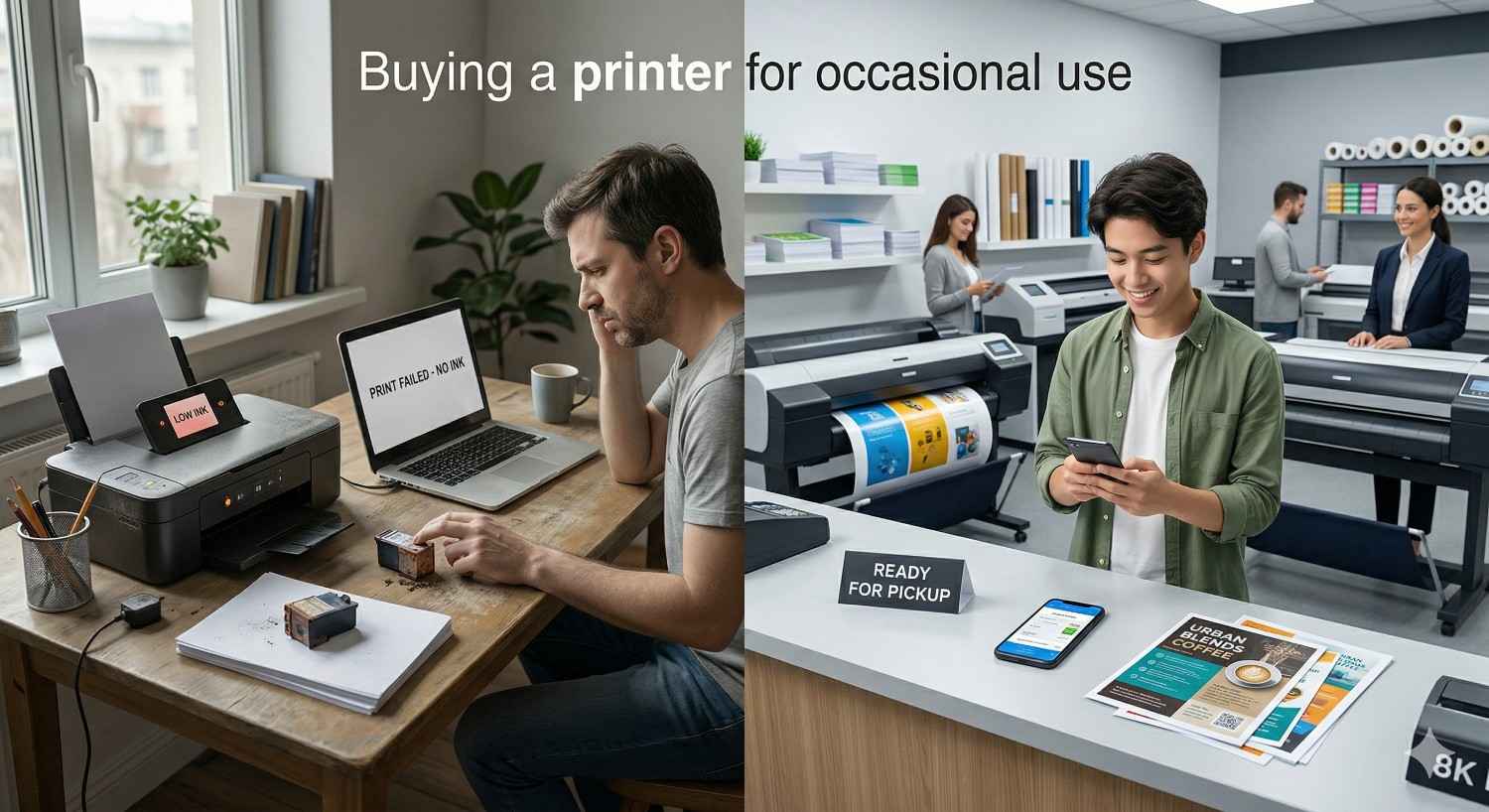
The printer market is designed around people who print regularly. Manufacturers price hardware low and make their money on ink and toner refills. If you print often, that model works. If you don't, it works against you. Here's why owning a printer as an infrequent user creates problems most people don't anticipate until they're already dealing with them.
Dried-Out Ink and Wasted Cartridges
Inkjet printers use liquid ink that dries out when it sits unused. Most standard inkjet cartridges begin to degrade after just a few weeks of inactivity. The printhead nozzles clog, colors shift, and the printer runs cleaning cycles that burn through ink before you've printed a single page.
A set of replacement cartridges for a typical consumer inkjet runs between $30 and $60. If you're replacing those every few months because the ink dried out rather than because you used it, you're paying a premium for pages you never printed. Over two years, an infrequent user can easily spend more on replacement ink than the printer itself cost.
Maintenance Costs That Add Up Quietly
Beyond ink, printers require periodic maintenance. Paper feed rollers wear out. Firmware updates can lock out third-party cartridges. Wireless connectivity drops after software changes. For someone who prints daily, these are minor inconveniences handled in stride. For someone who prints once a month, each issue becomes a 30-minute troubleshooting session that starts with "why isn't this thing working?"
Laser printers are more durable in this regard, but they carry their own costs. Toner cartridges last longer, but they're more expensive upfront. Fuser units and drums eventually need replacement. And if a laser printer sits in a humid environment without regular use, the toner can clump and produce streaky, uneven output.
Space, Setup, and Hassle You Don't Need
A printer takes up desk or shelf space. It needs a power outlet, a Wi-Fi connection or USB cable, and driver software installed on every device you want to print from. For a device you use a few times a month, that's a lot of real estate and setup for very little return.
For people in apartments, dorm rooms, or small offices in Dallas where square footage matters, dedicating space to a printer that mostly collects dust is a trade-off worth questioning.
What to Look for If You Still Want a Home Printer
There are legitimate reasons to own a printer even if you don't use it often. Maybe you need to print shipping labels regularly, or you work from home and occasionally need hard copies of contracts. If you've decided a home printer is the right call, choosing the right type makes all the difference.
Inkjet vs. Laser for Infrequent Printing
This is the first decision, and it matters more for infrequent printers than for anyone else.
For infrequent printers, a monochrome laser printer is almost always the better choice for text-based documents. Toner doesn't dry out, the cost per page is lower, and the machine is ready to go even after weeks of sitting idle. If you need color, the calculus changes, and that's where alternatives like ink tank printers or professional print services start to make more sense.
Tank-Based Printers and Why They Matter
Ink tank printers, sometimes called supertank or EcoTank printers, replaced traditional cartridges with refillable ink reservoirs. Brands like Epson (EcoTank series) and Canon (MegaTank series) popularized this format, and it addresses the biggest pain point for infrequent users: wasted ink.
Tank-based printers cost more upfront, typically $200 to $300, but the included ink bottles can print thousands of pages. Replacement ink bottles cost $10 to $20 each instead of $30 to $60 for cartridge sets. The ink still degrades over time if unused, but the sheer volume means you're less likely to run out from evaporation alone.
The trade-off is the higher initial investment. If you truly print fewer than 50 pages a year, even a tank-based printer may not justify its cost compared to using a local print service.
Key Features for Low-Volume Users
If you're buying a printer for occasional use, prioritize these features:
Wireless connectivity. You want to print from your phone, tablet, or laptop without cables. Look for Wi-Fi Direct or AirPrint/Google Cloud Print support.
Automatic duplex printing. Printing on both sides saves paper and is standard on most modern printers above the entry level.
Compact footprint. If it's not earning its space with daily use, it should at least be small enough to tuck away.
Low power consumption in standby. A printer that sits idle most of the time should draw minimal electricity.
Cartridge or toner availability. Check that replacement supplies are easy to find locally or online. Discontinued cartridge lines are a common frustration.
Skip features you won't use. Fax capability, high-capacity paper trays, and advanced photo printing modes add cost without adding value for someone printing a few pages a month.
Printer Models Worth Considering in 2025
For infrequent printers who've decided to buy, these categories represent the strongest options:
Best monochrome laser (text documents, forms, labels): Brother HL-L2460DW or HP LaserJet M110we. Both offer reliable wireless printing, compact design, and toner that won't degrade between uses. Expect to pay $100 to $170.
Best ink tank for occasional color: Epson EcoTank ET-2800 or Canon PIXMA MegaTank G3270. Higher upfront cost ($200 to $250) but dramatically lower ink costs over time. Good for households that need color a few times a month.
Best budget option (if cost is the priority): HP DeskJet 2855e or Canon PIXMA TS3520. These cost under $80 but use traditional cartridges. Only recommended if your printing needs are truly minimal and you're comfortable replacing dried cartridges occasionally.
No matter which model you choose, factor in the total cost of ownership over two years, not just the sticker price. A $60 printer with $50-per-set cartridges costs more than a $200 printer with $15 ink refills if you're replacing supplies even twice a year.
When Skipping the Printer Purchase Makes More Sense
Owning a printer isn't the only way to get things printed. For many infrequent printers, it's not even the best way. Before you spend money on hardware, ink, and shelf space, it's worth doing the math.
Cost-Per-Page Reality Check
A typical home inkjet prints a black-and-white page for about 5 to 15 cents in ink cost alone. Add paper, electricity, and the amortized cost of the printer itself, and you're looking at 10 to 25 cents per page for a machine you own.
A professional print shop charges roughly 10 to 50 cents per black-and-white page for standard documents, depending on volume and format. Color pages run higher, but so does home color printing when you factor in cartridge replacement.
Here's a simple comparison:
For anyone printing fewer than 20 pages a month, the print shop wins on cost almost every time. And that calculation doesn't include the convenience of not troubleshooting a jammed printer at 11 p.m.
How Often Do You Actually Print?
Most people overestimate how much they print. Before buying a printer, track your actual printing needs for a month. Count every document, label, photo, and form you'd need on paper.
If the answer is fewer than 10 pages a month, a home printer is difficult to justify financially. If it's fewer than 5, it's almost certainly not worth it. Many people discover that what they really need is a scanner or a good PDF app, not a printer.
Remote workers in Dallas often find that their actual printing needs come in bursts: a batch of contracts to sign, a presentation to hand out, event materials for a weekend conference. These burst patterns are exactly what professional print services are built to handle efficiently.
Signs a Print Shop Is the Better Option
Consider using a professional print service instead of buying a printer if:
You print fewer than 50 pages a month.
Your printing needs are unpredictable or seasonal.
You need large-format prints, posters, or signage that a home printer can't produce.
You want professional-quality output for client-facing materials.
You don't want to deal with maintenance, ink replacement, or troubleshooting.
You need fast turnaround on a one-time project.
For many people asking "what printer should I buy if I don't print often," the honest answer is: you might not need to buy one at all.
Professional Print Services You Can Use Instead
If you've decided that owning a printer doesn't make sense for your situation, professional print services fill the gap without the overhead. In Dallas, local print shops offer a range of options that go far beyond what any home printer can do.
Walk-In Document and Poster Printing
Walk-in printing is the simplest option for occasional needs. Bring your file on a USB drive, email it ahead, or upload it through the shop's website. Standard document printing, from single-page forms to multi-page reports, is handled quickly and affordably.
Poster printing is another common need that home printers can't address. Whether it's a 24×36 presentation board for a class project or a promotional poster for a local event, professional print shops produce these on high-quality paper or vinyl with sharp color accuracy.
For students at SMU, UTD, or any of the Dallas-area colleges, walk-in poster printing before a presentation deadline is a routine service that eliminates the stress of trying to piece together a large-format print at home.
Large-Format Printing and Custom Signage
This is where professional print services separate entirely from home printing. Banners, yard signs, window graphics, trade show displays, vehicle wraps, and building signage require specialized equipment that no consumer printer can replicate.
Small businesses in Dallas frequently need signage for storefronts, events, or promotions. A home printer can't produce a 4-foot vinyl banner or a weatherproof yard sign. Professional large-format printers handle materials like vinyl, canvas, foam board, and corrugated plastic with precision cuts and vibrant, fade-resistant inks.
If your "occasional printing" includes anything beyond standard letter-size documents, a professional print shop isn't just an alternative. It's the only realistic option.
Online File Upload and Same-Day Pickup
Modern print shops have streamlined the process for customers who don't want to make multiple trips. Most offer online file upload portals where you can submit your document, select your specifications (paper size, color vs. black-and-white, quantity, finishing options), and schedule a pickup time.
Same-day service is standard for most document and poster printing jobs. Upload your file in the morning, pick it up on your lunch break. For larger or more complex orders like custom signage or bound booklets, turnaround times are typically 24 to 48 hours.
This workflow is especially convenient for remote workers and small business owners in Dallas who need professional output without interrupting their workday.
File Preparation Tips for Print-Ready Results
Getting the best results from a print service starts with how you prepare your file. A few simple steps save time and prevent reprints:
Use PDF format. PDF preserves your layout, fonts, and images exactly as you designed them. Word documents, PowerPoint files, and image files can shift formatting when opened on a different system. Save or export as PDF before submitting.
Set the correct dimensions. If you need a poster printed at 24×36 inches, your file should be designed at 24×36 inches. Scaling up a letter-size document to poster size produces blurry, pixelated results.
Use high-resolution images. For print, images should be at least 300 DPI (dots per inch). Images pulled from websites are typically 72 DPI and will look soft or grainy when printed.
Include bleed if your design goes to the edge. Bleed is the extra 0.125 inches of design that extends beyond the trim line. It ensures there are no white borders after cutting. Most print shops will specify bleed requirements when you place your order.
Convert fonts to outlines. If you're submitting a design file (Illustrator, InDesign), converting text to outlines prevents font substitution issues. For PDFs, embedding fonts achieves the same result.
If you're unsure about any of these steps, a good print shop will review your file and flag potential issues before printing. That pre-press check is one of the key advantages of working with professionals instead of printing at home.
How AlphaGraphics Dallas Helps Infrequent Printers
Not everyone needs a printer on their desk. What most people need is reliable access to professional printing when the moment calls for it. That's exactly what AlphaGraphics Dallas provides.
Services Available for Individuals and Small Businesses
AlphaGraphics Dallas handles the full spectrum of printing and signage needs:
Document printing. Single pages, multi-page reports, booklets, and bound presentations in black-and-white or full color.
Poster and large-format printing. Posters, banners, trade show graphics, and oversized prints on a variety of materials.
Custom signage. Yard signs, window graphics, wall murals, directional signage, and A-frame signs for businesses and events.
Marketing materials. Business cards, brochures, flyers, postcards, and mailers with professional finishing options.
Specialty printing. Canvas prints, foam board mounting, lamination, and custom packaging.
Whether you need one copy of a document or 500 flyers for a weekend event, the service scales to your needs without requiring you to own, maintain, or store any equipment.
Fast Turnaround and Expert Guidance
Speed matters when you need something printed. AlphaGraphics Dallas offers same-day turnaround on standard document and poster orders, with most custom signage jobs completed within 24 to 48 hours.
Beyond speed, the team provides expert guidance on file preparation, material selection, and finishing options. If you're not sure whether your file is print-ready, what paper stock works best for your project, or what size sign you need for your storefront, the staff walks you through it. That guidance is especially valuable for first-time customers and small business owners who don't have a dedicated design team.
Getting Started with Your First Print Order
Starting a print order with AlphaGraphics Dallas is straightforward:
Prepare your file. Save your document or design as a high-resolution PDF. If you're unsure about formatting, the team can help.
Submit your order. Upload your file through the AlphaGraphics Dallas website, email it directly, or bring it in on a USB drive.
Confirm specifications. Choose your paper size, color options, quantity, and any finishing (lamination, binding, mounting).
Pick up or request delivery. Standard orders are ready for same-day pickup. Larger orders can be delivered locally.
There's no subscription, no minimum order, and no equipment to buy. You pay for what you print, when you need it.
Conclusion
Choosing the right printer when you don't print often comes down to honest math and realistic expectations. For some, a monochrome laser or ink tank printer handles occasional needs without the ink-drying frustration of traditional inkjets. For many others, especially those printing fewer than 50 pages a month, skipping the purchase entirely and using a professional print service is the more practical and cost-effective path.
The printing landscape has shifted. You no longer need to own hardware to get reliable, high-quality output. Local print shops offer walk-in convenience, online file uploads, same-day turnaround, and access to large-format and specialty printing that no home device can match.
We help Dallas-area individuals and businesses print exactly what they need, exactly when they need it. Visit AlphaGraphics Dallas to upload your file, get expert guidance on your project, or stop by for fast, professional printing without the hassle of owning a printer.
Frequently Asked Questions
Is it worth buying a printer if I only print a few pages a month?
For most people printing fewer than 20 pages a month, a home printer costs more in ink, maintenance, and replacement supplies than using a local print service. If your needs are under 10 pages monthly, a print shop is almost always the more economical choice.
What type of printer is best for infrequent use?
A monochrome laser printer is the most reliable option for infrequent use because toner doesn't dry out like liquid ink. If you need occasional color, an ink tank printer like the Epson EcoTank series offers lower long-term ink costs than traditional cartridge-based inkjets.
Why does my printer ink dry out when I don't use it?
Inkjet printers use liquid ink that evaporates through the printhead nozzles when the printer sits idle. Most standard cartridges begin degrading after a few weeks without use. The printer also runs automatic cleaning cycles that consume ink, further depleting cartridges you haven't actively used.
How much does it cost to print at a print shop vs. at home?
A black-and-white page at a print shop typically costs 10 to 50 cents. At home, the true cost per page (including ink, paper, and printer amortization) ranges from 10 to 25 cents. For low-volume users, the print shop is cheaper because you avoid the fixed costs of owning and maintaining the printer.
Can I walk into a print shop and get documents printed the same day?
Yes. Most professional print shops, including AlphaGraphics Dallas, offer same-day turnaround for standard document and poster printing. You can bring your file on a USB drive, email it, or upload it online and pick up your order within hours.
What file format should I use when sending documents to a print shop?
PDF is the preferred format for professional printing. It preserves your layout, fonts, and image quality across different systems. Avoid submitting Word documents or raw image files, as formatting can shift. For best results, export at high resolution (300 DPI) with fonts embedded.
Where can I print posters, banners, or signs in Dallas if I don't own a printer?
AlphaGraphics Dallas offers walk-in and online ordering for posters, banners, custom signs, and large-format graphics. These products require specialized commercial printers that handle materials like vinyl, foam board, and canvas, which are not available on consumer home printers.
