
Where to Print Documents Near Dallas TX
Finding a reliable place to print documents in Dallas doesn't have to be stressful. Whether you need a single page printed for a meeting or hundreds of copies for an event, local print shops across the Dallas area offer walk-in services, online file uploads, and same-day turnaround options.
The challenge most people face isn't finding a printer—it's finding the right printing solution that matches their timeline, budget, and quality requirements. Students rushing to submit assignments, professionals preparing presentations, and small business owners producing marketing materials all have different needs.
This guide covers everything you need to know about document printing options near Dallas, including service types, file preparation tips, pricing factors, and how to choose the best local print provider for your specific project.
Understanding Your Document Printing Options in Dallas 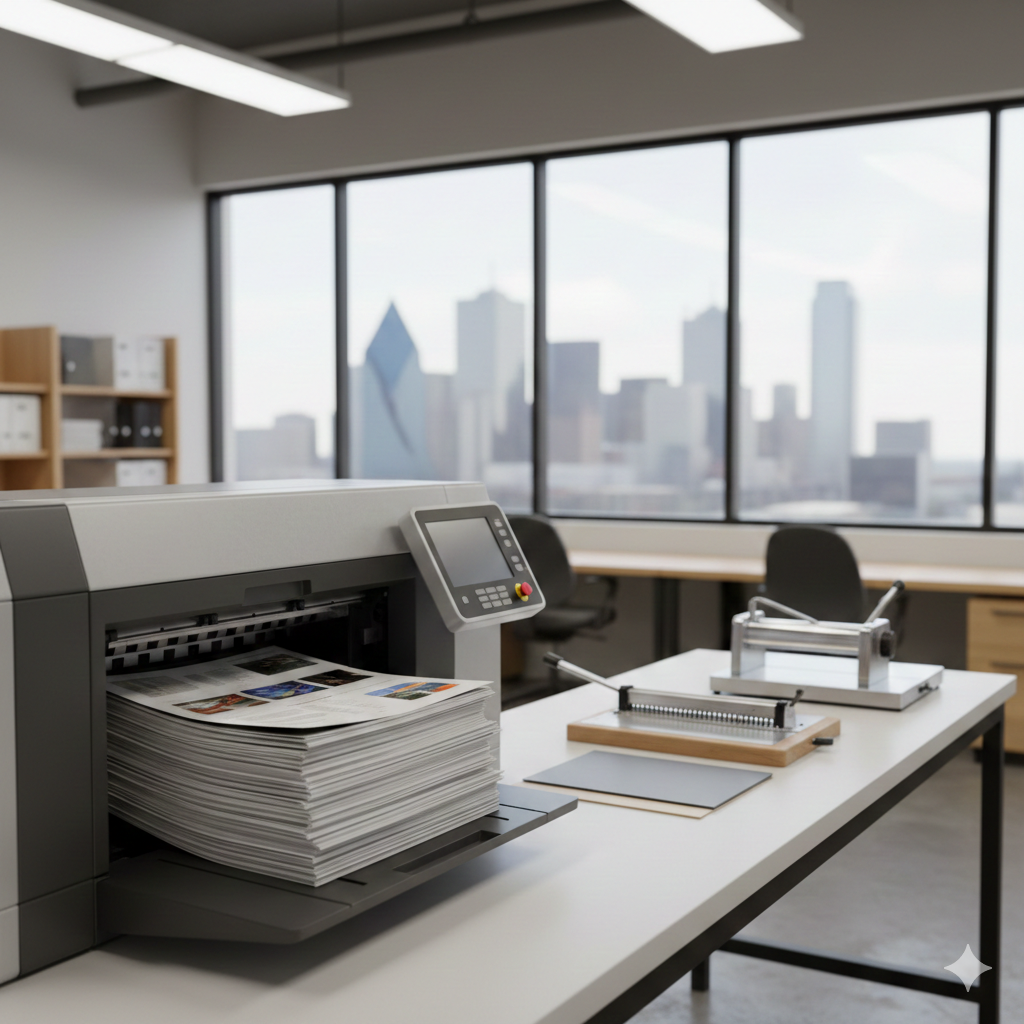
Dallas offers several categories of document printing services, each designed for different needs and budgets. Knowing which type fits your situation saves time and prevents costly mistakes.
Full-service print shops like AlphaGraphics provide comprehensive printing solutions with professional guidance. These locations handle everything from basic black-and-white copies to complex multi-page documents with binding, lamination, and specialty finishes. Staff members can help troubleshoot file issues and recommend the best paper stock for your project.
Office supply retailers offer self-service kiosks and counter printing services. These work well for straightforward jobs when you have print-ready files and don't need specialized assistance.
Shipping centers provide basic printing alongside their primary services. While convenient for simple documents, they typically offer fewer paper options and finishing services.
Library printing stations serve as budget-friendly options for students and residents, though they usually limit color printing and don't offer professional finishing.
The key difference between these options comes down to expertise, equipment quality, and available services. A professional print shop invests in commercial-grade equipment that produces sharper text, more accurate colors, and handles specialty papers that consumer-grade machines cannot process.
Common Document Types and Printing Requirements
Different documents require different approaches to printing. Understanding these requirements before you arrive at a print shop speeds up the process and ensures better results.
Business Documents
Business documents include reports, proposals, contracts, and presentations. These typically require:
Paper weight: 24-28 lb bond for everyday documents, 32 lb or cardstock for covers
Finish: Matte or uncoated for easy writing and reading
Binding options: Spiral, comb, or perfect binding for multi-page documents
Color considerations: Full color for presentations, black-and-white for internal reports
Professional print shops can add tabs, dividers, and custom covers to create polished presentation materials that make strong impressions during meetings and pitches.
Academic and Educational Materials
Students and educators frequently need syllabi, research papers, study guides, and thesis documents printed. These projects often have specific formatting requirements from institutions.
Thesis and dissertation printing typically requires archival-quality paper, specific margin settings, and professional binding that meets university standards. Many Dallas-area print shops understand these requirements and can guide students through the process.
Legal and Official Documents
Legal documents demand precision. Contracts, agreements, and official forms often require specific paper types, clear reproduction of signatures, and sometimes notarization services.
When printing legal documents, ensure your print provider uses equipment that produces crisp, readable text at standard legal sizes (8.5" x 14") and can handle multi-part forms if needed.
Marketing and Promotional Materials
Flyers, brochures, and promotional documents benefit from higher-quality paper stocks and professional finishing. Glossy or semi-gloss coatings make colors pop, while heavier cardstock creates a more substantial feel that recipients are less likely to discard.
File Preparation for Successful Printing
Proper file preparation prevents delays, reprints, and unexpected costs. Taking a few minutes to check your files before visiting a print shop saves significant time.
Accepted File Formats
Most professional print shops accept:
PDF: The preferred format for most documents. PDFs preserve formatting, fonts, and layout across different systems.
Microsoft Office files: Word, Excel, and PowerPoint files work but may display differently on the print shop's computers.
Image files: JPEG, PNG, and TIFF for photo printing or image-heavy documents.
PDF remains the gold standard because it eliminates font substitution issues and maintains exact spacing and alignment. When converting documents to PDF, use the "Print to PDF" or "Export as PDF" function rather than third-party converters for best results.
Resolution and Quality Settings
For documents with images or graphics, resolution matters significantly. Images should be at least 300 DPI (dots per inch) for sharp printing. Lower resolution images may look fine on screen but appear pixelated or blurry when printed.
Text documents without images don't have resolution concerns, but ensure fonts are embedded in your PDF to prevent substitution issues.
Bleed and Margin Considerations
If your document has color or images that extend to the edge of the page, you need "bleed"—extra image area beyond the trim line. Standard bleed is 0.125 inches on each side.
For documents without edge-to-edge printing, maintain at least 0.5-inch margins to ensure no content gets cut off during printing or binding.
File Transfer Options
Dallas print shops typically accept files through:
USB drives: Bring your files on a flash drive for immediate access
Email: Send files directly to the print shop before your visit
Online portals: Many shops offer web-based upload systems
Cloud storage: Share links from Google Drive, Dropbox, or similar services
Calling ahead to confirm file transfer preferences and size limits prevents frustration, especially for large files or rush jobs.
Turnaround Times and Rush Services
Understanding typical turnaround times helps you plan projects effectively and avoid rush fees when possible.
Standard Turnaround
Most Dallas print shops offer these standard timelines:
Simple black-and-white copies: Same day, often within hours
Color documents: Same day to next business day
Bound documents: 1-2 business days
Large quantity orders: 2-5 business days depending on volume
Standard turnaround typically costs less and allows time for quality checks before final delivery.
Same-Day and Rush Services
When deadlines are tight, many print providers offer expedited services:
While-you-wait printing: Available for simple jobs at most locations
Same-day rush: Order by mid-morning for end-of-day pickup
Next-morning delivery: Submit files by end of business for early pickup
Rush services typically add 25-50% to standard pricing, but they're invaluable when you're facing a deadline. Calling ahead to confirm availability and capacity helps ensure your rush job gets completed on time.
Planning for Large Projects
For substantial print jobs—conference materials, training manuals, or event programs—build in extra time. Large orders may require:
Proof approval before full production
Paper ordering for specialty stocks
Multiple quality checks during production
Packaging and delivery coordination
Starting conversations with your print provider 1-2 weeks before major deadlines gives everyone time to address issues without rush fees.
Pricing Factors for Document Printing
Print pricing varies based on several factors. Understanding these helps you budget accurately and identify opportunities to reduce costs.
Per-Page Pricing
Basic document printing typically charges per page:
Black-and-white: Generally ranges from $0.05-0.15 per page
Color: Usually $0.25-1.00 per page depending on coverage
Volume discounts apply to larger orders. Printing 500 copies costs less per page than printing 50 copies of the same document.
Paper and Material Costs
Standard 20 lb copy paper comes included in basic per-page pricing. Upgraded options add cost:
Premium paper stocks: Add $0.02-0.10 per sheet
Cardstock: Add $0.05-0.25 per sheet
Specialty papers: Pricing varies by type and availability
Discussing paper options with print staff helps balance quality goals with budget constraints.
Finishing Services
Additional services beyond basic printing include:
Stapling: Often free or minimal charge
Hole punching: Usually included or low cost
Folding: $0.02-0.10 per fold
Lamination: $1-5 per page depending on size
Binding: $3-15 depending on method and page count
Cutting: Varies by complexity
These finishing touches transform basic printouts into professional documents but add to total project cost.
Design and File Assistance
If your files need adjustments, expect additional charges:
Minor corrections: Often complimentary
File conversion: $5-25 depending on complexity
Design modifications: Hourly rates typically $25-75
Full design services: Project-based pricing
Arriving with print-ready files eliminates these costs entirely.
Choosing the Right Print Provider
Not all print shops offer the same experience. Several factors distinguish excellent providers from adequate ones.
Equipment and Capabilities
Professional print shops invest in commercial equipment that produces superior results. Ask about:
Printer types: Digital presses for short runs, offset for large quantities
Maximum paper sizes: Important for posters, signs, and oversized documents
Finishing equipment: In-house binding, lamination, and cutting capabilities
Color accuracy: Calibrated systems for consistent, accurate color reproduction
Shops with diverse equipment can handle more project types without outsourcing, which typically means faster turnaround and better quality control.
Staff Expertise
Knowledgeable staff members add significant value. They can:
Identify potential file issues before printing
Recommend appropriate paper stocks for your purpose
Suggest finishing options you might not have considered
Troubleshoot problems quickly
Provide accurate time and cost estimates
A few minutes of expert guidance often saves hours of frustration and prevents costly reprints.
Location and Accessibility
Consider practical factors:
Proximity: Closer locations save time, especially for rush jobs
Parking: Easy access matters when carrying materials
Hours: Extended hours accommodate busy schedules
Walk-in availability: Some shops require appointments for certain services
For Dallas-area customers, central locations with good parking and flexible hours provide the most convenience.
Service Range
Providers offering comprehensive services become valuable long-term partners. Beyond document printing, consider whether they offer:
Large-format printing for posters and banners
Custom signage for businesses and events
Marketing material production
Mailing and fulfillment services
Working with a single provider for multiple needs simplifies project management and often unlocks better pricing.
Walk-In Printing vs. Online Ordering
Both approaches have advantages depending on your situation and preferences.
Walk-In Benefits
Visiting a print shop in person works best when:
You need immediate assistance with file issues
The project requires hands-on paper selection
You want to see proofs before committing to full production
Rush timing requires direct communication
You prefer face-to-face service
Walk-in service allows real-time problem-solving and immediate feedback on options and pricing.
Online Ordering Advantages
Submitting orders online suits situations where:
Your files are print-ready and tested
You have flexible pickup timing
The project is straightforward without special requirements
You prefer to avoid travel time
Many print shops offer online portals where you can upload files, select options, and schedule pickup—all without leaving your desk.
Hybrid Approach
The most effective strategy often combines both methods. Upload files online to save time, then visit for pickup and discuss any questions or future projects with staff. This approach maximizes convenience while maintaining the relationship benefits of in-person interaction.
Large-Format and Specialty Printing
Sometimes standard document printing doesn't meet your needs. Dallas print shops offer expanded capabilities for larger and specialized projects.
Posters and Presentations
Academic posters, conference presentations, and display graphics require large-format printing. Standard sizes include:
18" x 24": Small posters and presentation boards
24" x 36": Standard academic poster size
36" x 48": Large conference posters
Custom sizes: Available at most professional shops
Large-format printing uses different equipment than standard document printing, so confirm capabilities before assuming any shop can handle your poster project.
Banners and Signs
For events, trade shows, or business displays, banner and sign printing extends beyond documents into marketing territory. Options include:
Vinyl banners for indoor and outdoor use
Retractable banner stands for portable displays
Rigid signs on foam board, coroplast, or aluminum
Window graphics and decals
Professional print shops with signage capabilities can produce these materials alongside your document printing, creating a one-stop solution for events and presentations.
Specialty Materials
Some projects require printing on non-standard materials:
Transparencies: For overhead projectors or layered presentations
Labels and stickers: For organization or branding
Fabric printing: For soft signage and displays
Magnetic sheets: For vehicle signs or removable displays
Discuss specialty material needs with your print provider early in the planning process, as these may require additional lead time or minimum quantities.
Tips for a Smooth Printing Experience
A few simple practices make document printing faster and more successful.
Before Your Visit
Finalize your document: Make all edits before creating your print file
Convert to PDF: Preserve formatting and prevent font issues
Check page count: Know exactly how many pages you're printing
Determine quantity: Decide how many copies you need
Consider finishing: Think about binding, lamination, or other services
Gather files: Put everything on one USB drive or in one email
During Your Visit
Communicate clearly: Explain your project goals and timeline
Ask questions: Staff expertise is valuable—use it
Request proofs: For important projects, review a sample before full production
Confirm pricing: Get a clear quote before authorizing the job
Provide contact information: Ensure the shop can reach you if questions arise
After Pickup
Inspect immediately: Check quality before leaving the shop
Address issues promptly: Problems are easier to resolve on-site
Save your files: Keep print-ready versions for future reprints
Note what worked: Remember successful specifications for similar projects
Conclusion
Finding reliable document printing near Dallas comes down to matching your specific needs with the right provider. Whether you need quick copies for a meeting, professional bound reports for clients, or large-format posters for a conference, Dallas-area print shops offer solutions for every requirement and budget.
The key to successful printing lies in preparation—having print-ready files, understanding your timeline, and communicating clearly with print professionals who can guide you toward the best results. Taking time to build a relationship with a trusted local provider pays dividends through better service, faster turnaround, and consistent quality.
At AlphaGraphics Dallas, we help individuals and businesses navigate their printing needs with expert guidance and reliable production. Whether you're walking in with a USB drive or uploading files online, our team is ready to deliver professional results on your timeline. Visit us today to discuss your next document printing project.
Frequently Asked Questions
What file format works best for document printing?
PDF is the preferred format for document printing because it preserves fonts, formatting, and layout exactly as you designed them. Unlike Word or other editable formats, PDFs display consistently across different computers and prevent unexpected changes during the printing process.
How much does it cost to print documents in Dallas?
Basic black-and-white printing typically ranges from $0.05-0.15 per page, while color printing runs $0.25-1.00 per page depending on ink coverage. Additional services like binding, lamination, and premium paper add to the total cost. Volume discounts apply to larger orders.
Can I get same-day document printing?
Yes, most Dallas print shops offer same-day service for straightforward jobs. Simple black-and-white copies are often available within hours, while color documents and bound materials may require ordering by mid-morning for end-of-day pickup. Rush fees typically apply for expedited service.
What paper options are available for document printing?
Print shops offer various paper weights and finishes including standard copy paper, premium bond, cardstock, glossy photo paper, and specialty stocks. Staff can recommend appropriate options based on your document type—heavier stocks work well for covers and presentations, while standard paper suits everyday documents.
Do I need an appointment for walk-in printing?
Most print shops welcome walk-in customers for standard document printing without appointments. However, calling ahead is recommended for large orders, rush jobs, or projects requiring specialty services. This ensures staff availability and confirms the shop can meet your timeline.
How should I prepare images for printing?
Images should be at least 300 DPI (dots per inch) for sharp, clear printing. Lower resolution images may look acceptable on screen but appear pixelated when printed. If your document contains photos or graphics, check resolution before creating your final print file.
What binding options are available for multi-page documents?
Common binding options include spiral binding, comb binding, saddle stitch (stapled booklets), and perfect binding (glued spine like paperback books). The best choice depends on page count, how the document will be used, and presentation requirements. Print staff can recommend appropriate options.
Can print shops help fix problems with my files?
Yes, professional print shops can often assist with minor file corrections, format conversions, and troubleshooting. Complex design changes may incur additional charges. Arriving with print-ready files saves time and money, but staff expertise is available when you need help.
What's the difference between digital and offset printing?
Digital printing works directly from computer files and suits short runs and quick turnaround. Offset printing uses plates and is more economical for large quantities (typically 500+ copies). Most document printing uses digital methods, while offset becomes cost-effective for high-volume projects.
How do I transfer large files to a print shop?
Options include USB drives, email (for smaller files), online upload portals, and cloud storage links from services like Google Drive or Dropbox. Check with your print provider about file size limits and preferred transfer methods, especially for documents with many images or pages.
